Purchase Statistics Tutorial
Last modified on 2025-11-07
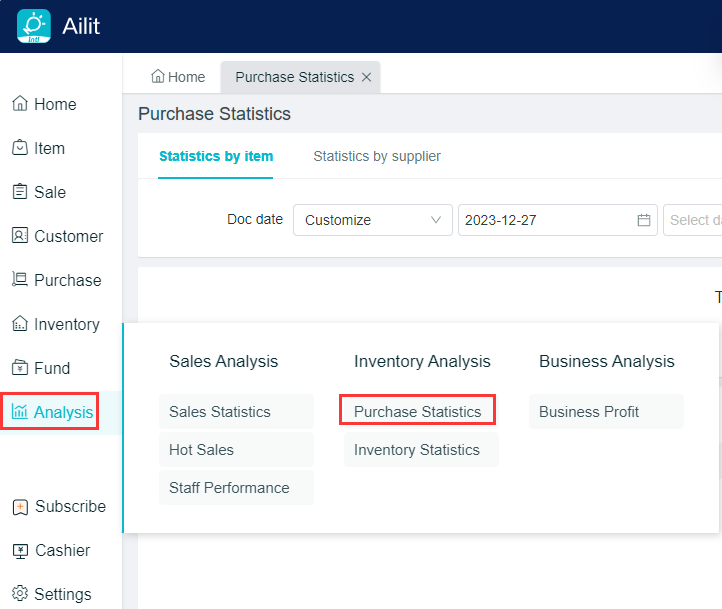
Operation Path: Analysis - Purchase Statistics.
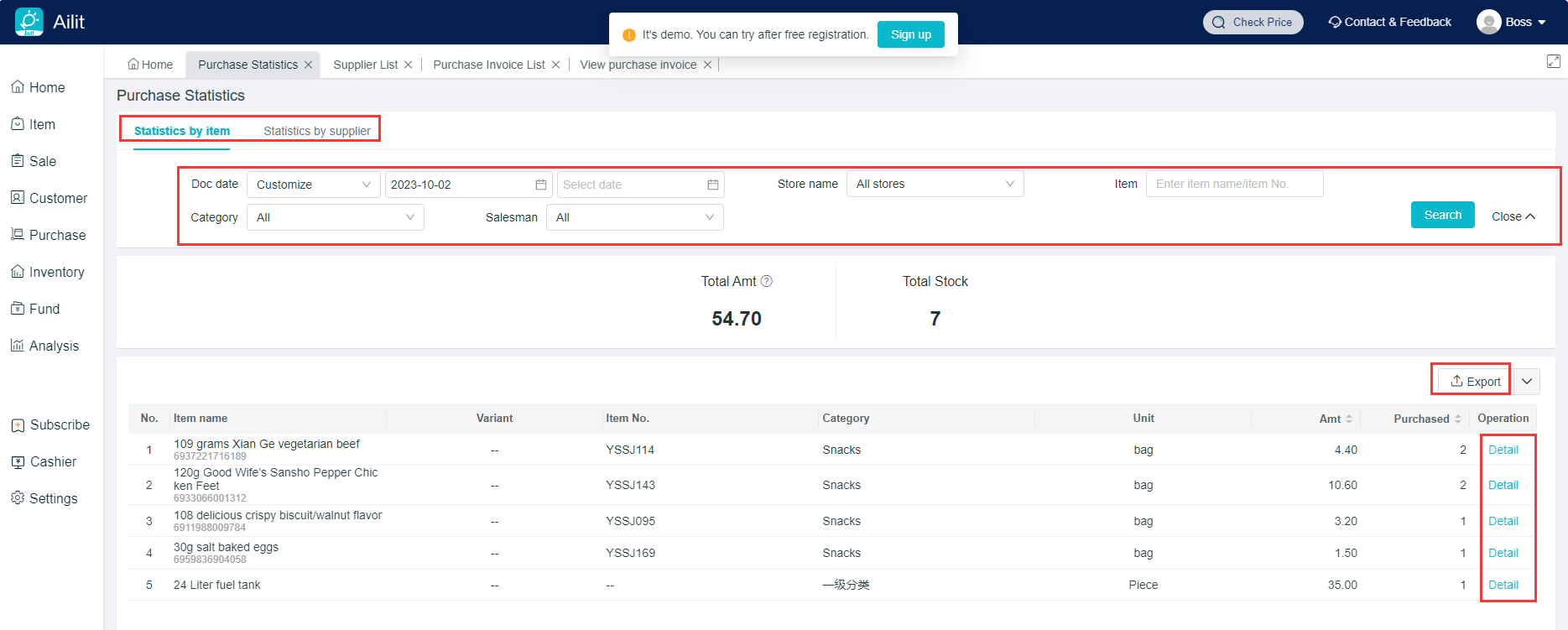
- Choose statistics by item and by supplier.
- Choose the query with document date, store, item name/product number, item category or salesperson.
- Shipping costs are not included in the total purchase amounts.
- Click on [Export] to export the Purchase Statistics Report.
- Click on the purchase amount and purchase quantity at the table header for rearrangement.
- By item statistics, click on [View] button behind the item name to query the purchase amount and quantity of the item in each supplier's.
- By supplier query, click on [View] button behind the supplier name to query the total quantity and total amounts of each product purchased by the supplier.