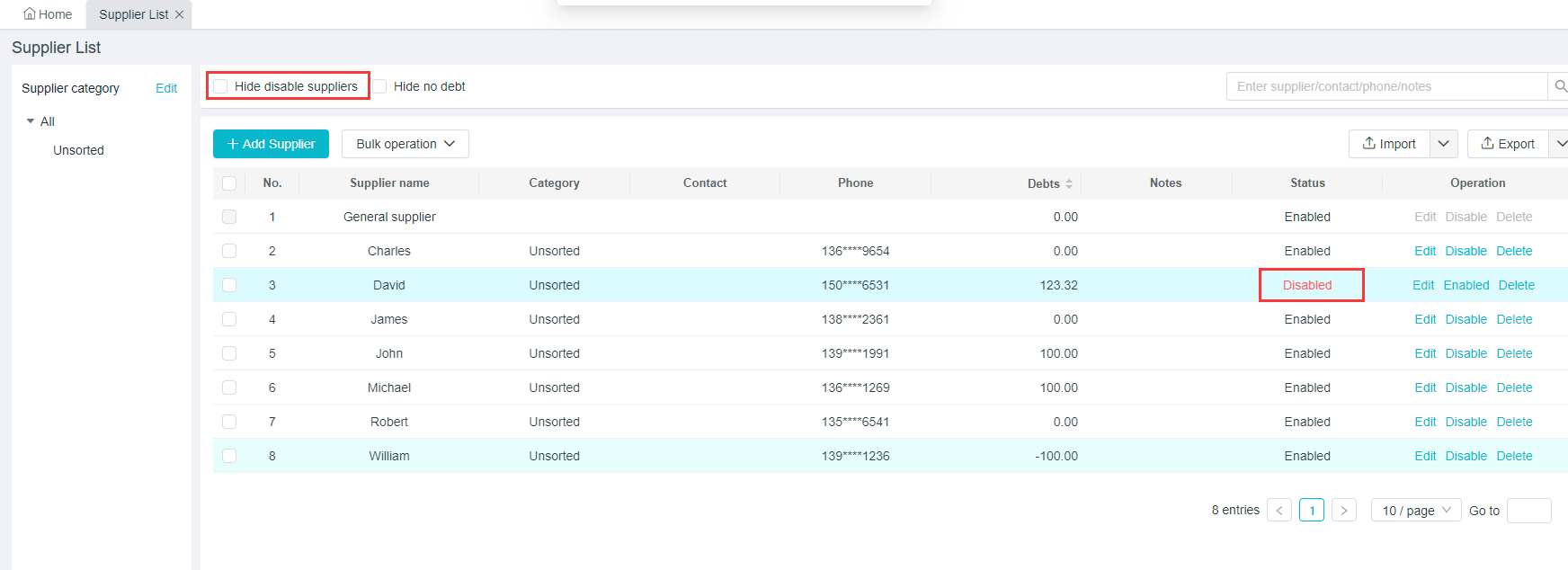
Suppliers Tutorial
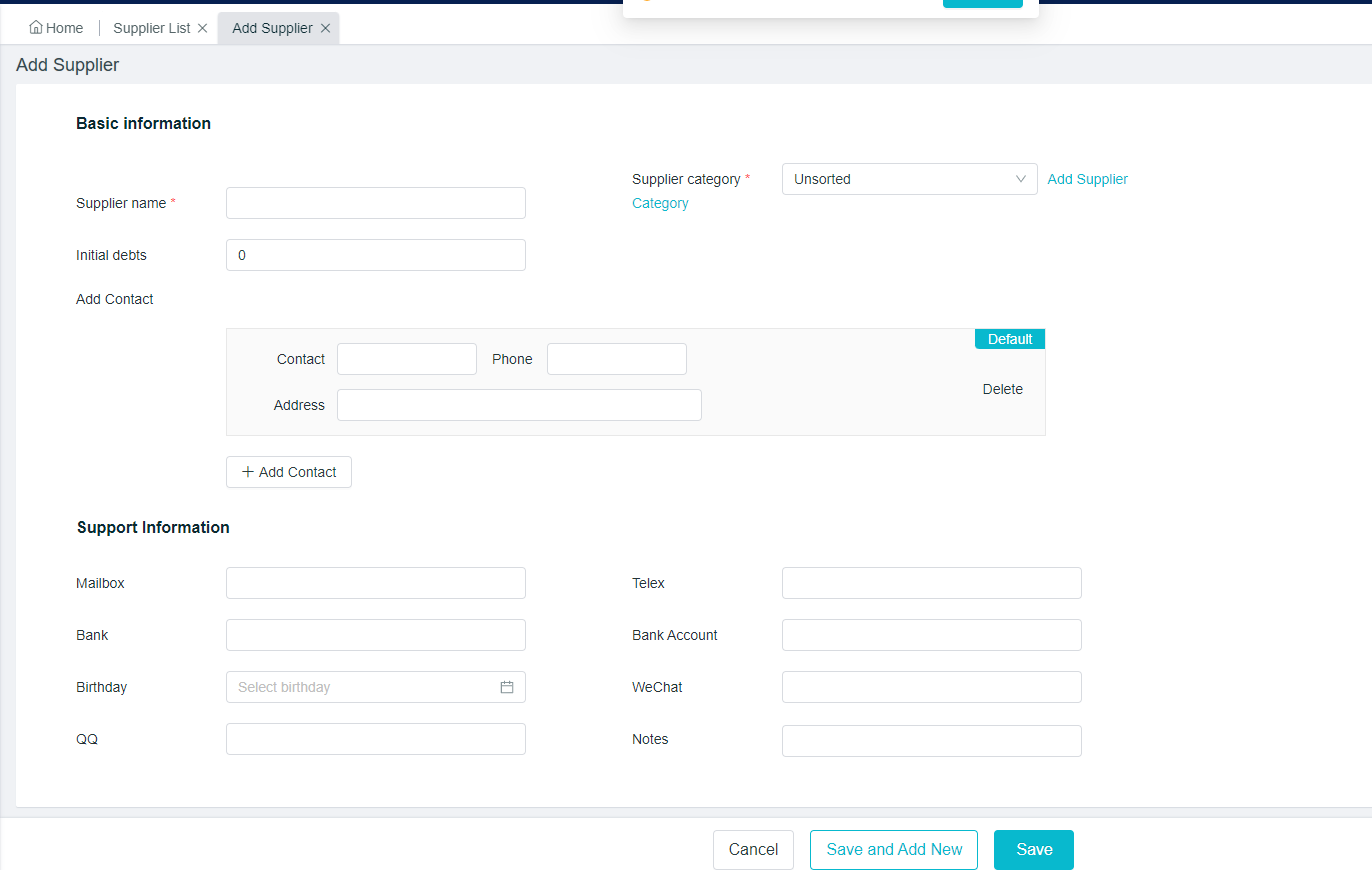
Add Suppliers
Path:[Purchase] - [Supplier] - [Add Suppliers]
Fill in the corresponding basic and auxiliary information in turn, and then click on “Save”.
Modify/Deactivate Supplier Information
Path:[Purchase] - [Supplier]
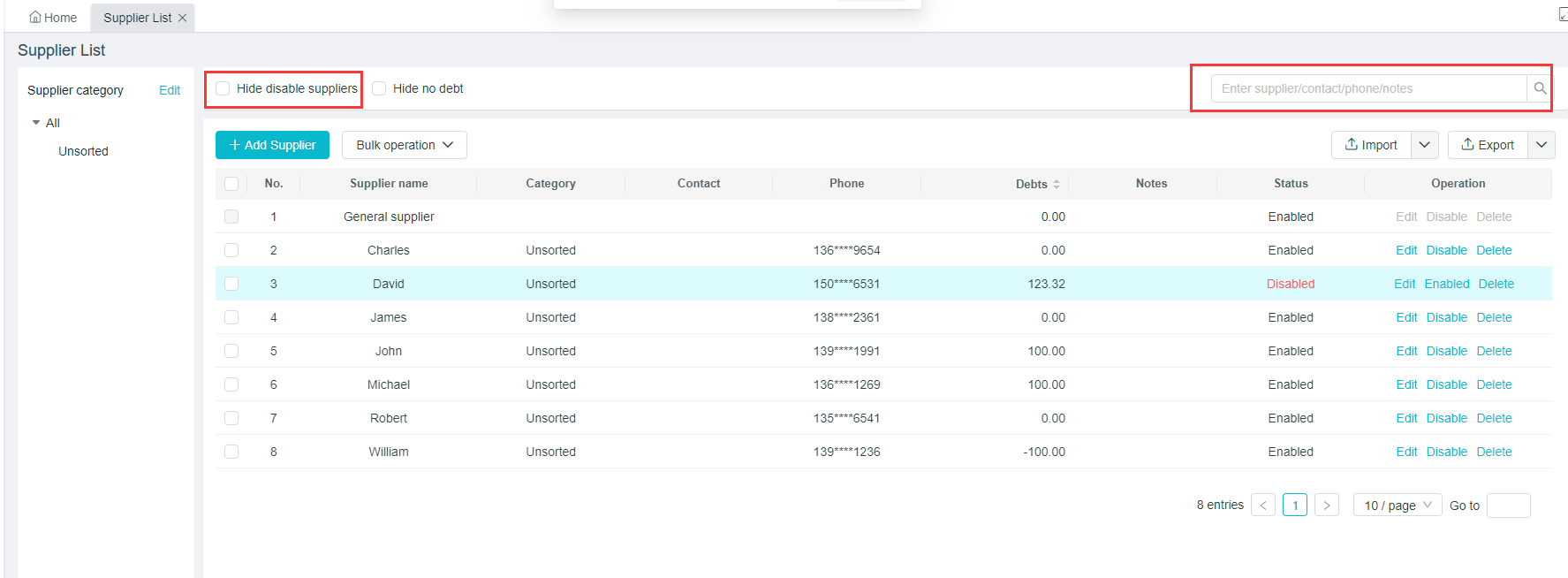
Enter the supplier name, contact person, cellphone number and notes to find the corresponding supplier
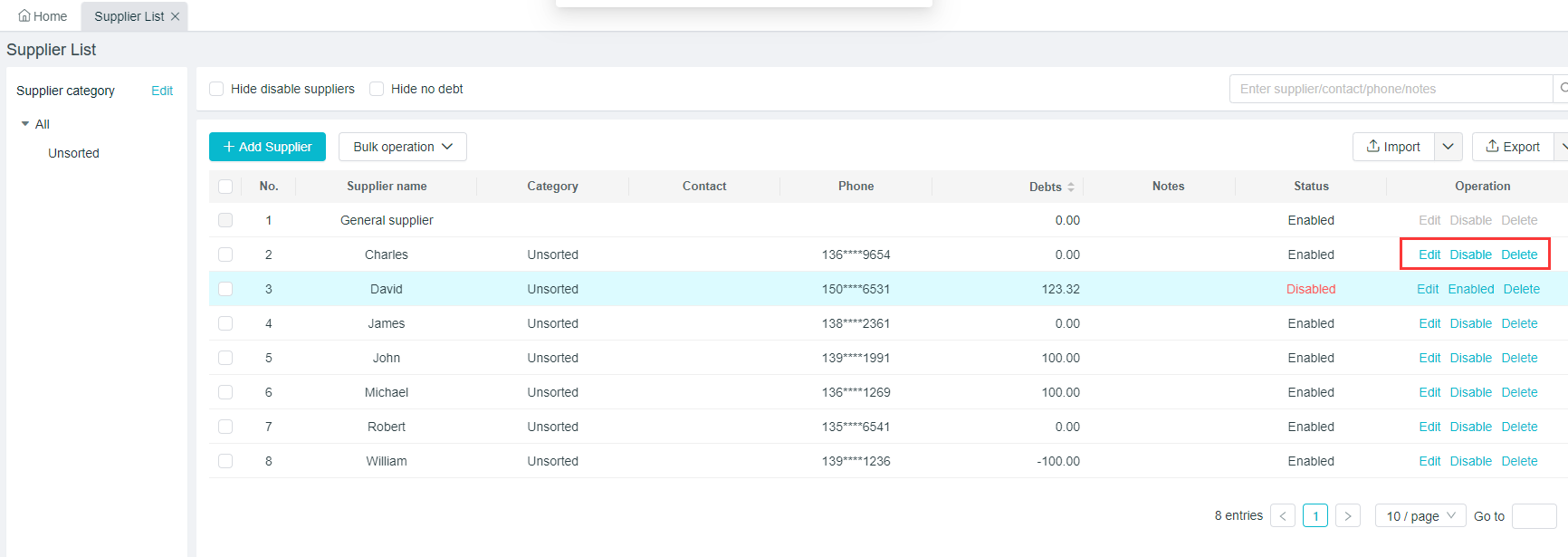
Modification:If modification is needed, please select "Modify" in the supplier list, and then re-edit the supplier's information.
Deactivation:If deactivation is needed, please select "Deactivate" in the supplier list; "Enable” can be clicked again after the deactivation.
Search for the Supplier
Path : [Purchase] - [Supplier]
Go to this page to see all directories of the suppliers;
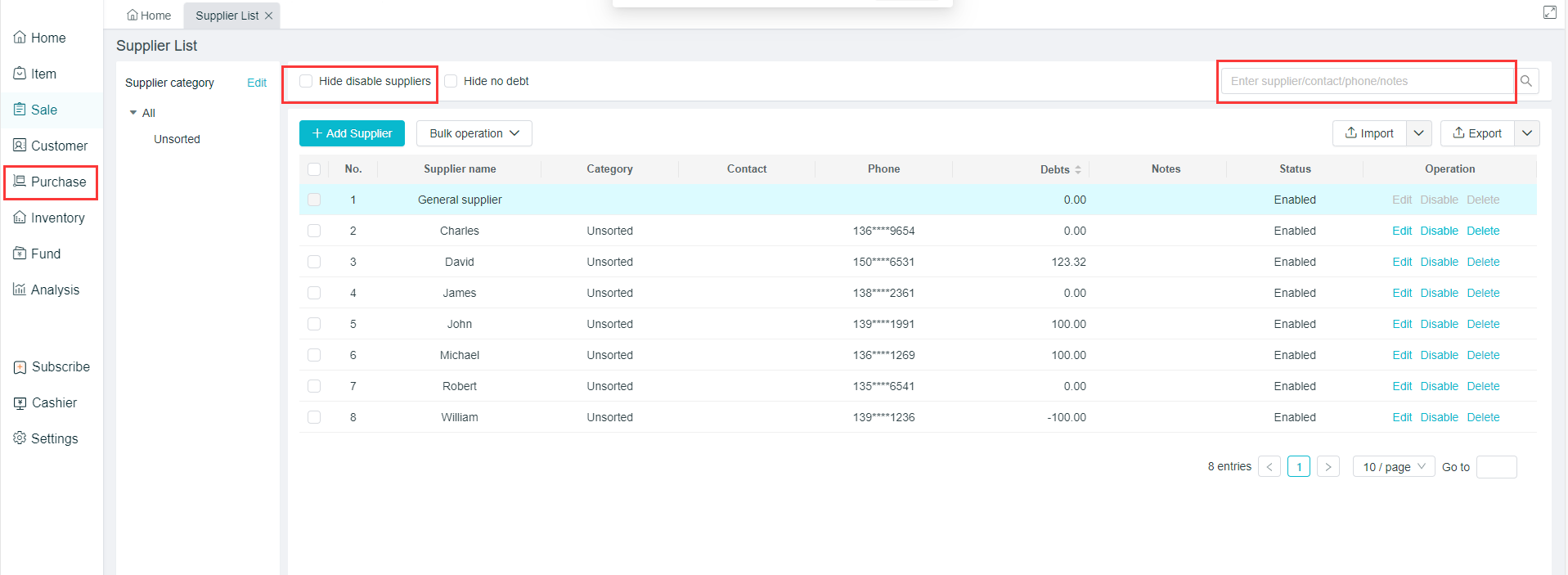
There is a “Search” button at the top right corner, where the supplier name, contact person, cellphone number and notes can be entered for the searching;
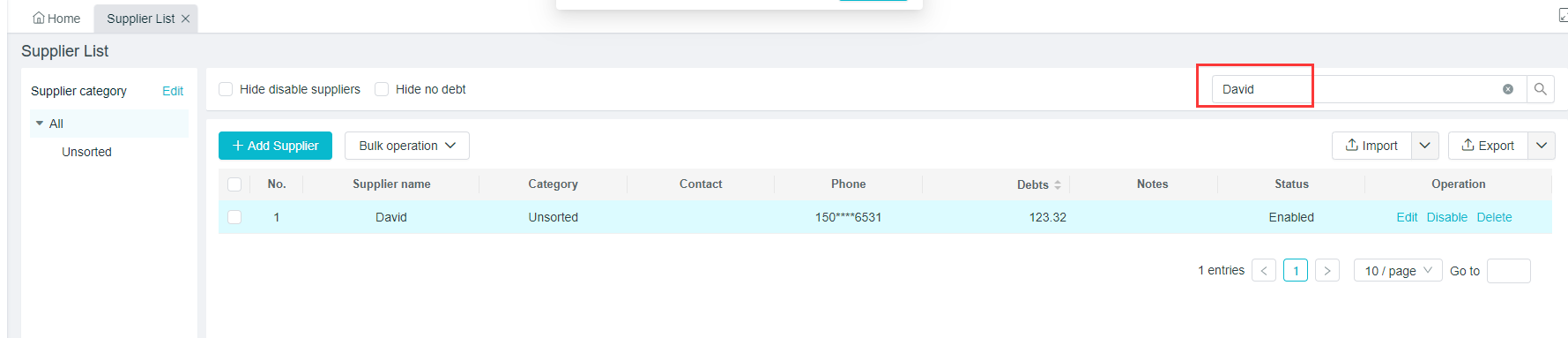
If you enter the contact name "David", the corresponding supplier will appear.
Hide disable suppliers
Path: [Purchase] - [Supplier]
Suppliers who have not purchased products there in the recent can be deactivated first.
Then check the "Hide Deactivated Suppliers" at the top left corner, so that they no longer appear in the supplier list