Stocktaking Tutorial
Business Scenario: When the quantity of actual inventory is not in line with that in the software, the quantity can be modified through the Inventory List.
Add Inventory Lists
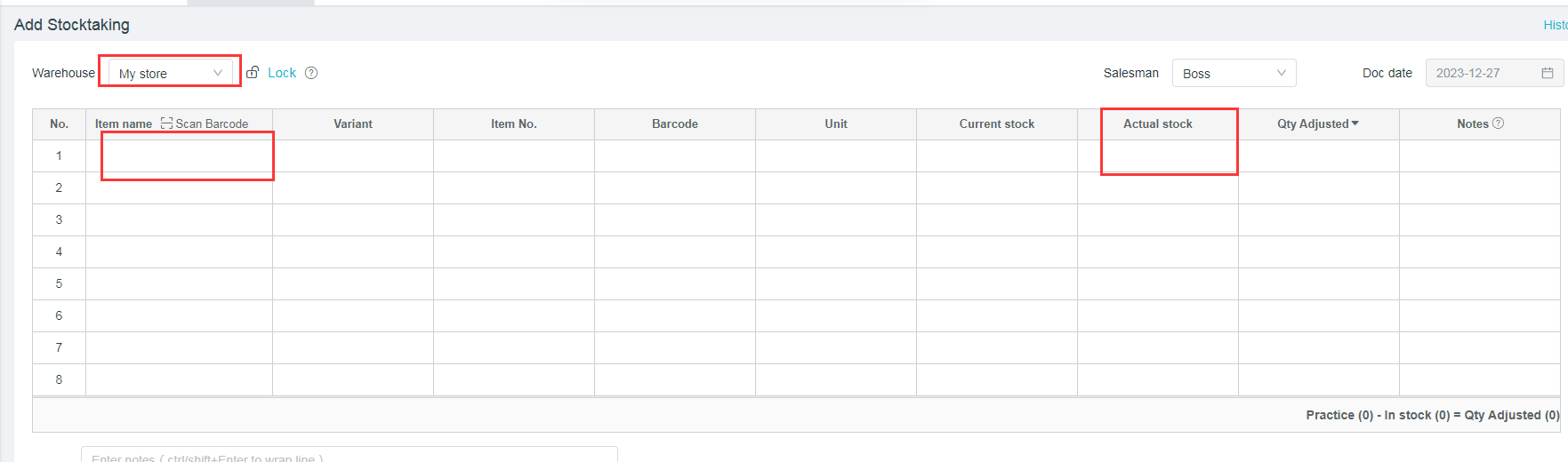
Path: [Inventory] - [Inventory List] - [Add Inventory Lists]
In order to ensure the accuracy of inventory, you can click on “Lock Inventory”.After the “Lock Inventory”, no business billing is allowed regarding the in-and-out-of inventory until it is unlocked or until the inventory list is completed
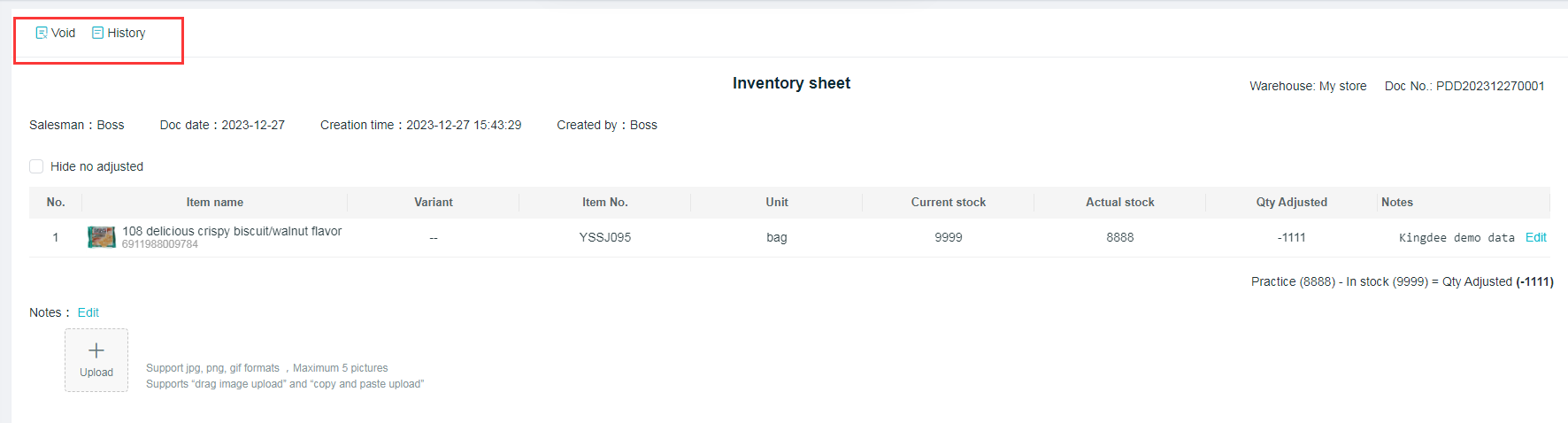
the details of inventory list will be displayed after the list is saved, and the historical documents can be canceled and viewed at the top left corner.
Inventory List
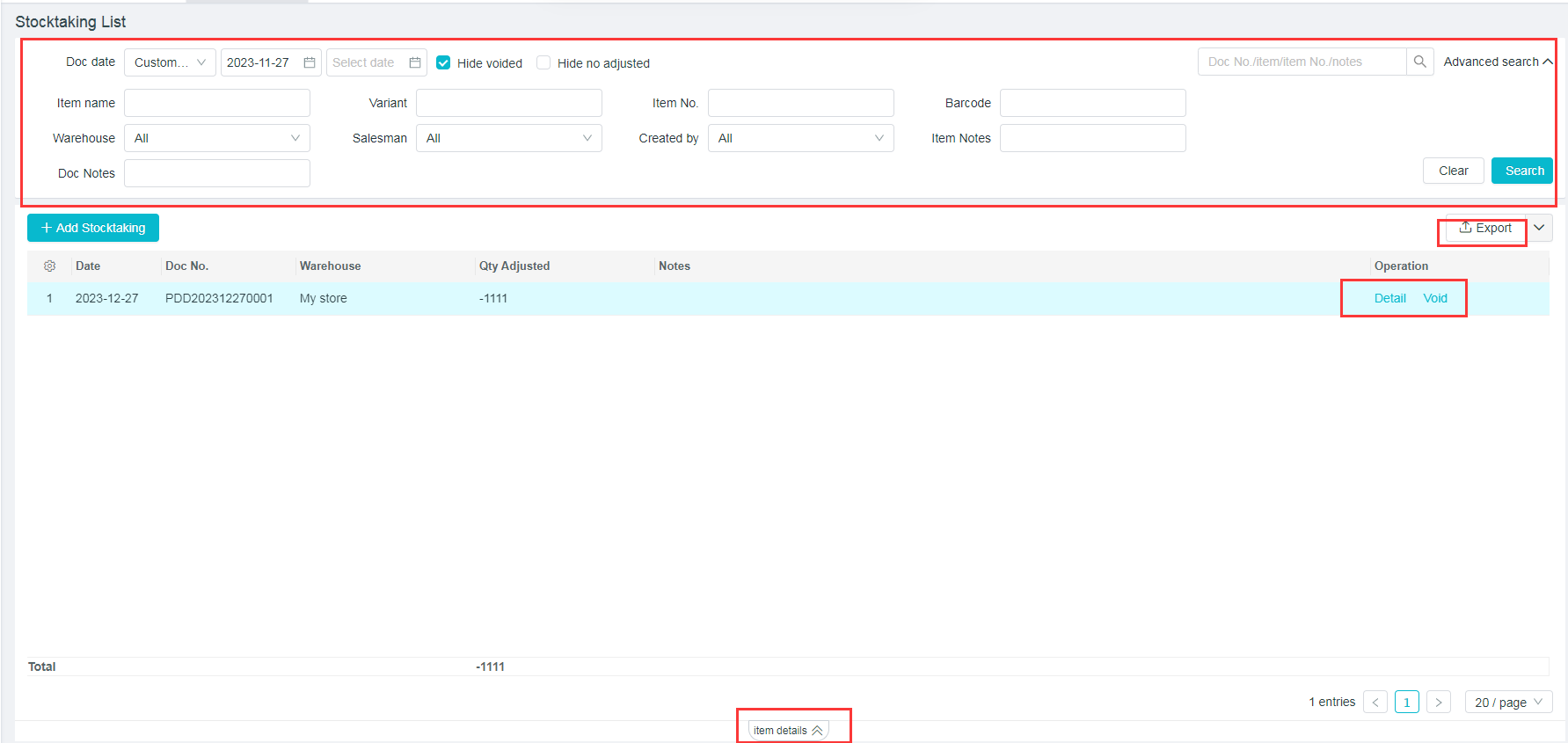
(1) The inventory list can be queried according to the document date, product name, specification, product number, bar code, warehouse, salesperson and notes.
(2) Able to check whether to “Hide the Canceled Documents”, as well as "Hide Documents without Profits and Losses”.
(3) Click on [Export] to export the contents of the inventory list.
(4) Click on [View] [Cancel] behind the document.
(5)Select the document, and then click on [Product Details] at the bottom to view the details of this document.