

[Example] Application of Performance Bonus
Business Scenario:
Profits of the enterprise are divided at a certain ratio between the enterprise and staffs. This way can mobilize the staffs’ enthusiasm and improve the company’s personnel effectiveness.
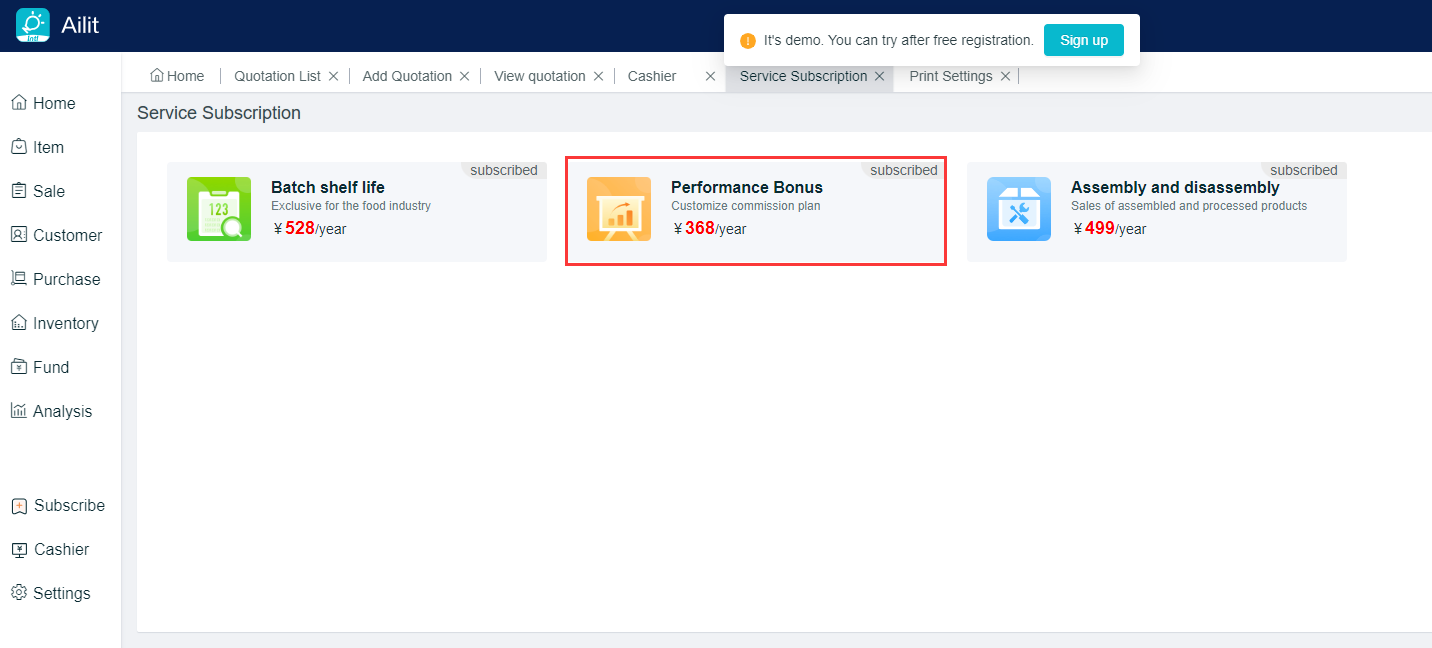
Open a subscription service for [Performance Bonus]:
Performance Bonus is a separate paid service and is not included in the paid version. [Home] left menu [Subscription] - [Service Subscription] - [Performance Bonus], this function can be used after paid.
Operation Guideline:
Example: There are 3 employees in Boss Li’s store, and he needs to set rules of performance commissions for his employees to facilitate the settlement of wages every month
Set new commission rules
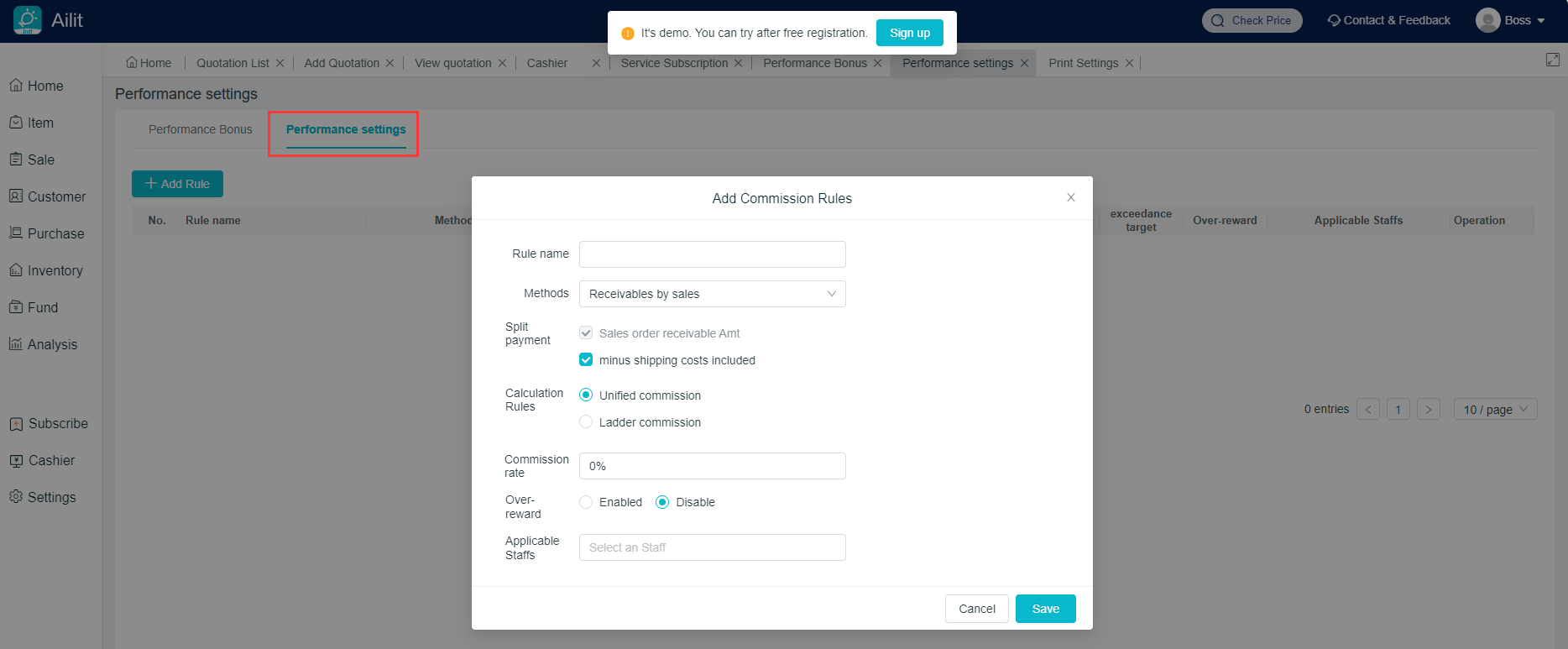
Path:[Sales] - [Performance Bonus] - [Performance Setting] - [Add Rules]
Description: On this page, the commission rules can be set with [Name], [Commission Method], [Sub-Amount], [Calculation Rules], [Excess Rewards],and [Applicable Employees]
Rules for employee bound commission:
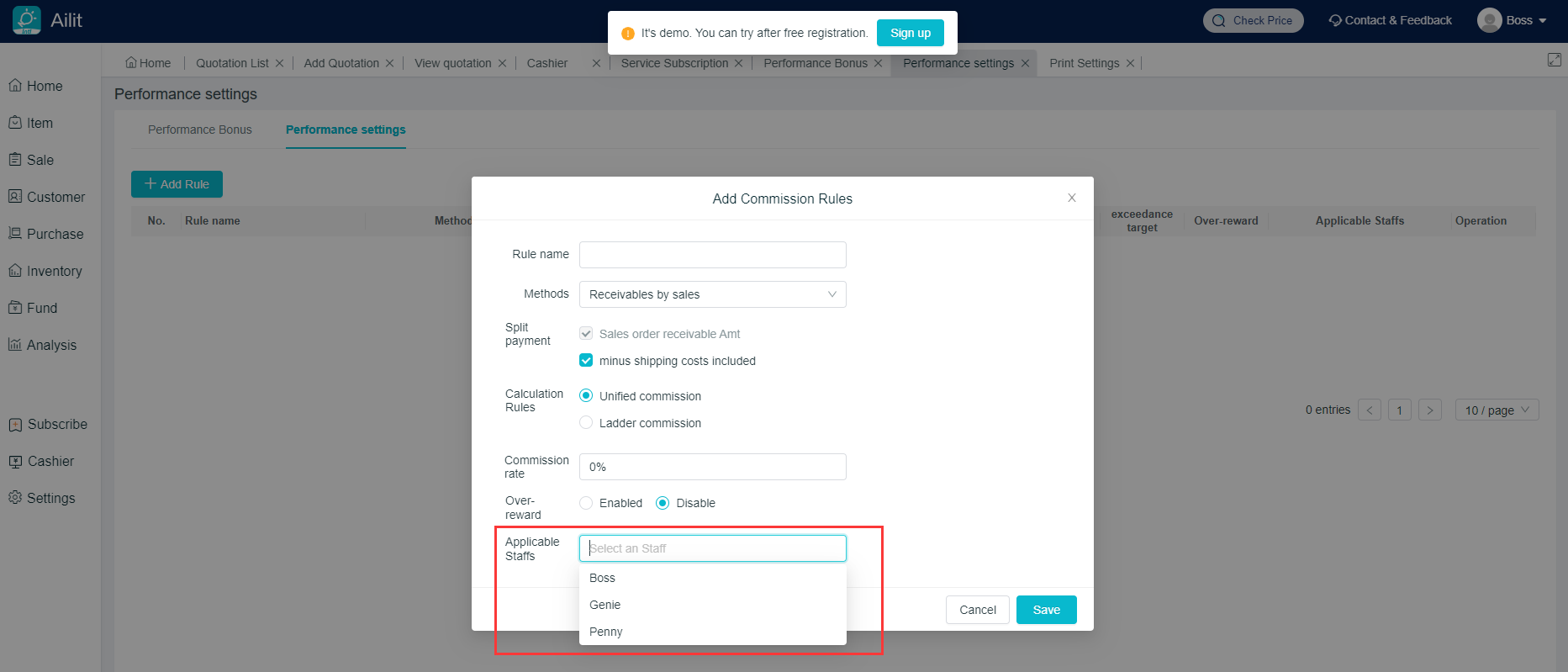
Path:[Sales] - [Performance Bonus] - [Performance Setting] - Select the commission rule added - [Modify] - [Applicable Employees]
Description: Applicable employees are selectable for each commission rule.
(Multiple employees can be selected and bound to the same rule)
Commission automatically calculated by the system:
Description: After the salesman gives the billing, the system will automatically calculate the commission amount based on the commission rules set in advance.Similarly, the excess rewards are calculated in the same way
View the performance commission schedule:
Path: [Sales] - [Performance Bonus]
Note: Employees’ information such as [Bonus Amount] can be clearly seen