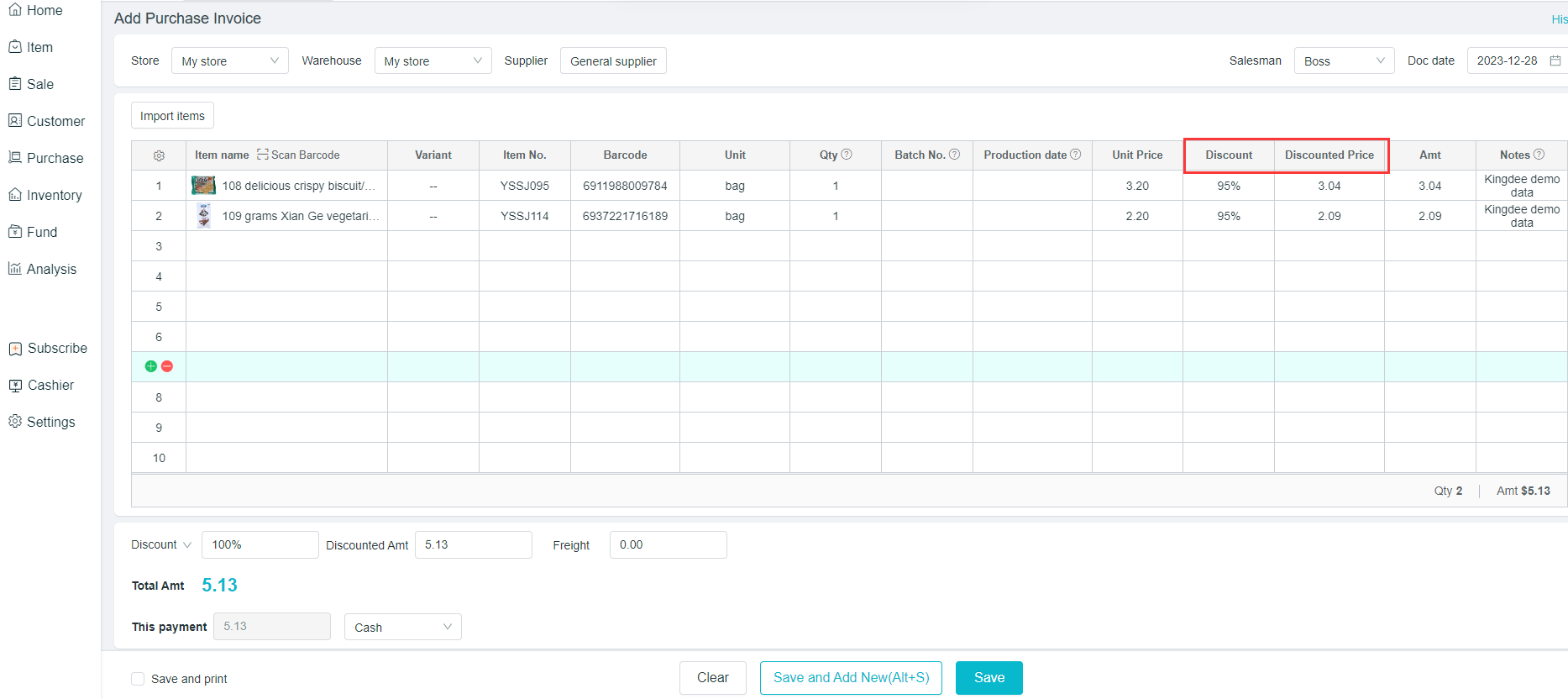
Enable purchase single line discount tutorial
Last modified on 2025-11-06
Operation Path:
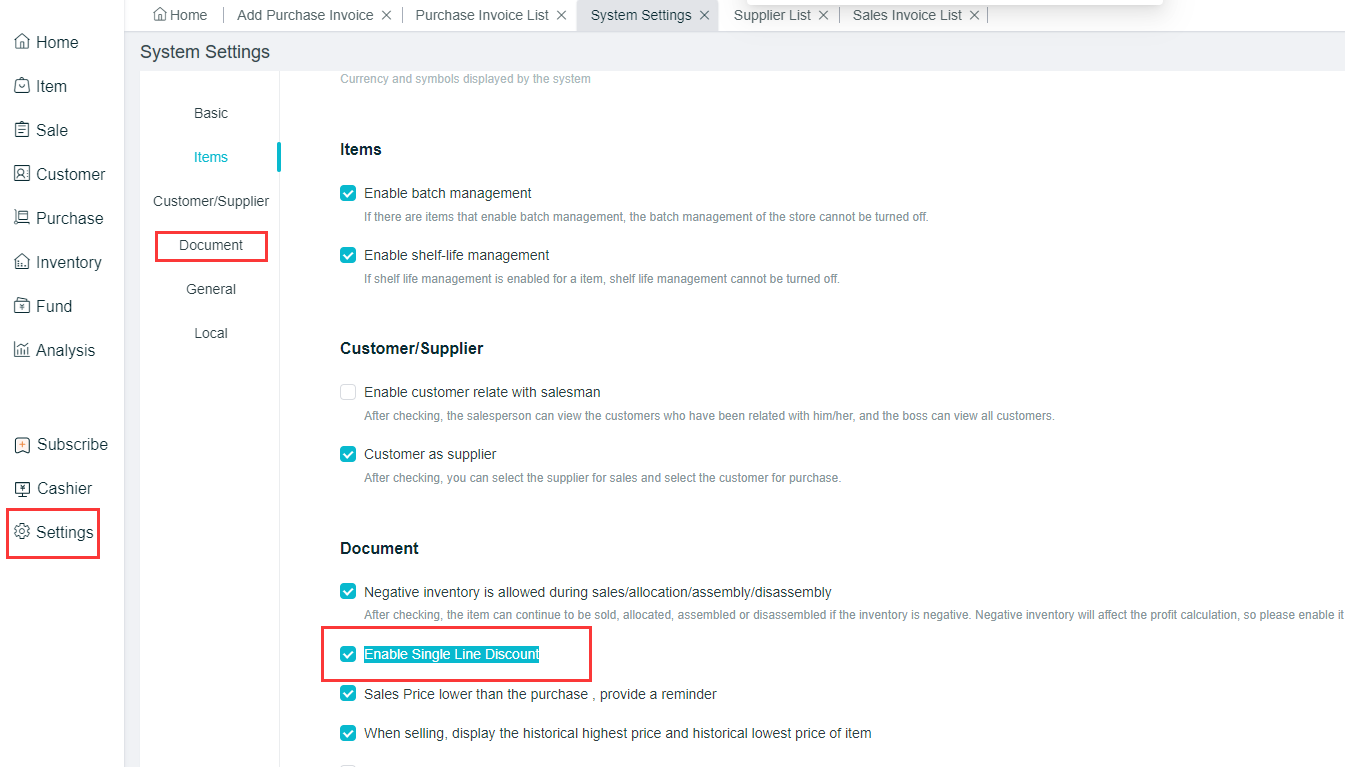
(1) Settings - System Settings - Check “Enable Single Line Discount”.
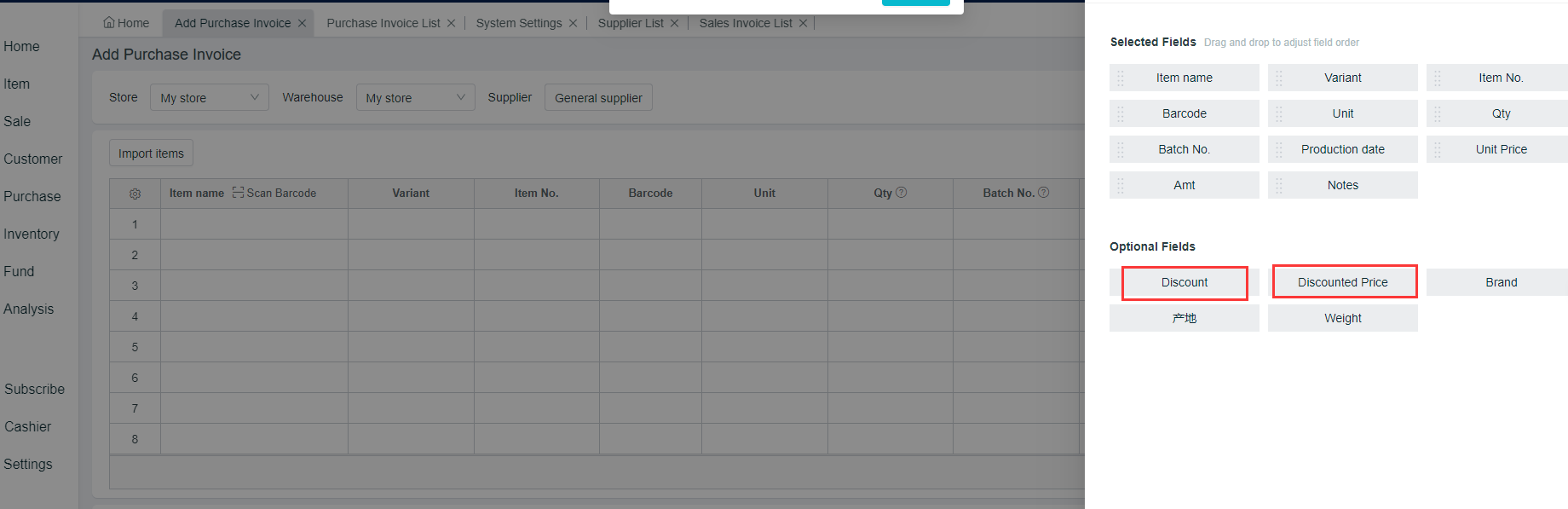
(2) Purchase - Add Purchase Invoice - Click on “Settings” button on the left, and add the discount as well as discounted prices to the displayed fields, then click on Confirm.
(3) Discount rate for individual item can be entered at the time of issuing a purchase Invoice.