Tutorial for Purchase Order
Last modified on 2025-11-06
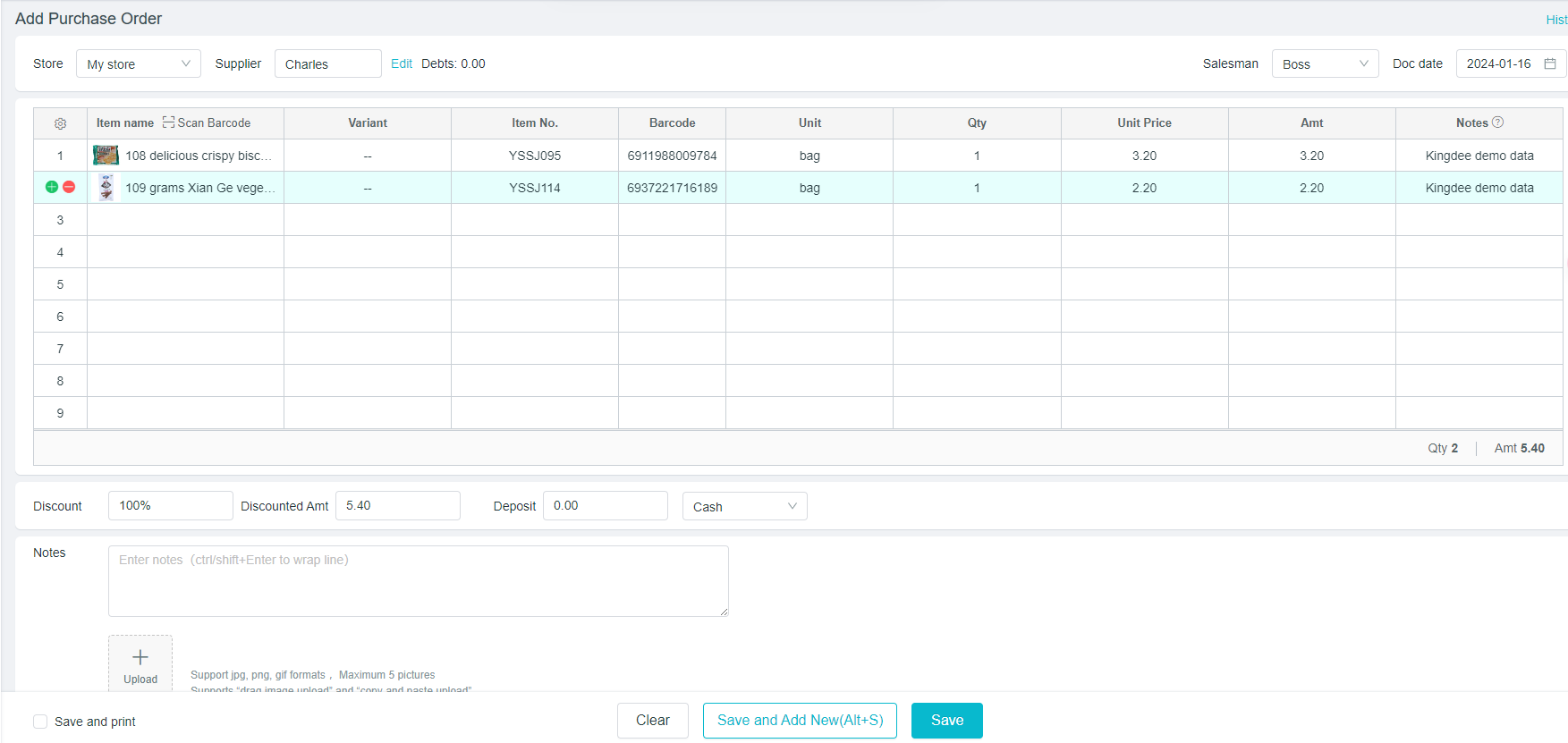
Add Purchase Order
Path:[Purchase] - [Purchase Order]
- First, select the supplier, and directly add if there is no one
- Select the corresponding product, directly click on the blank space of the product name to add, and enter the corresponding quantity to automatically calculate the amount
- Just click on "Save"; click on "Save and Add New" to continue issuing the purchase order.
Transfer purchase order to purchase invoice
Path:[Purchase] - [Purchase Order]
[Detail]: Click to view the details, click on “Transfer to Purchase” at the right corner, i.e. Purchase orders can be transferred into purchase invoice.
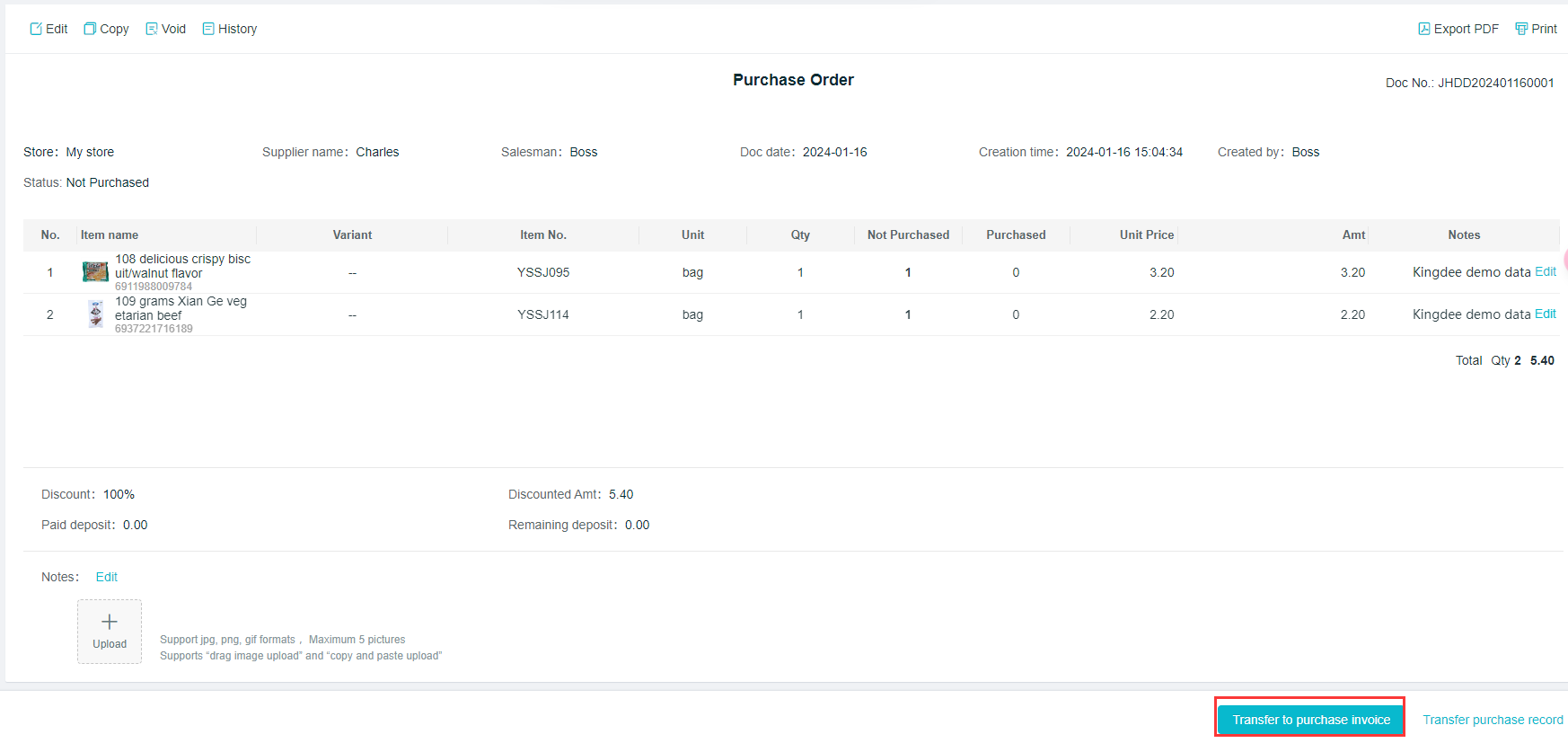
If there is any change after the transfer into a purchase ticket, the purchase invoice can be directly modified
Void of purchase orders
Path:[Purchase] - [Purchase Order]
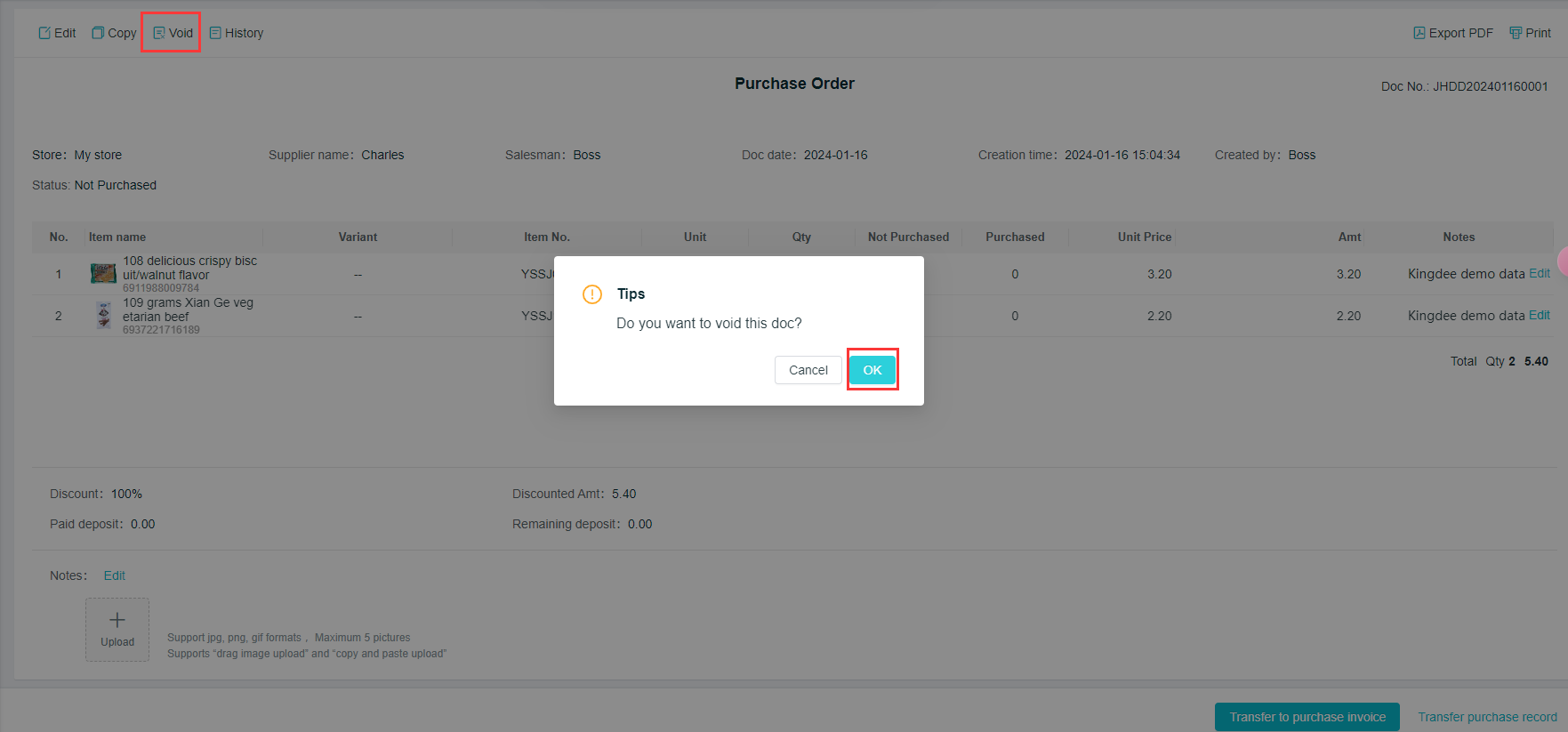
The purchase order can be detail, copied and closed.
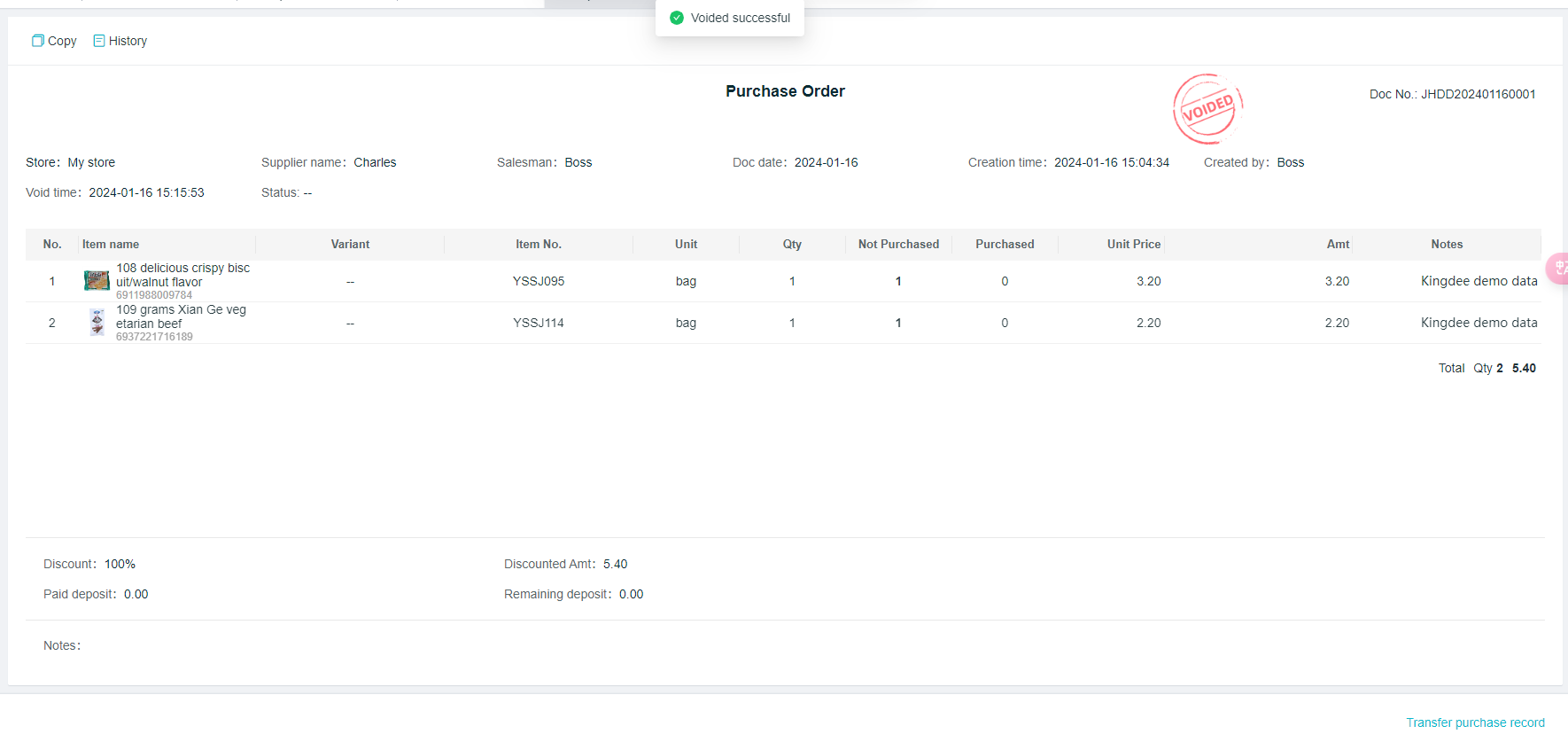
[Void]: Click on "Void", and you will be reminded again if it is really canceled, just click on "OK".