Warehouse Management Tutorial
Last modified on 2025-11-07
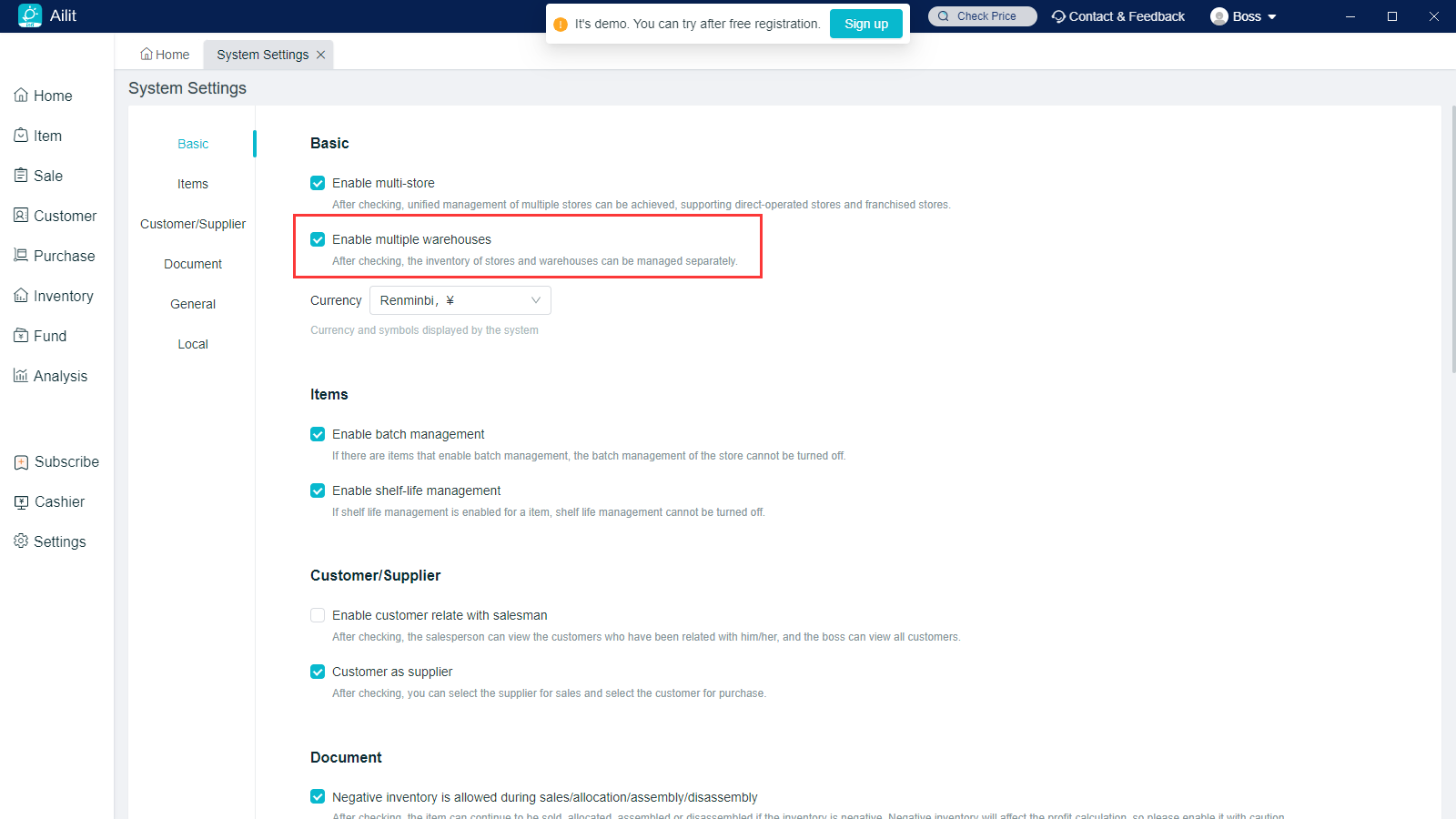
Warehouse management interface can only be displayed after the multi-warehouse is enabled.
Path: Settings - System Settings - Check “Enable Multi-Warehouse”.
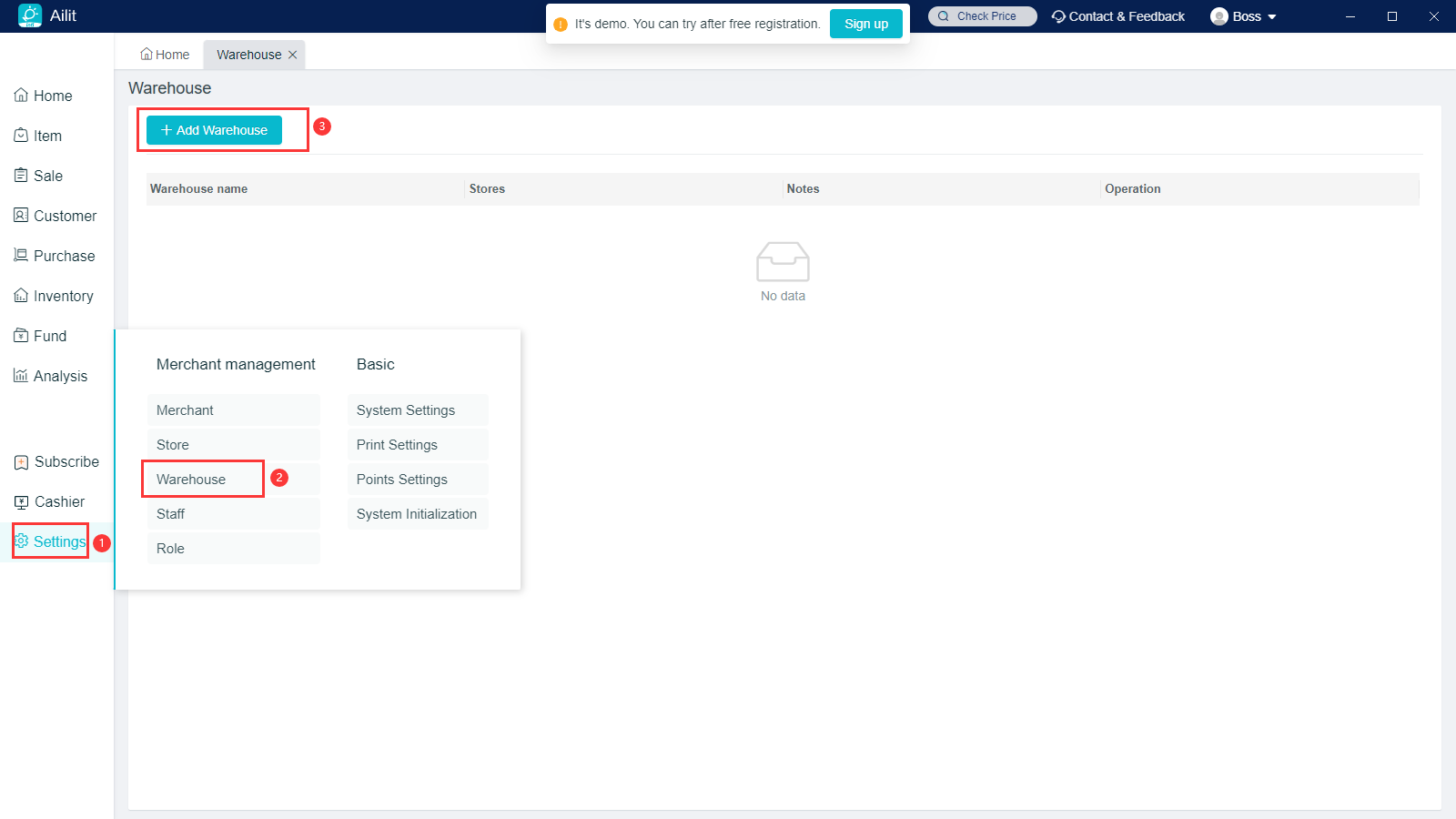
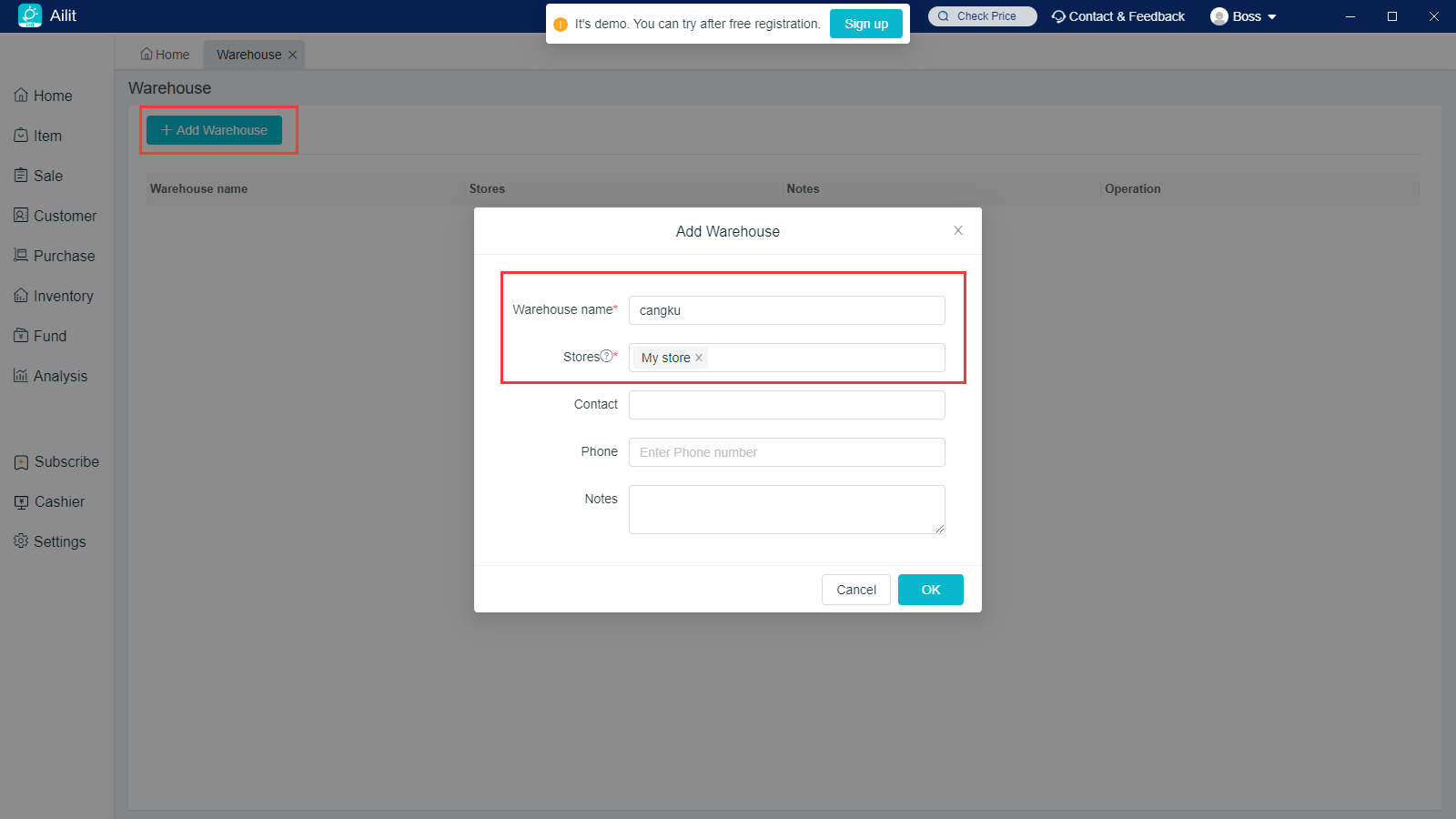
Add Warehouses: Click on Settings - Warehouse Management - Add Warehouses, Warehouse Name and Associated Stores are required.
Modify Warehouses: Click on “Modify” button behind the Warehouse Name to modify the warehouse information.
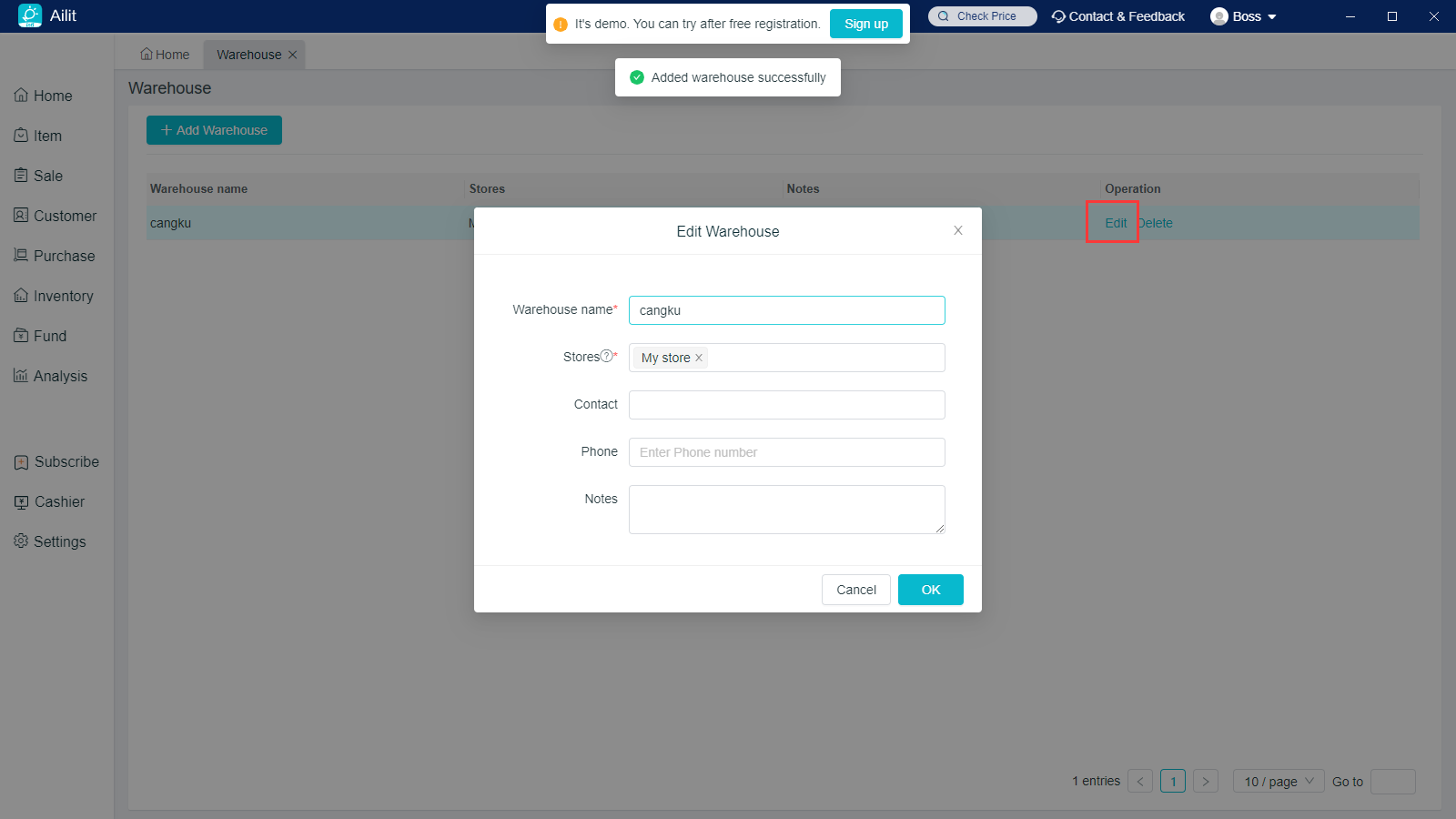
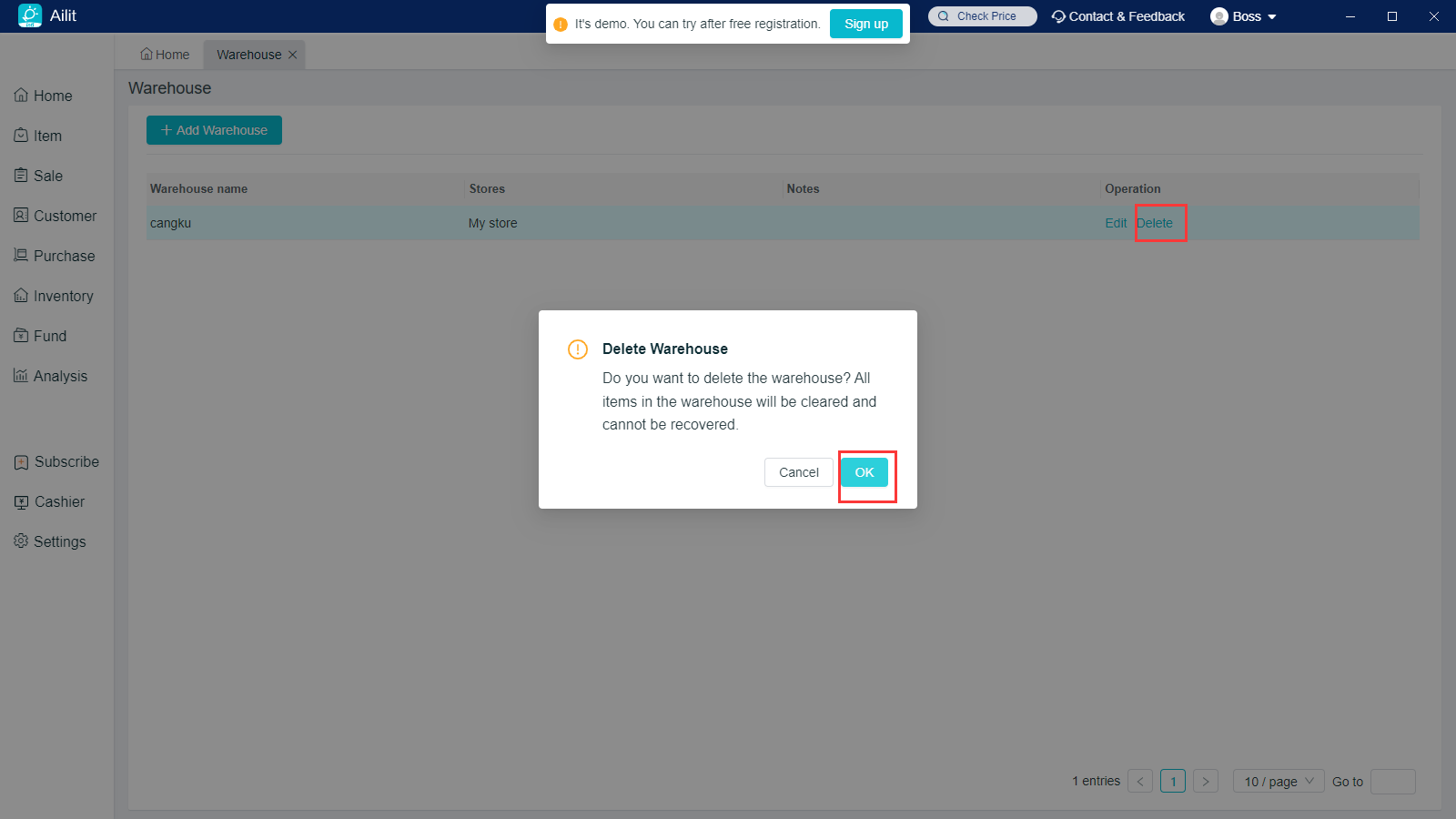
Delete Warehouse: Click on “Delete” button behind the Warehouse Name, and the “Delete” will be supported only when the warehouse is never used.