Other Expenses Tutorial
Last modified on 2025-11-07
1. Add other expenses
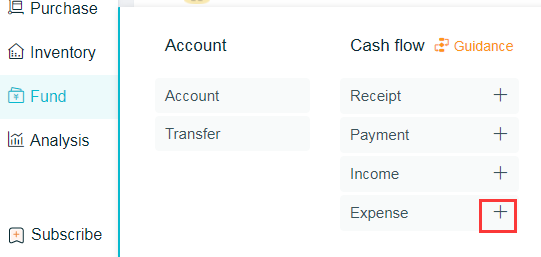
Path 1: Click on [Capital] - [+] beside the [Other Expenses]
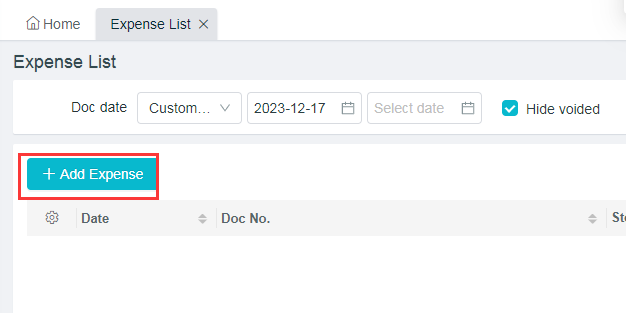
Path 2: Click on [Capital] - [Other Expenses] - [Add Other Expenses]
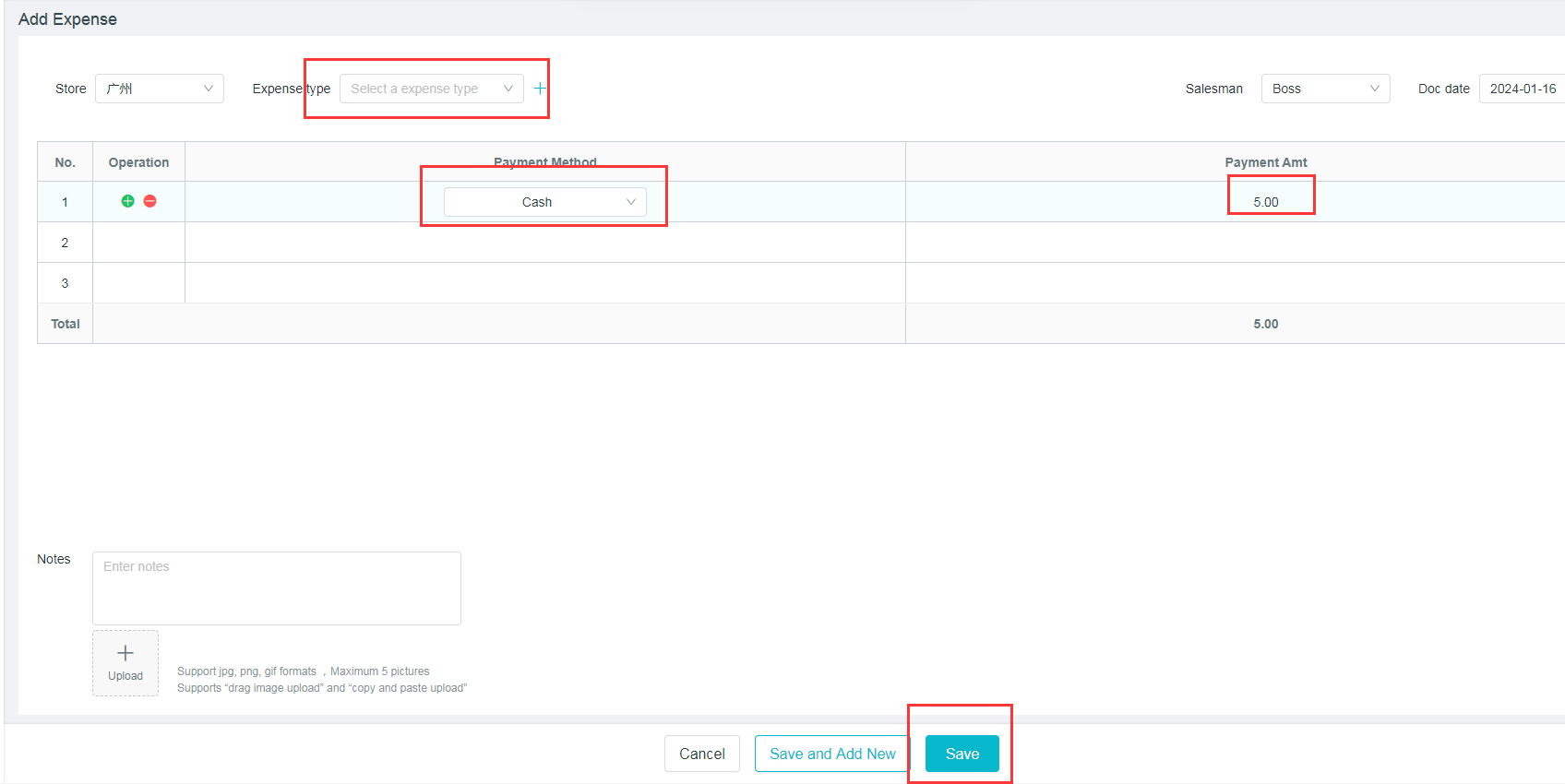
(1) Select the expenses type
(2) Select the payment account
(3) Enter the payment amount
(4) Click to save
2. Other Expenses List
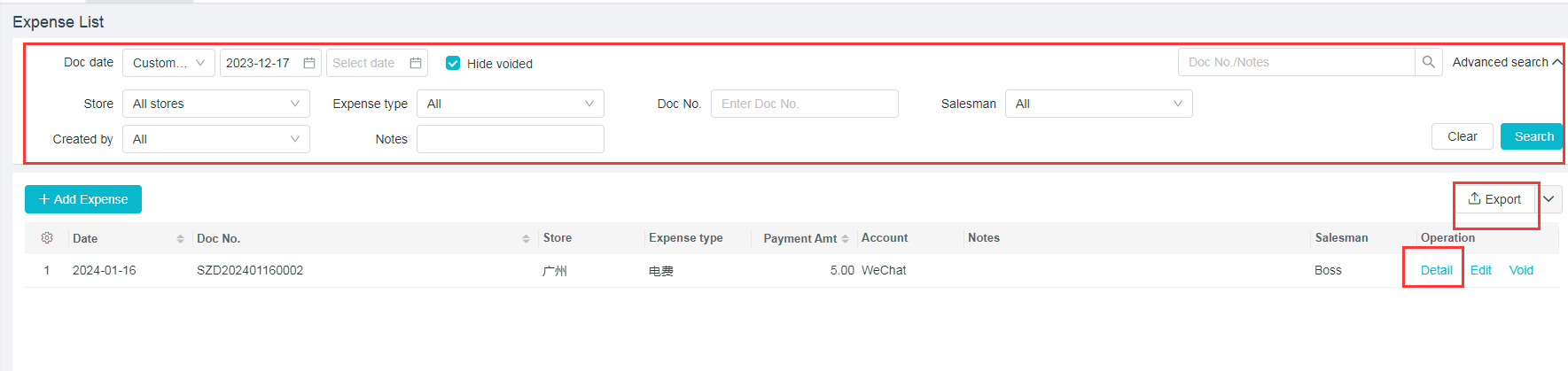
Path: [Capital] - [Other Expenses]
(1) Other Expenses Document can be checked according to the document date, store, expenses type, document number, salesperson and notes.
(2) Click on [Export] to export the content to an Excel sheet.
(3) Click on the right of the corresponding documents to [View], [Modify] and [Cancel] the documents.