Import Suppliers in Batch
Batch Import of Suppliers
Path: [Purchase] - [Supplier] - [Import]
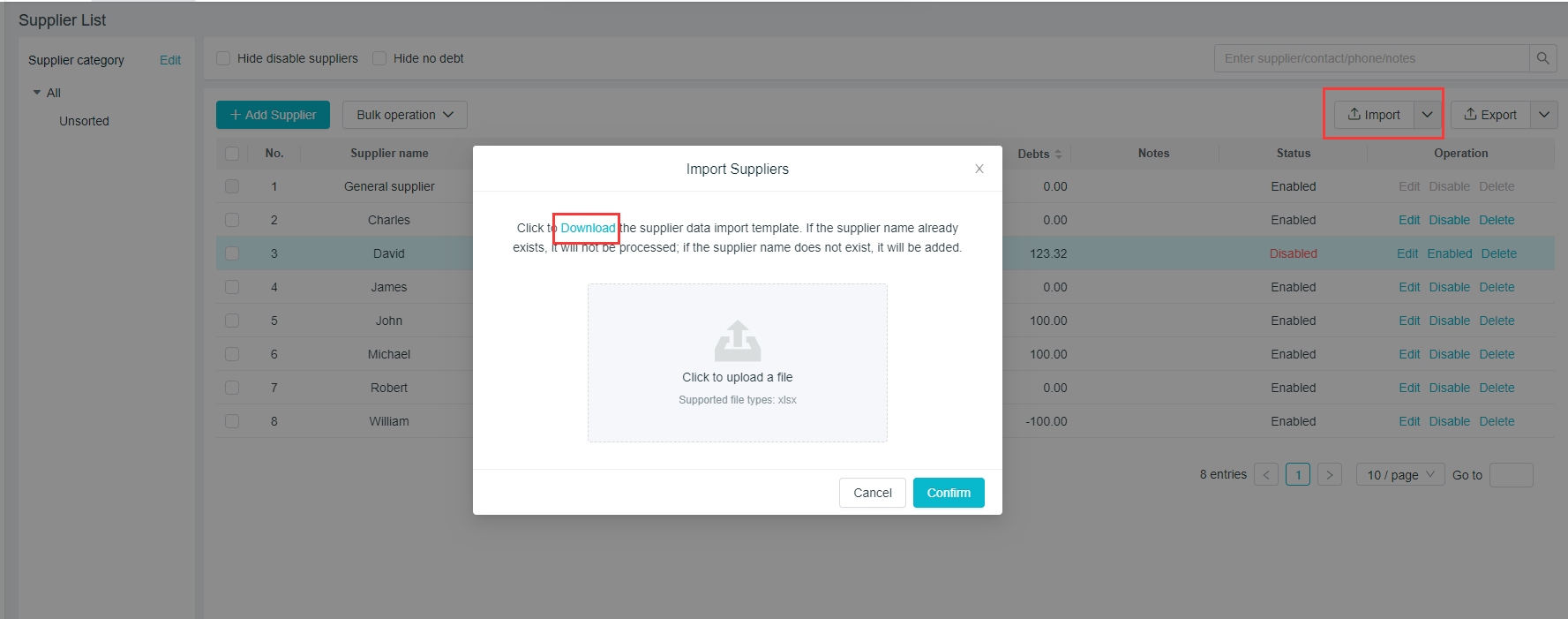
A Supplier Information Import Template need to be downloaded, which is convenient for you to download the file to your desktop;
Reorganize the supplier's information according to the template, and then click on the symbol in the middle to upload the file;
Supplier names that already exist during the upload process will be automatically skipped, and those not existing will be added.
TIPS: Please strictly follow the template, or the content will not be uploaded successfully.
Batch Operation in Suppliers
Path:[Purchase] - [Supplier] - [Batch Operation]
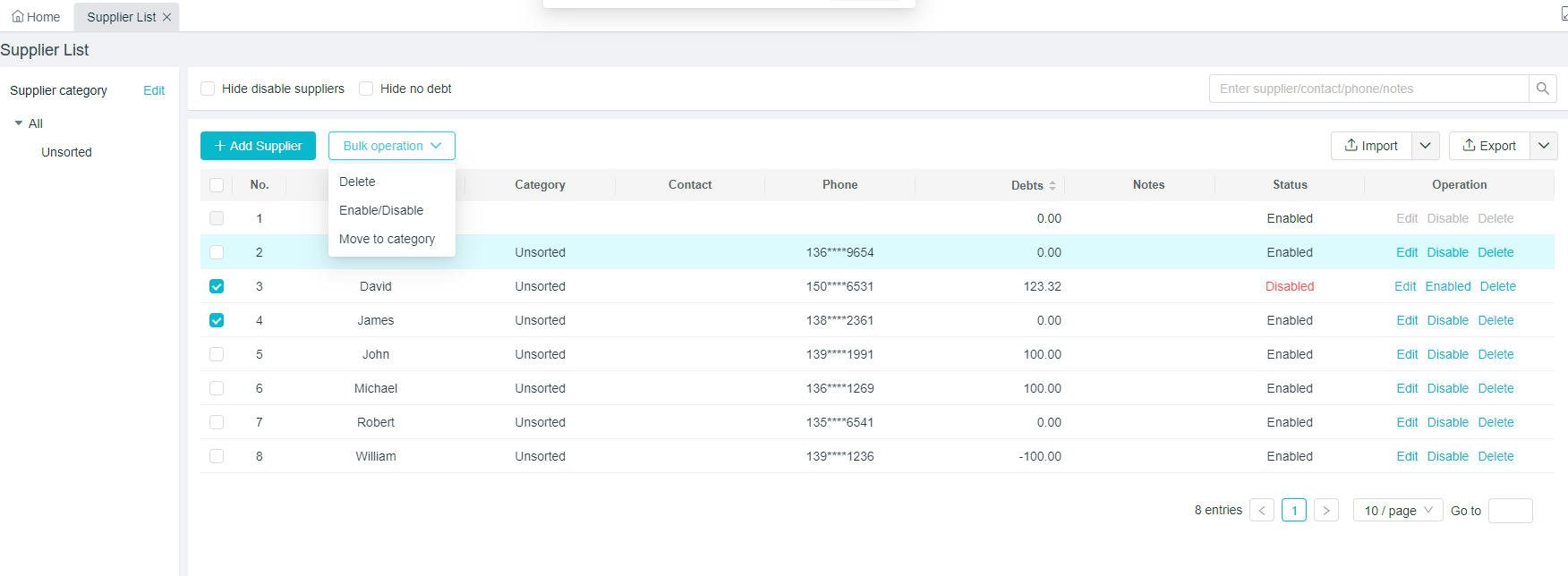
Batch operations include "Delete", "Enable/Deactivate", "Move to Category", "Change Associated Operator"
First, select the objects to be operated in batch from the list, and then select the command to perform the operation in the drop-down box of the batch operation.
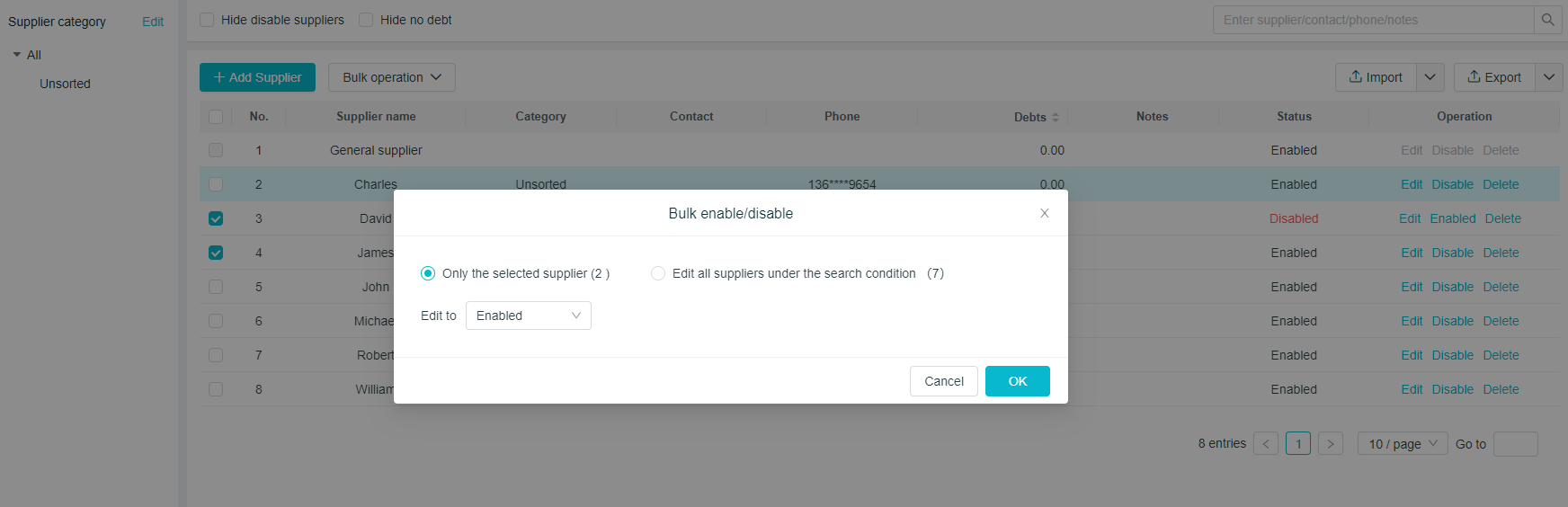
Take the "Enable/Deactivate" in batch operation as an example: modify it into "Enable" after selection of the supplier, and click on "Confirm", then all suppliers checked will be changed into enabled status.