Conversion Results of Print Unit
Last modified on 2024-01-12
User Scenarios: Conversion results can be added in the Sales ticket, which is easy to print documents for shipment and tallying.
Operation Steps:
-
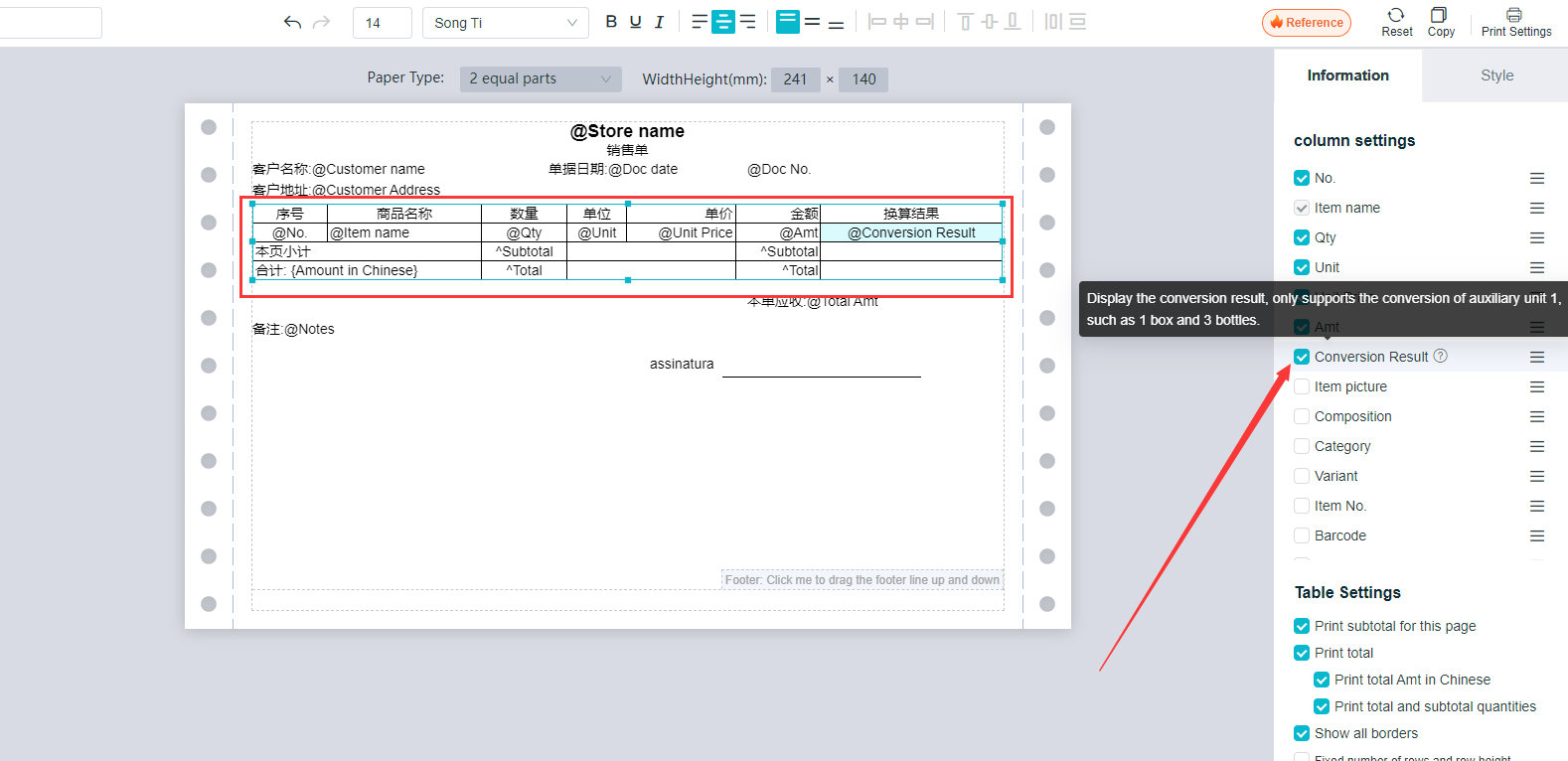
Settings - Print Settings - select the Sales Ticket Template to be set.Click on “Form”, and it is selected when a blue dotted border appears, and then check the “Unit Conversion Results” on the right.Click on "?"To Detail field descriptions.
-
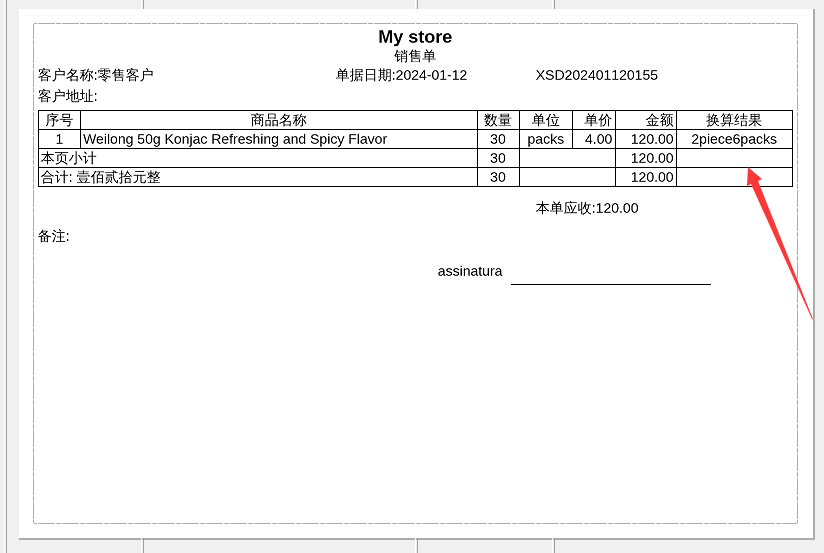
After the checking, printing item with auxiliary units will display the conversion results between the master and auxiliary units. Only auxiliary units are supported for the display.
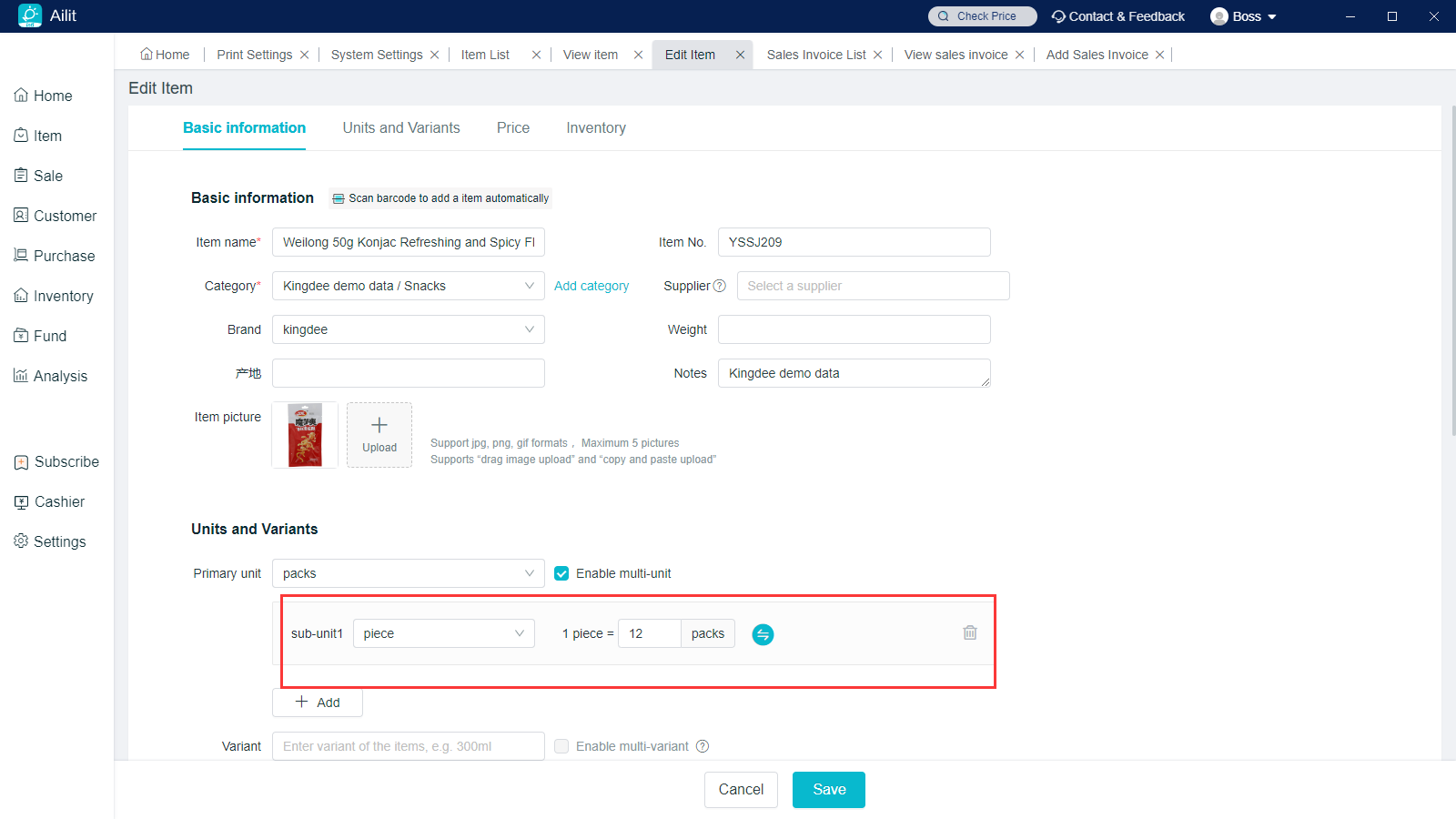
For example, the auxiliary unit of the product is piece, 1 piece = 12 packs.If the quantity of sales tickets is 30 packs, the auxiliary unit translated will be 2 pieces and 6 packs.