How do add images to a print template?
Last modified 2026-11-06
How to add images to print templates
Steps:
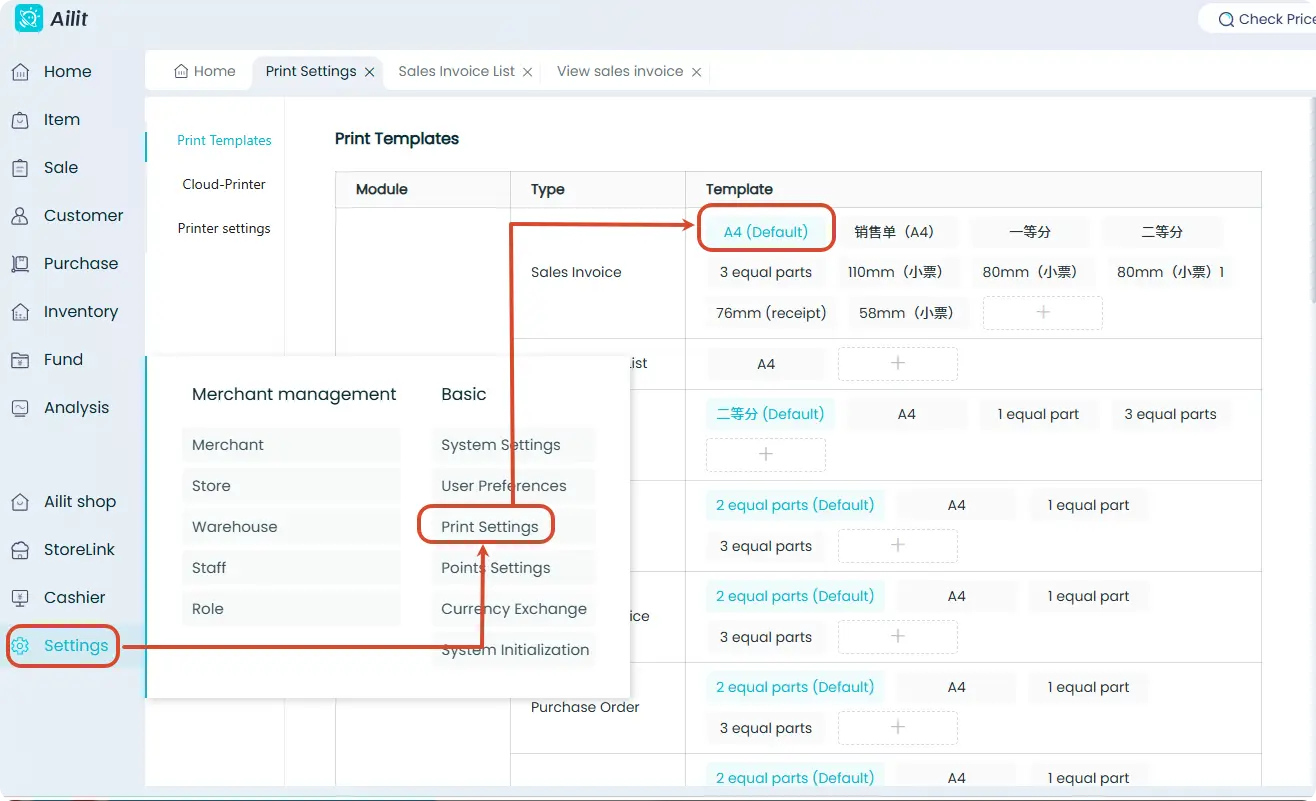
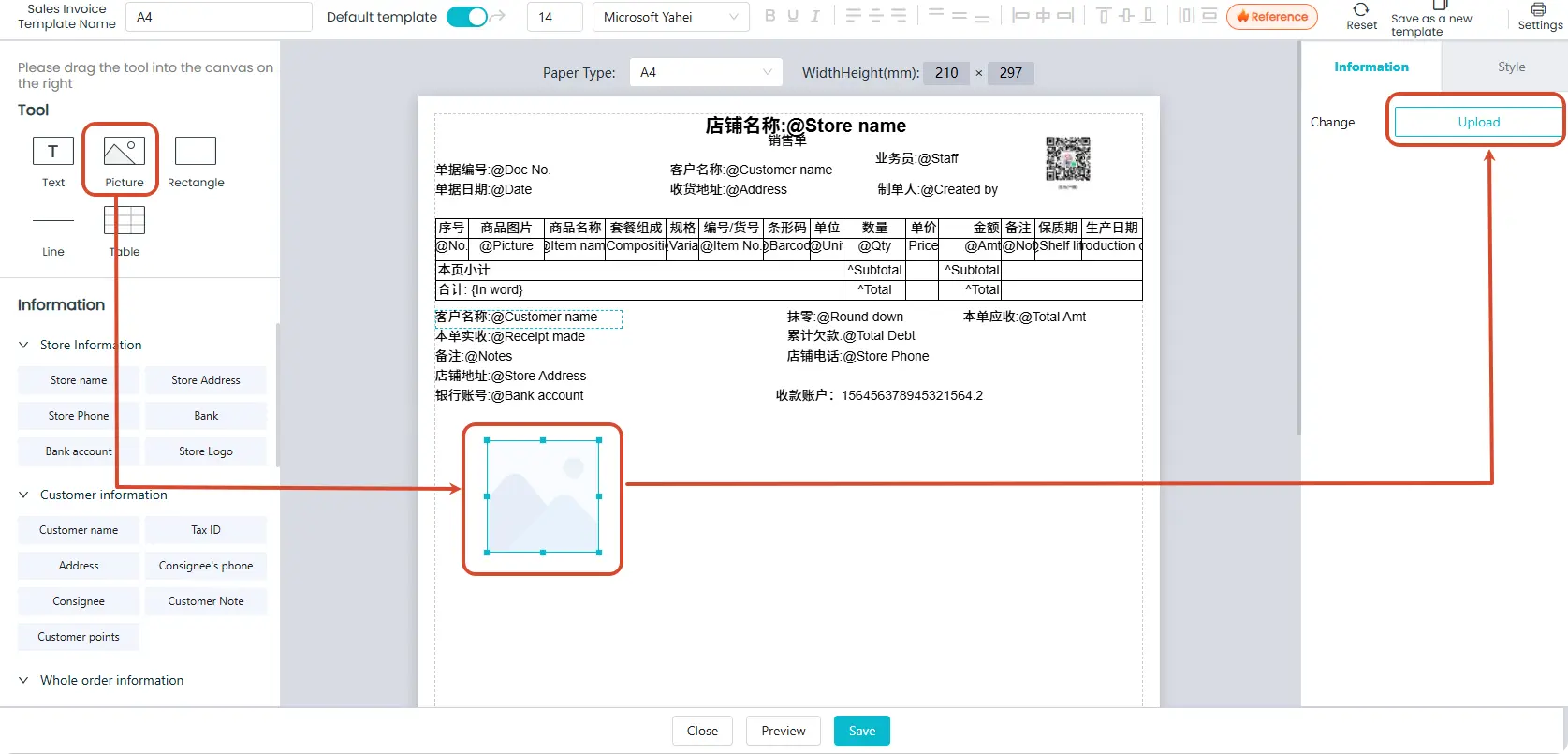
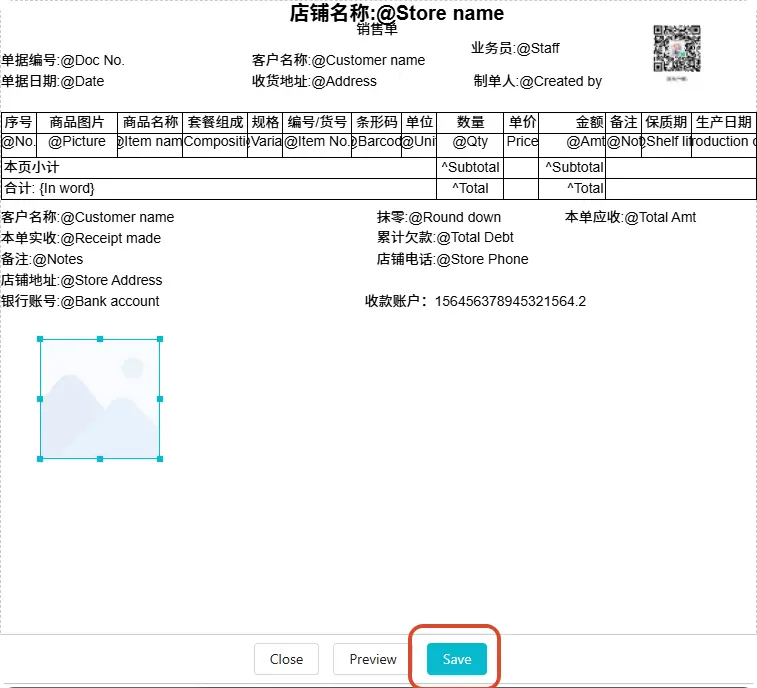
Click 【Settings】-【Print Settings】- Select the template you want to add an image to - Drag the image from the top-left corner into the template - Click 【Upload】- Select the image and confirm - Click 【Save】