How do I query sales statistics for multiple customers?
Last modified 2026-10-21
How to Query Sales Statistics for Multiple Customers
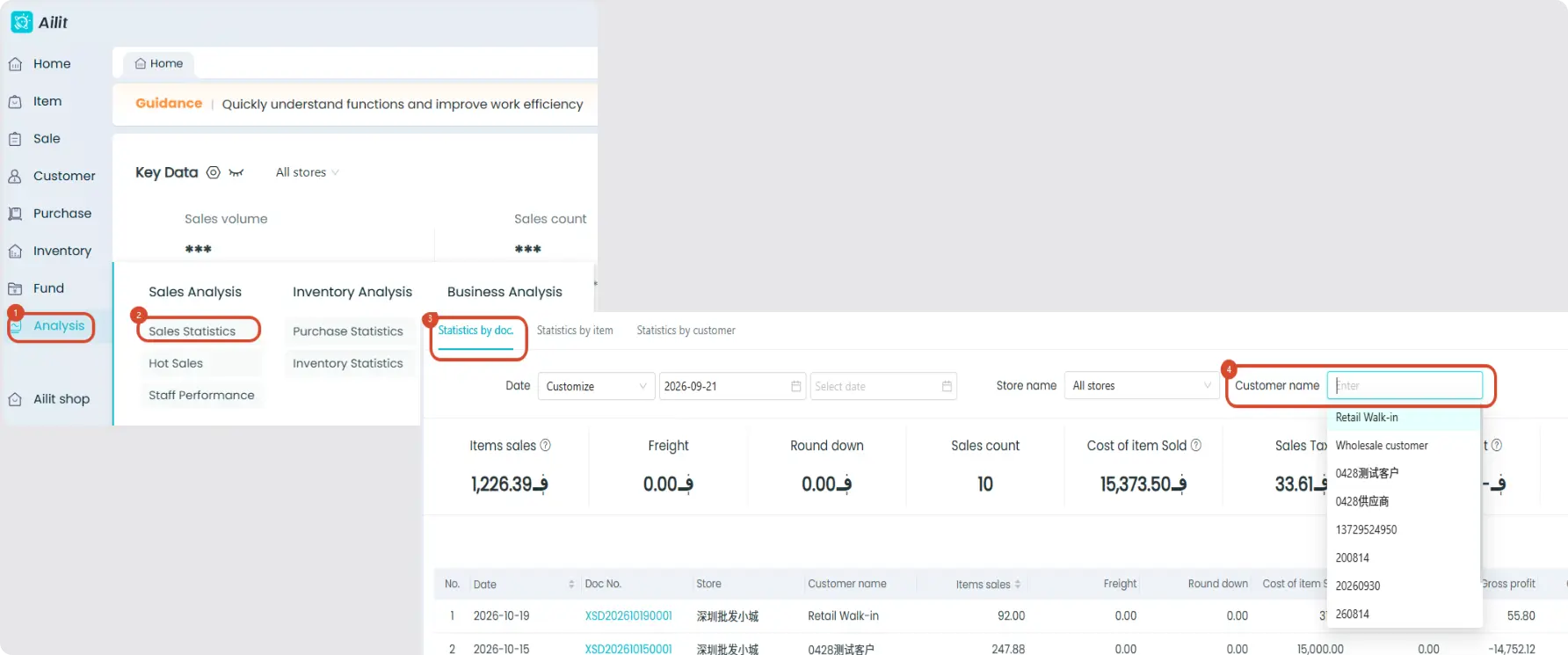
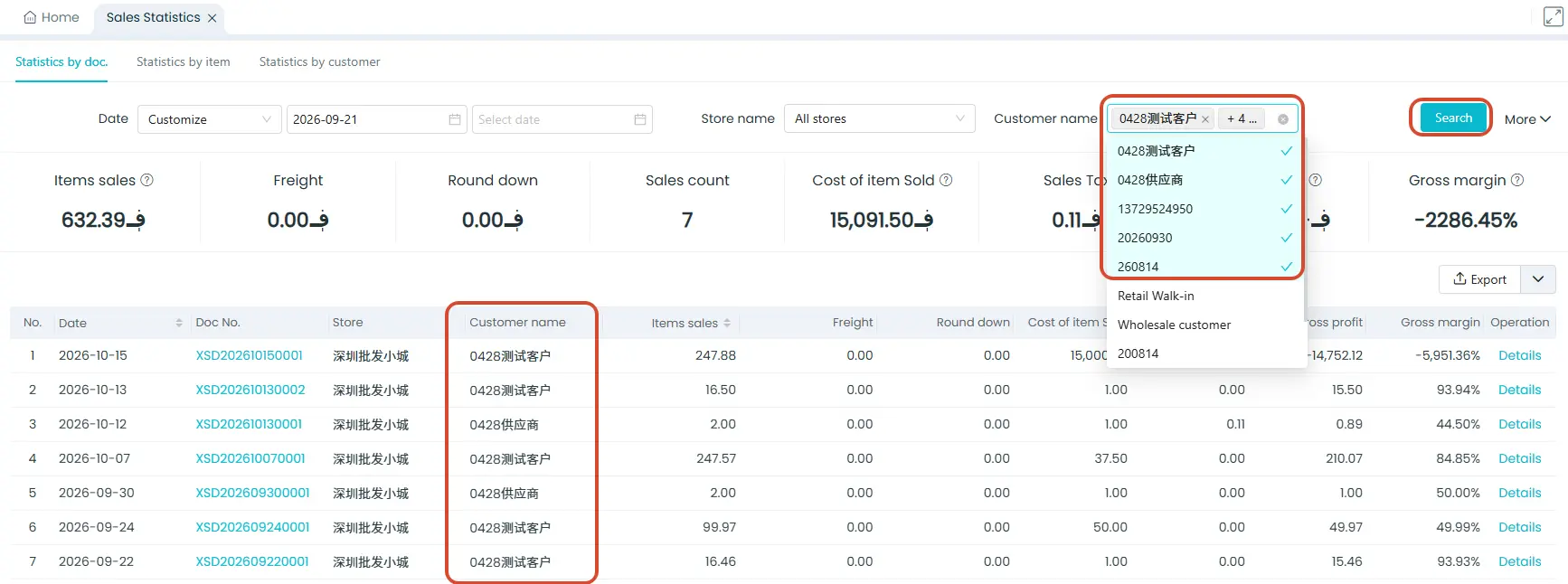
Steps: Click 【Analysis】-【Sales Statistics】- Click 【Customer Name】 to select customers -- Click 【Search】
- Currently, you can filter up to 5 customers at a time for a combined query.
- Filtering multiple users only takes effect in “Sales Statistics” under “By Document”; it does not work for “By Product” or “By Customer” views.
- Only the desktop version supports filtering multiple customers; the mobile app does not yet support this feature.