The system connects to a local printer for printing.
Last modified 2026-11-06
How to Connect a Local Printer in the System
- First, connect the printer to the computer using a data cable.
- The printer must be turned on.
- You need to download the printer driver on the computer (different printers require different drivers; please contact the printer’s after-sales service to obtain the driver installation package).
- Ensure that the computer can print a test page.
Configuring the Printer in the System
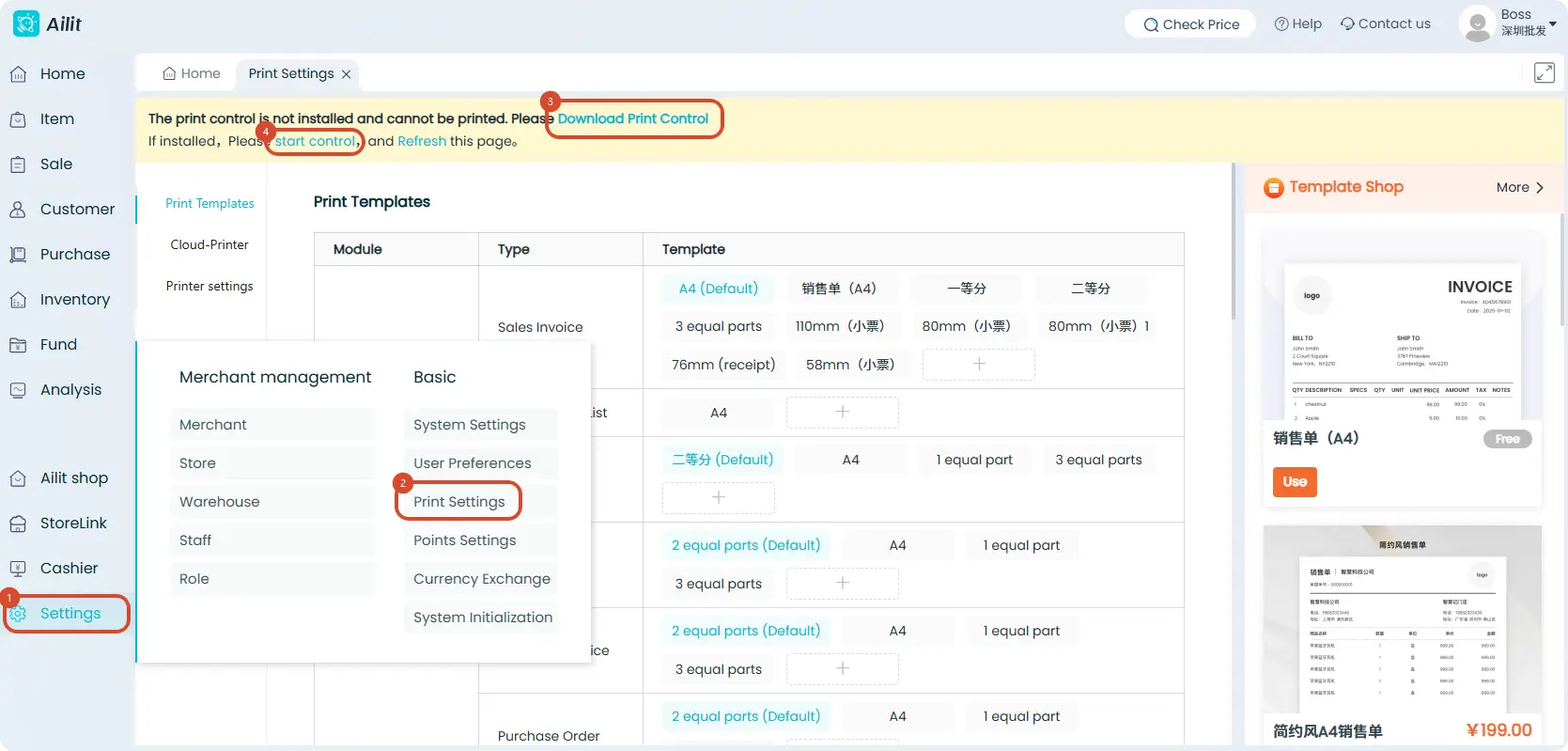
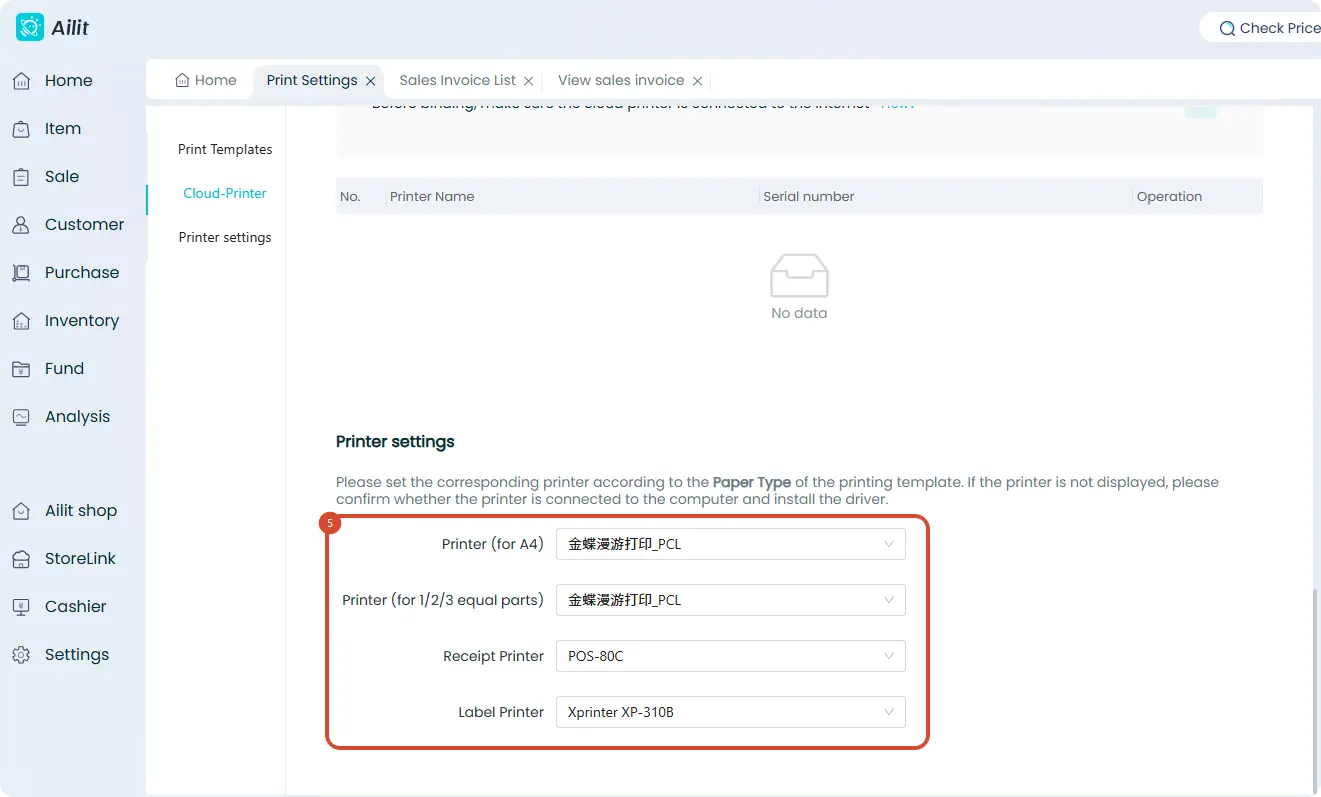
Steps: Click 【Settings】-【Print Settings】-Click 【Download and Install Control】-Click 【Launch Control】-Scroll to the bottom and confirm your printer type - Select the printer driver under the corresponding print type.