Print Quotation
آخر تعديل 6 نوفمبر 2025
Operation Steps:
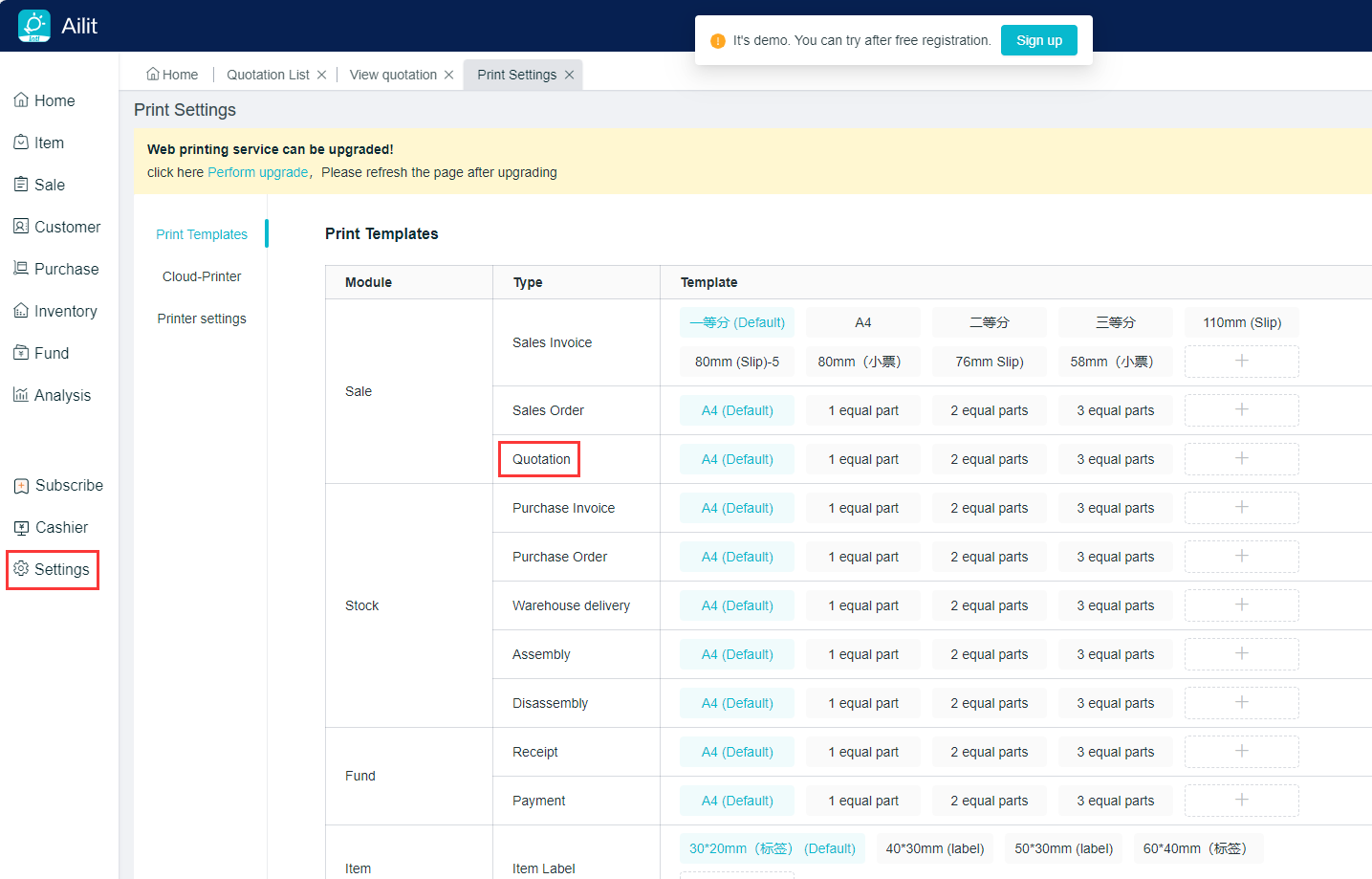
1.Setting - Print Setting - Set the print template for the quotation.
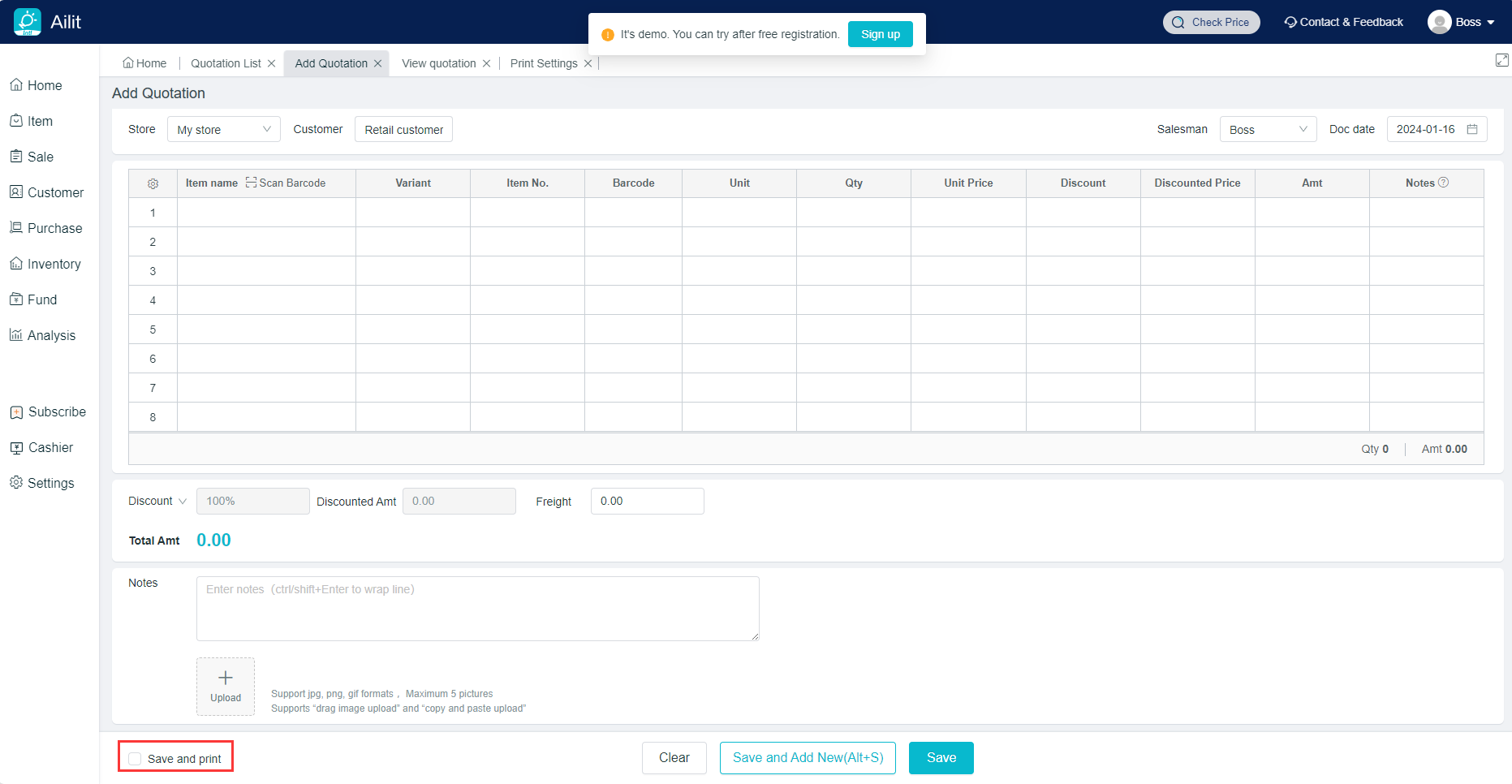
2.There is a button of “Save and Print” at the bottom of quotation interface, and printing will be automatically carried out after “Save the Document” is checked. The default is not checked.
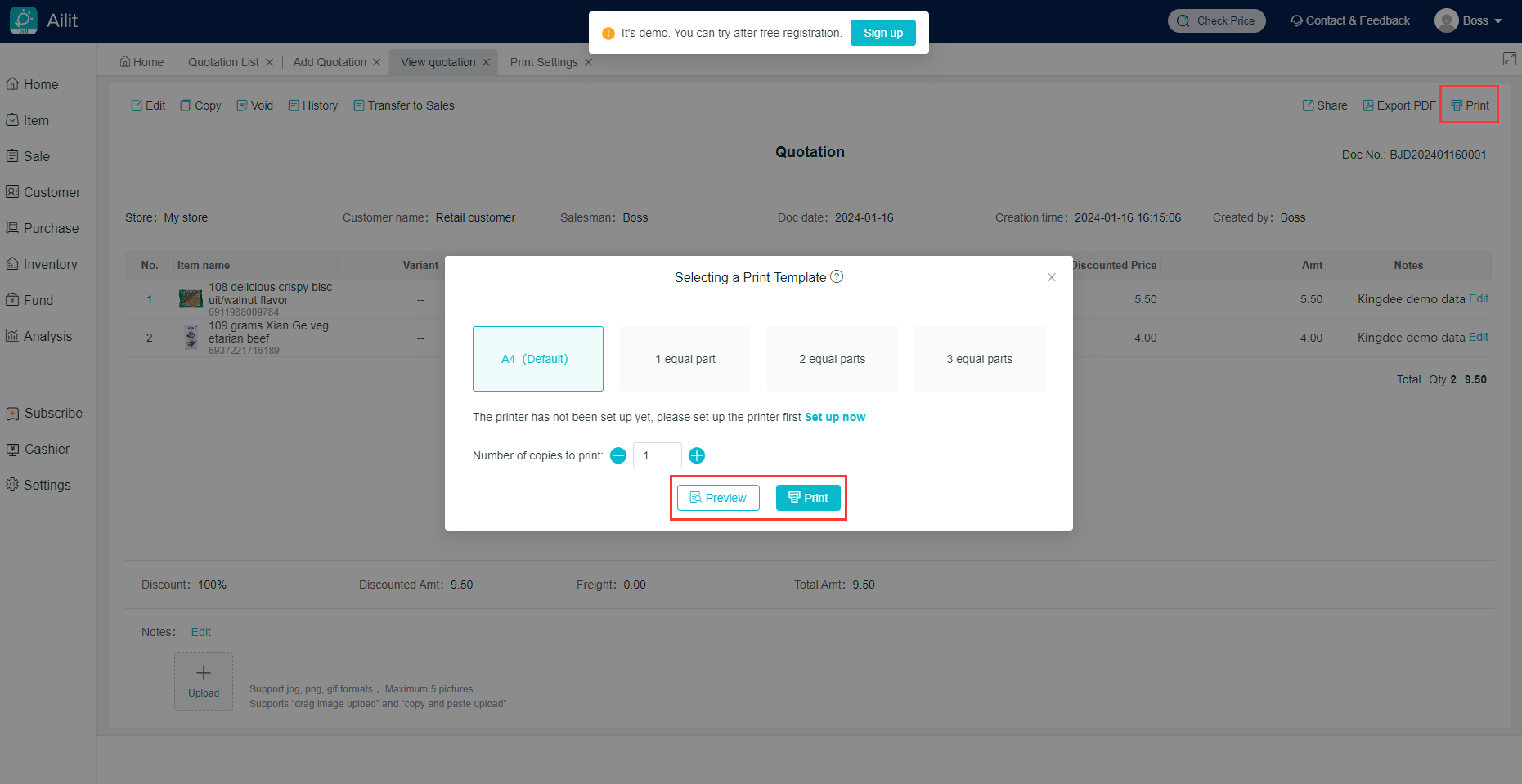
3.View the quotation, click on “Print” at the top right corner, then select a print template, either clicking on “Preview” or “Print”.