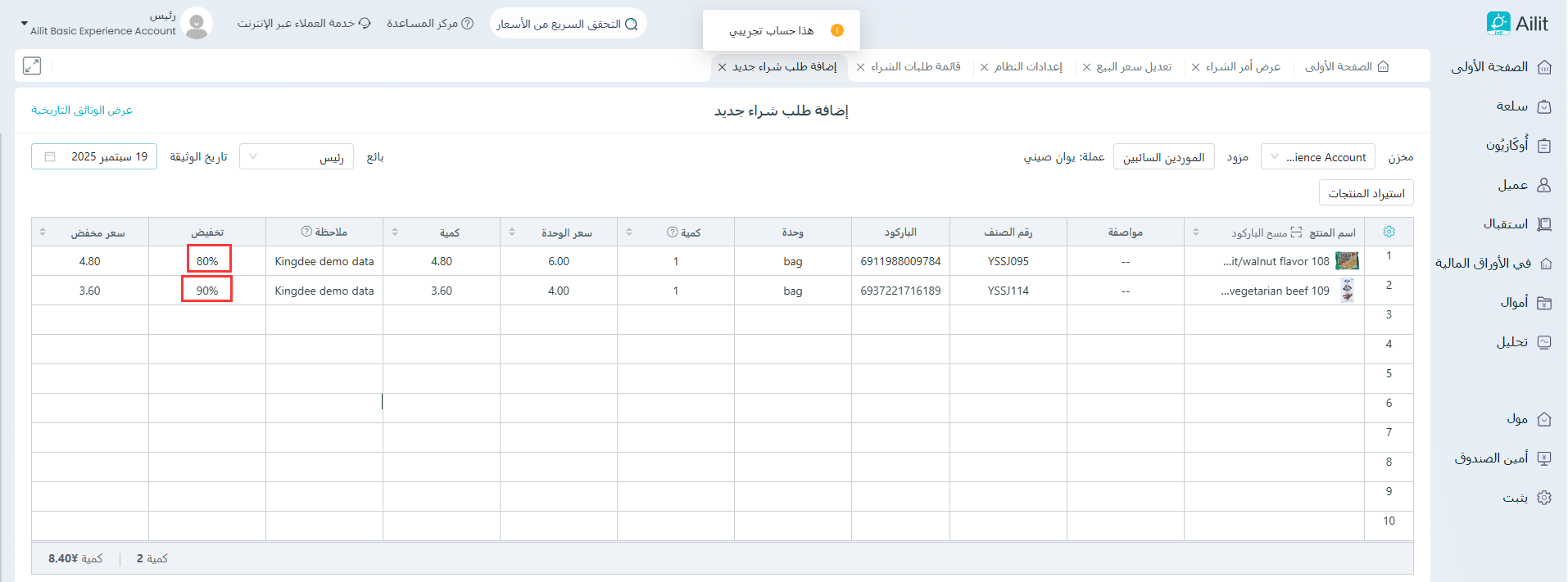
تمكين شراء دليل الخصم على خط واحد
آخر تعديل 3 نوفمبر 2025
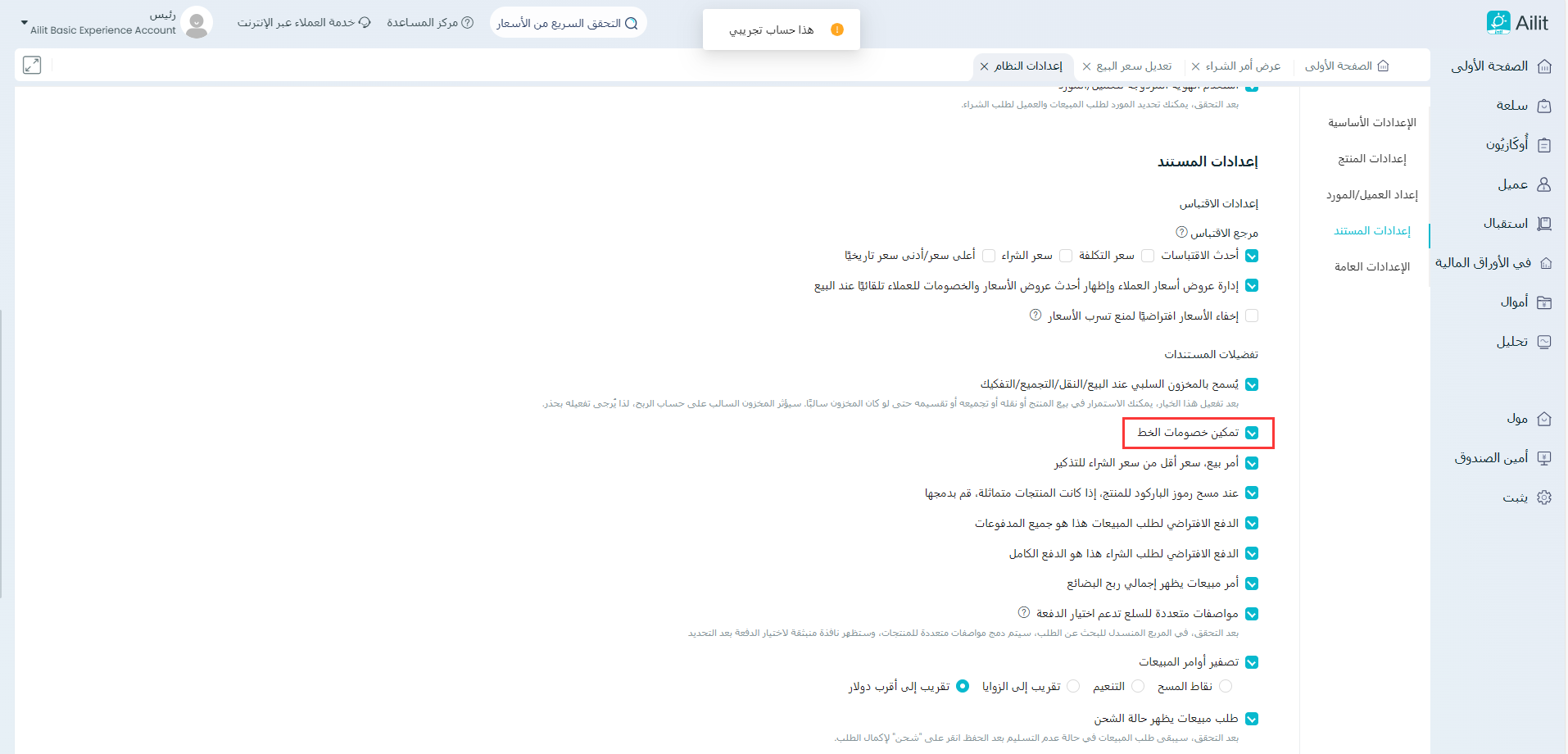
مسار العملية: (1) الإعدادات - إعدادات النظام - حدد ”تمكين خصم السطر الواحد“.
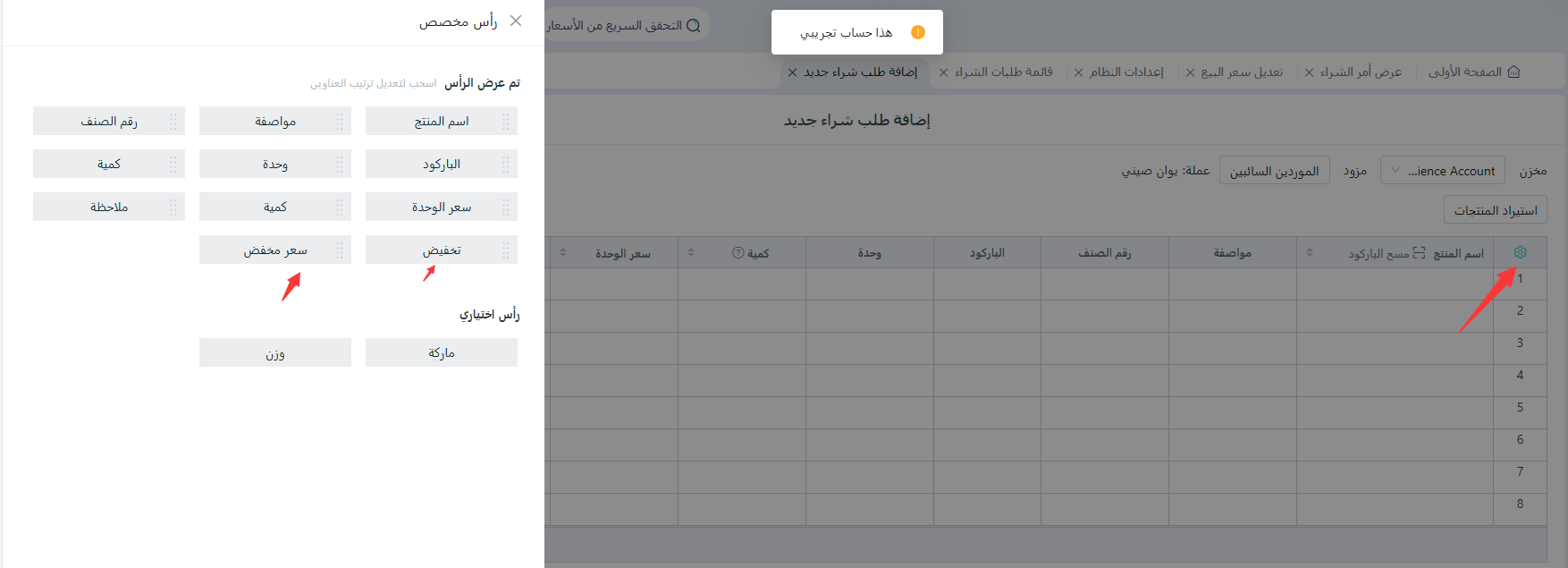
(2) الشراء - إضافة فاتورة شراء - انقر على زر ”الإعدادات“ على اليسار، وأضف الخصم والأسعار المخفضة إلى الحقول المعروضة، ثم انقر على ”تأكيد“.
(3) يمكن إدخال معدل الخصم لكل عنصر على حدة عند إصدار فاتورة الشراء.