إضافة أو تعديل أو حذف سمات العناصر
آخر تعديل 31 أكتوبر 2025
إضافة سمة
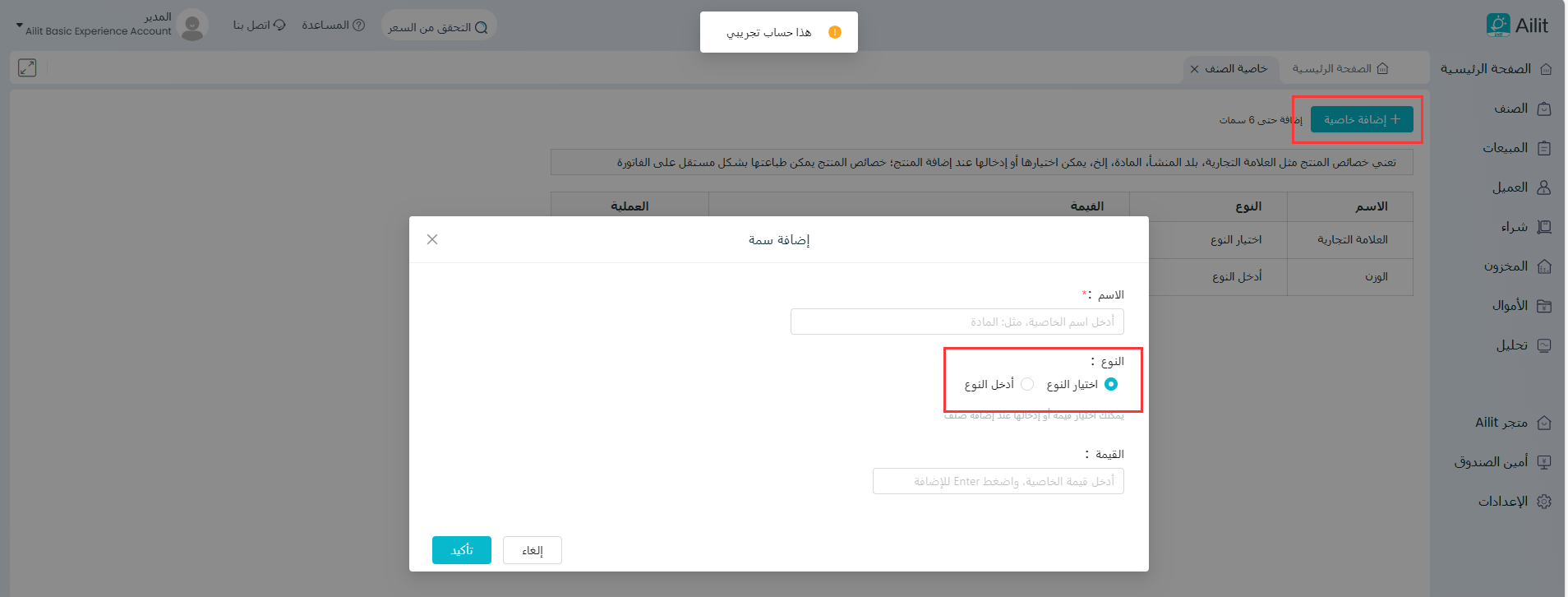
انتقل إلى شريط القوائم على يسار الشاشة وانقر على عنصر > سمة العنصر. أضف سمات العنصر، بحد أقصى 6 سمات.
تحديد: يمكن فتح المربع لتحديد قيمة السمة مباشرة عند إضافة عنصر.
الإدخال: يجب إدخال قيمة السمة يدويًا في كل مرة يتم فيها إضافة عنصر.
تحرير أو حذف السمة
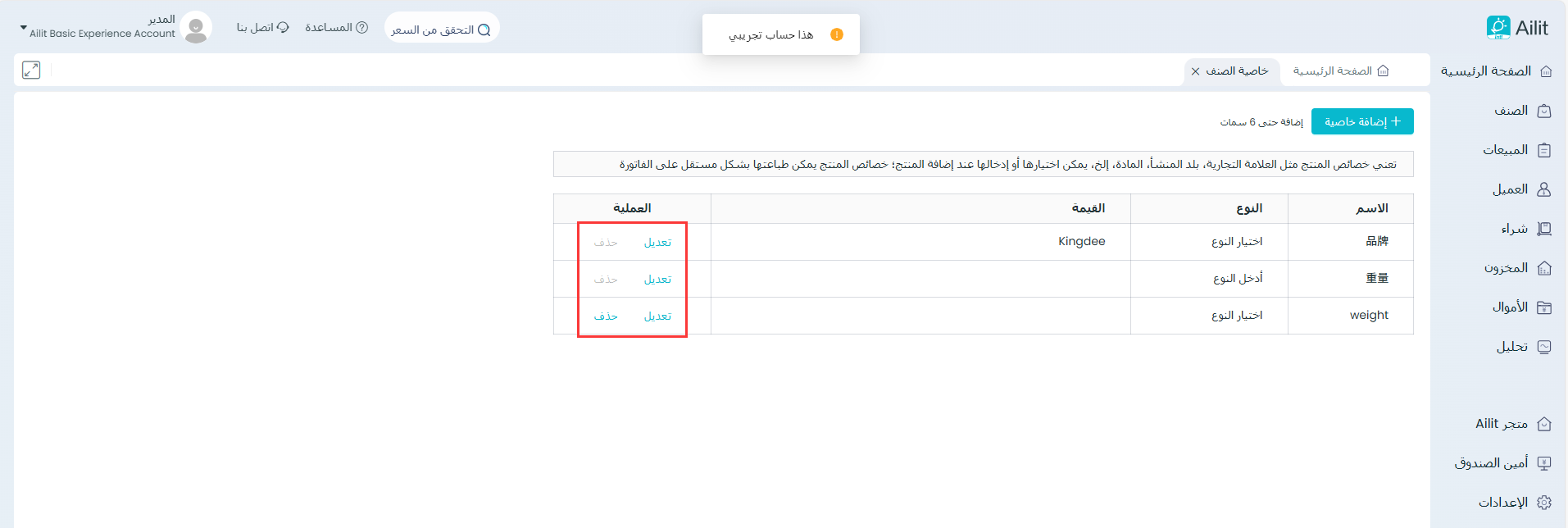
انتقل إلى شريط القوائم على يسار الشاشة وانقر على العنصر > سمة العنصر. يمكن تحرير سمات العنصر أو حذفها من هنا.
تحرير: دعم لتحرير اسم السمة وقيمة السمة. لا يمكن تعديل نوع السمة، ولا يمكن تعديل اسم السمة للعلامة التجارية والوزن.
حذف: يمكن حذف السمات التي لم يتم استخدامها، ولا يمكن حذف السمات التي تم استخدامها من قبل. لا يتم دعم الحذف للعلامة التجارية والوزن.