Customize Print Table Column Names
แก้ไขล่าสุด 2026-09-22
Customize Print Table Column Names
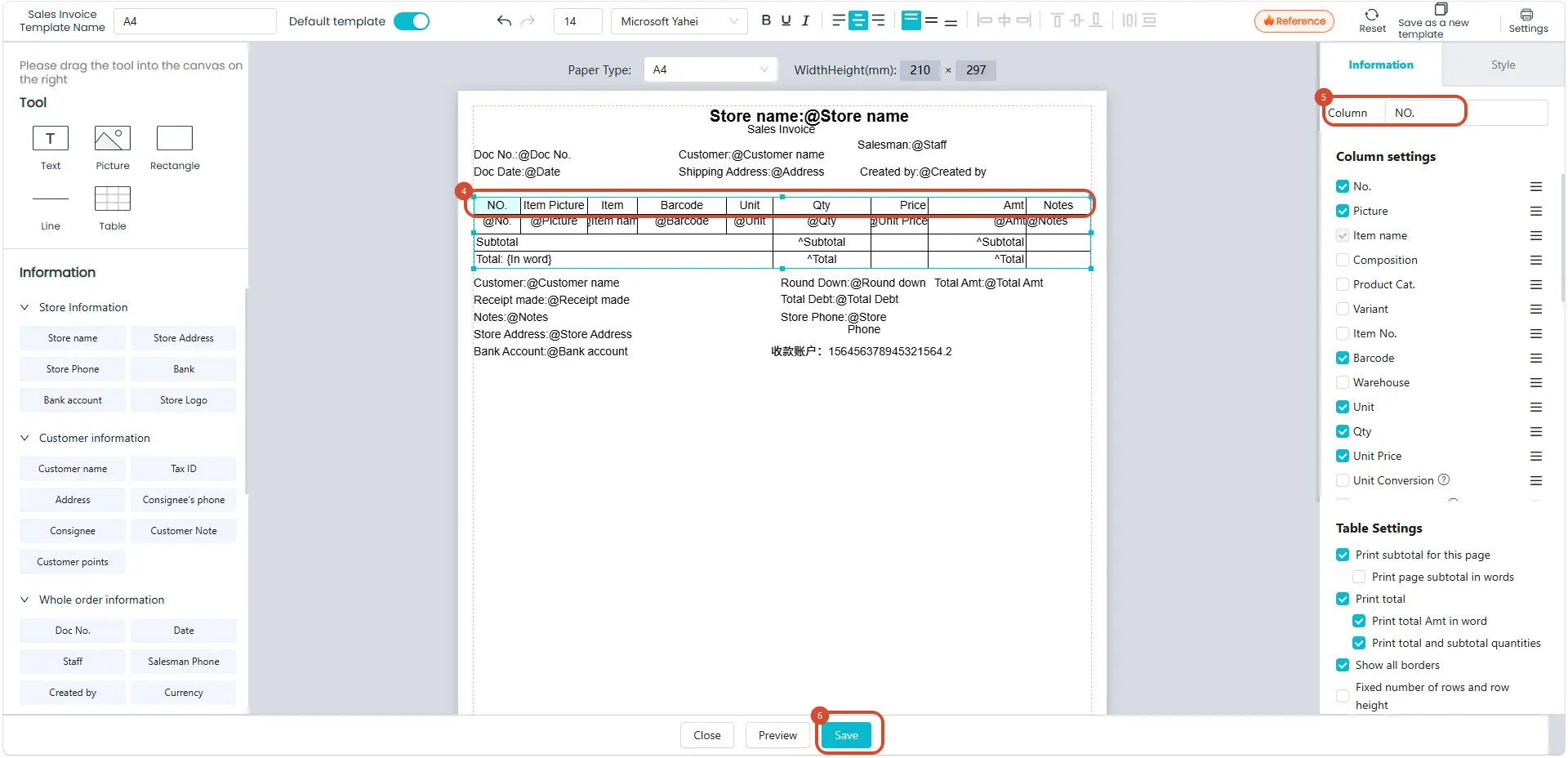
Business Scenario: The system’s default print header column names do not match the format the merchant needs to send to customers, so the column names need to be changed to display the content they require.
Steps:
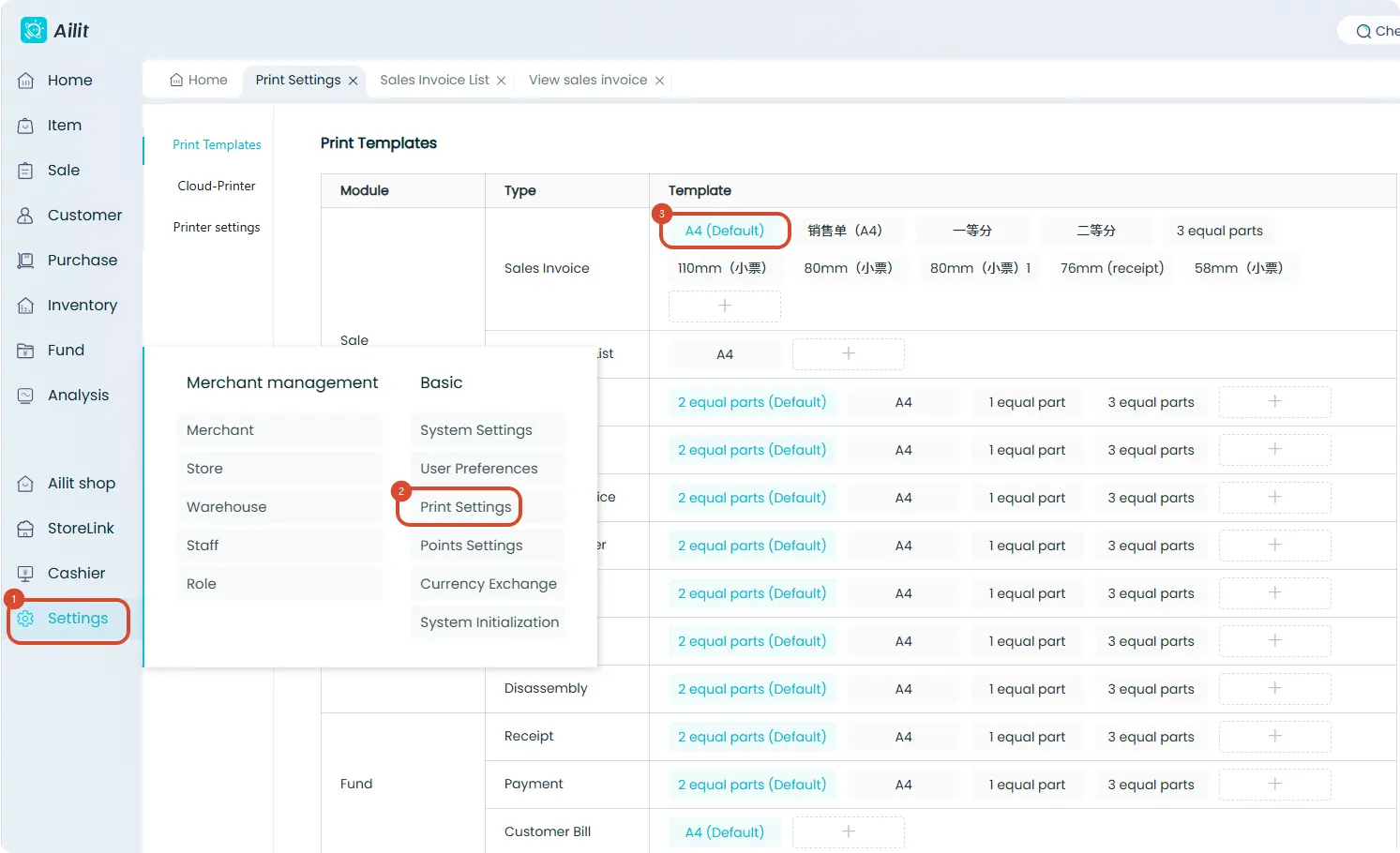
Click 【Settings】-【Print Settings】- Select the default print template and edit it - Click on the header column names - Edit the text on the right - After editing, click 【Save】