

How do you merge products with the same barcode when scanning?
แก้ไขล่าสุด 2026-07-17
When creating a sales order and scanning the same product, the system displays each scan of the same barcode on a separate line.
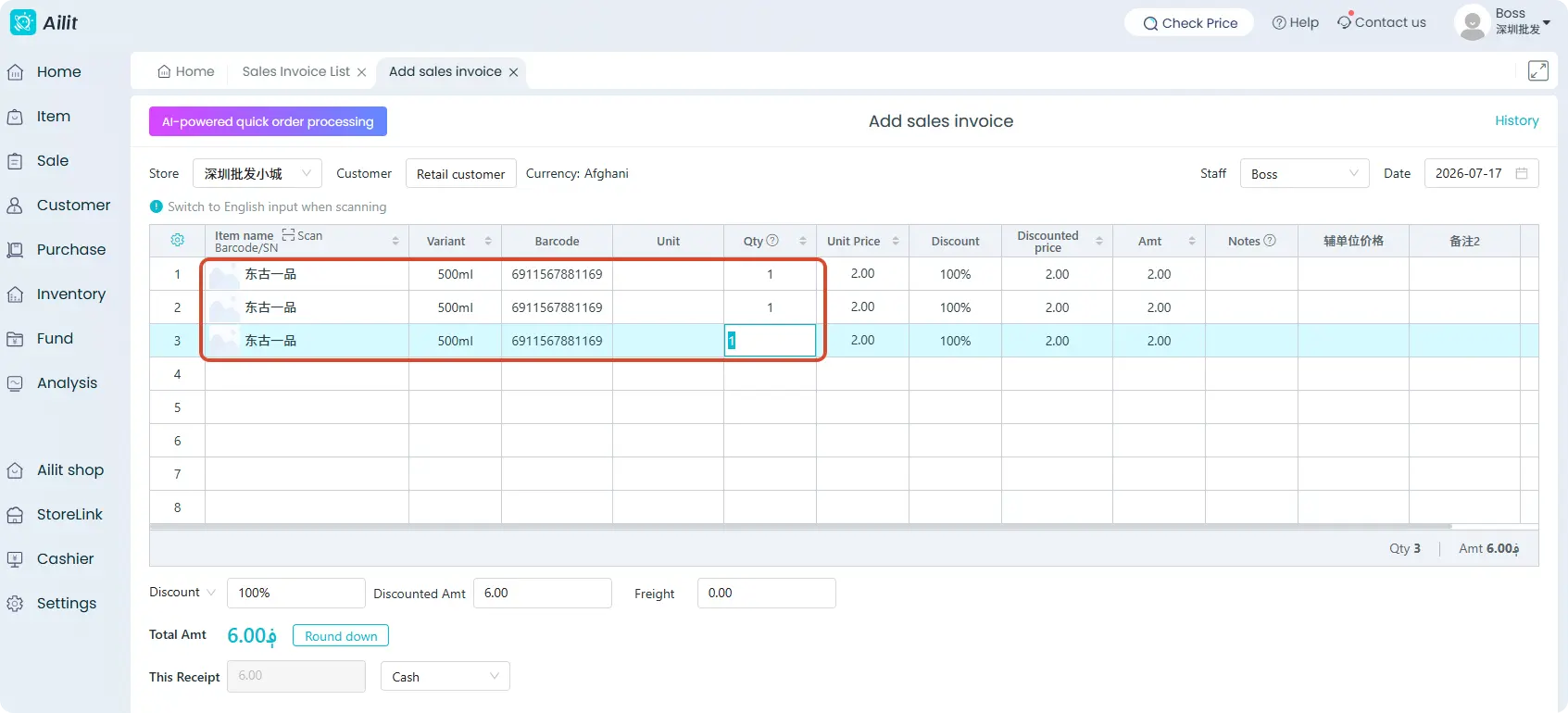
If you need to merge multiple scans of the same item at this point, you must configure the setting in the system settings.
Steps: Click 【Settings】–【System Settings】, then check 【Merge items when the same barcode is scanned】
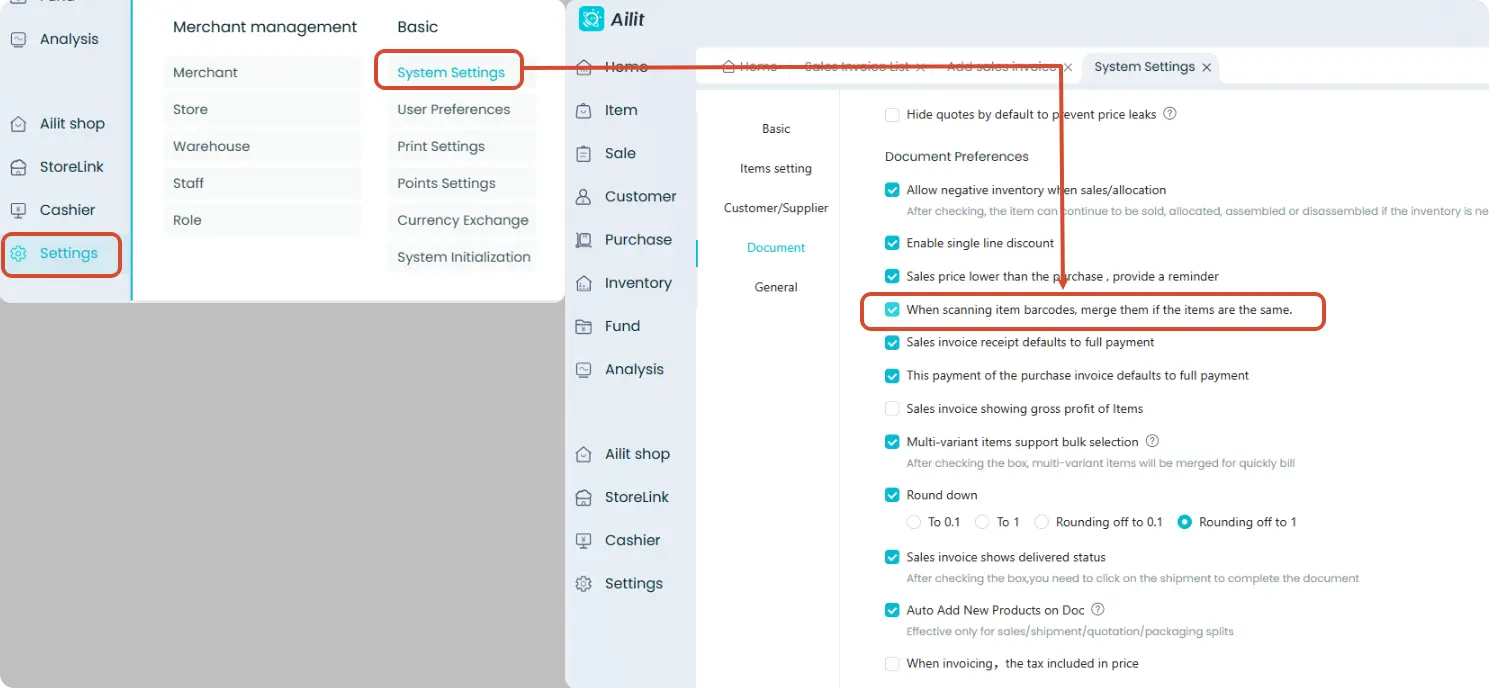
Now, when you scan the same product’s barcode in the sales order, it will be merged into a single line, with only the quantity being incremented.
- After enabling the 【Merge items when the same barcode is scanned】 feature, this setting will apply simultaneously to sales orders, sales pre-orders, sales return orders, quotations, purchase orders, purchase pre-orders, and purchase return orders.