How to bulk import Item information into sales orders
Última modificação 2026-07-07
How to bulk import Item information into sales orders
Sales orders support importing Item information via Excel spreadsheets.
Download Sales Order Import Template
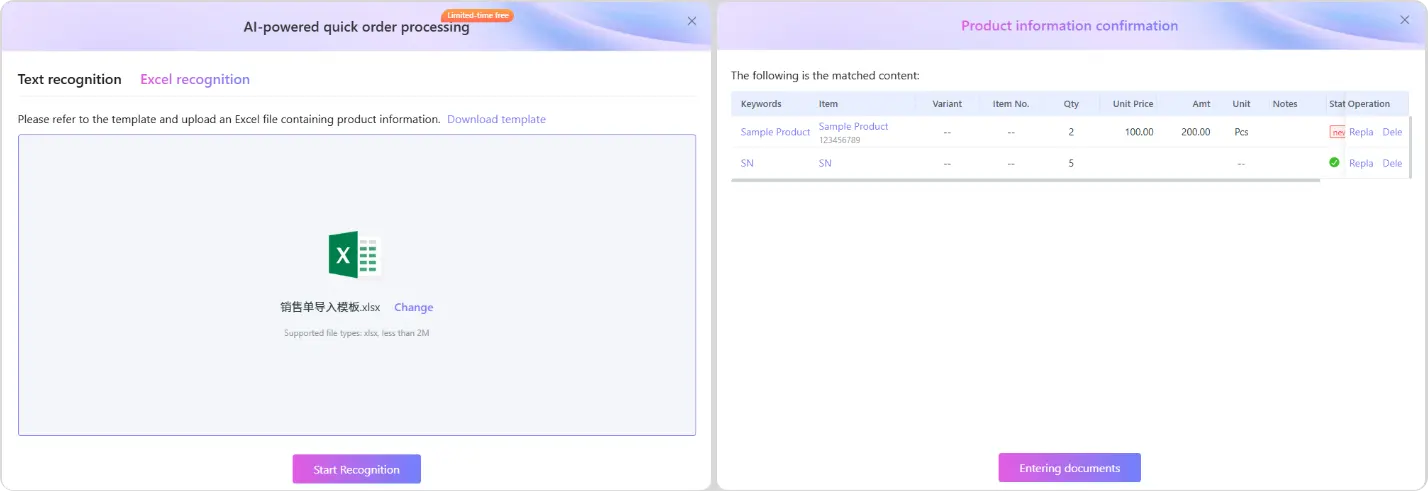
Click [Sale] - [Sale invoice] - [Add Sales invoice] - [AI-powered quick Order processing], then click [Excel recognition] - [Download Template]
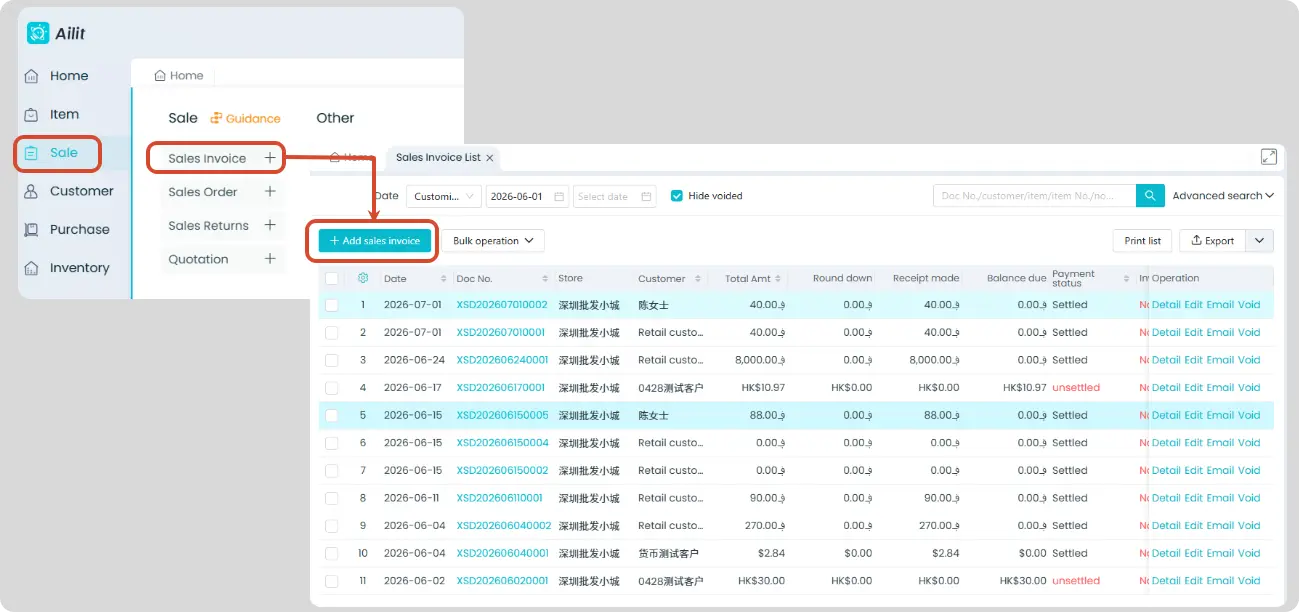
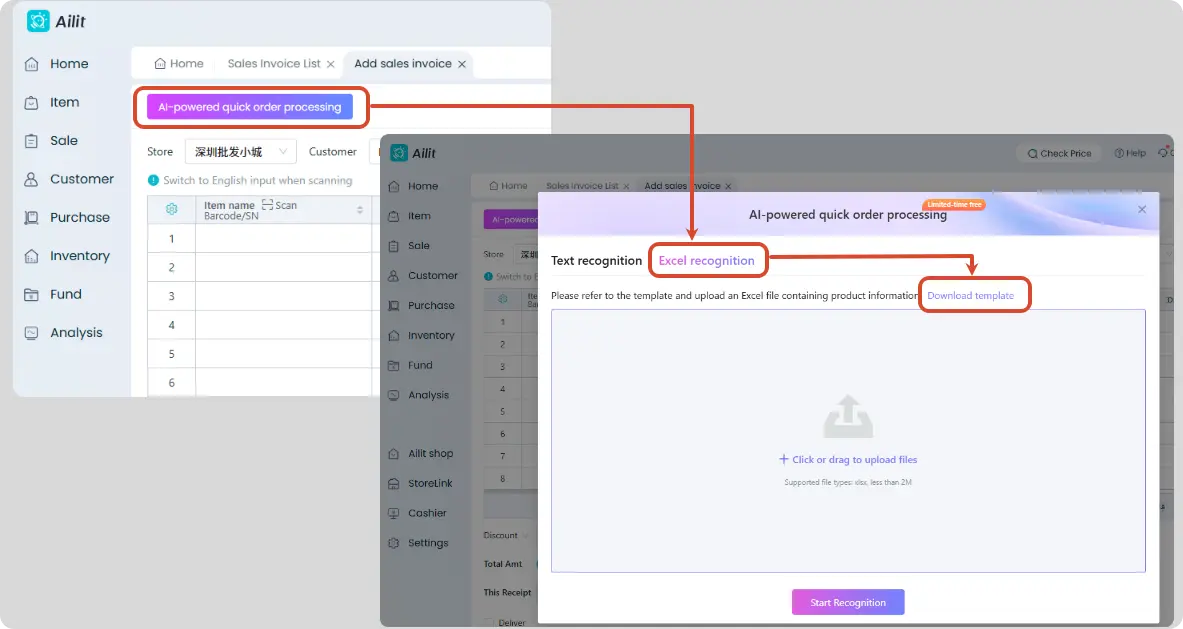
Import Sales Order Template
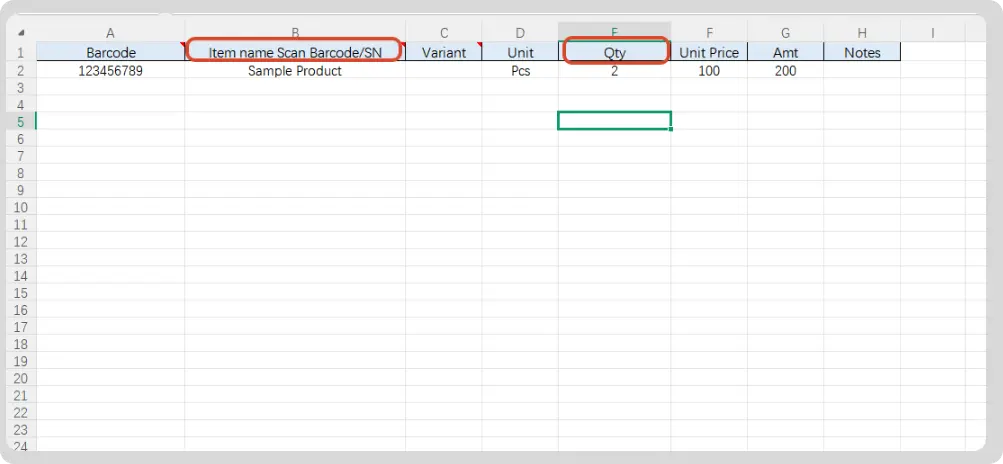
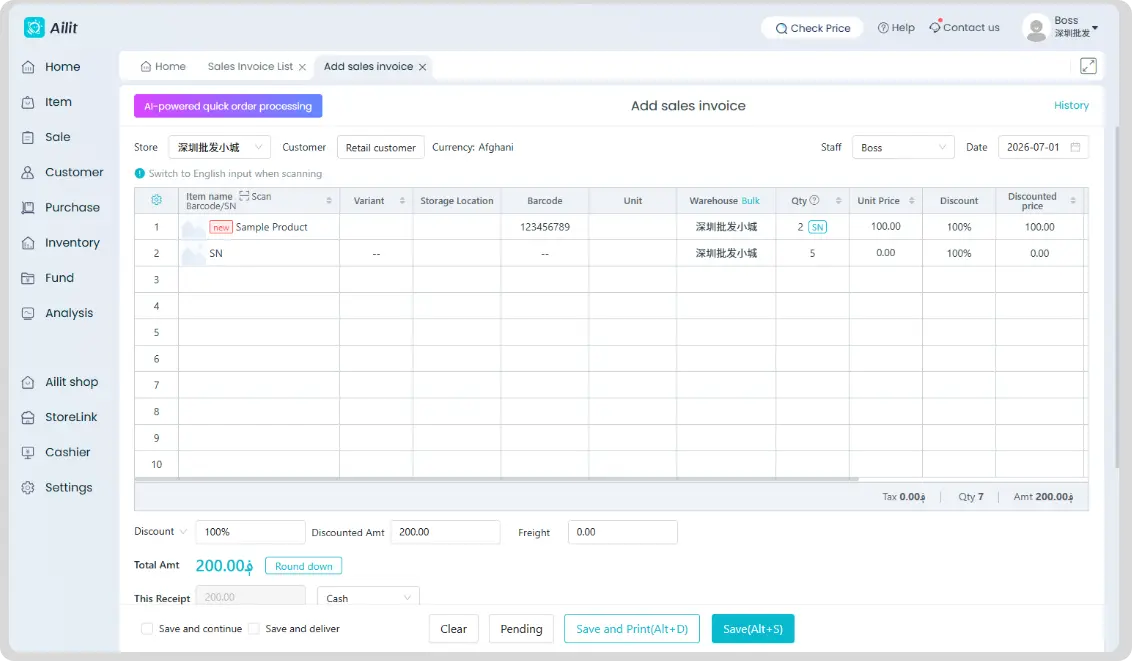
Fill in the sales information in the template, return to the Zhihuiji system, click [Click or drag to upload files], then click [Start Recognition]. Check if the identified Item information is correct; if there are no errors, click [Entering documents]. Verify the accounts receivable and actual received amounts, then save once confirmed correct.
Items marked "Required" on the sales Item information template are mandatory; other fields are optional. The system will automatically match Item information after import.