How to associate sales staff with customers
.
Description: After enabling the associated salesperson function, employees can only view customers linked to themselves. Business owners or authorized employees may access all customers (see permission settings at the end for details).
Applicable Scenario: Control which customers can be handled by which salespersons.
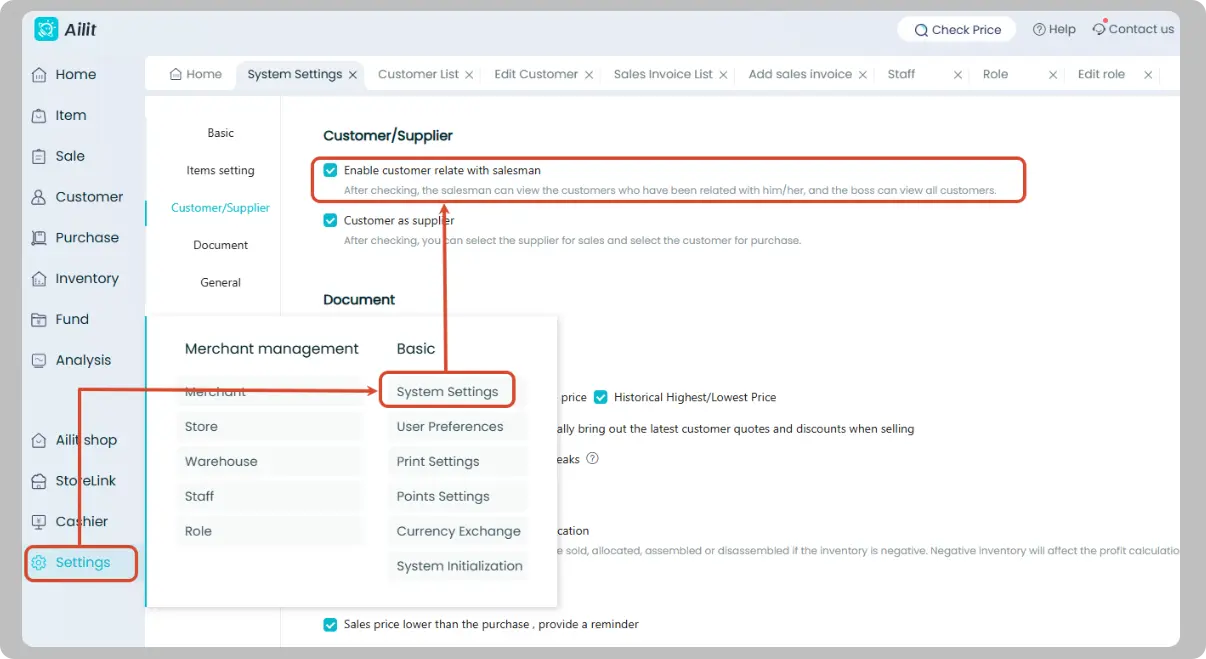
Enable Associated Salesperson Function
Path: [Settings] → [System Settings] → Tick [Enable customer relate with salesman]
Associate Employees with Customers
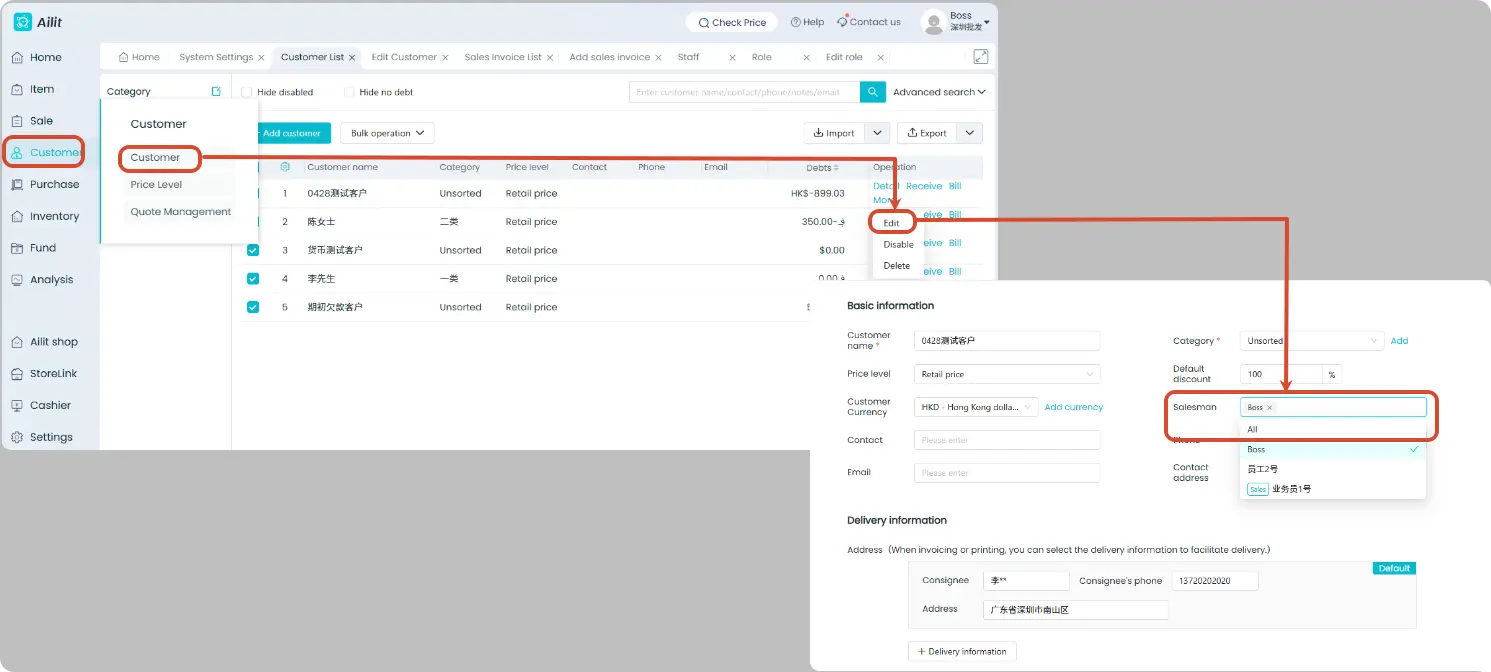
Path: [Customers] → Locate the target customer → [Edit] → [Salesperson]
Note: Customers can only be associated with users or sales staff already added to the store.
Batch Modify Associated Salespersons
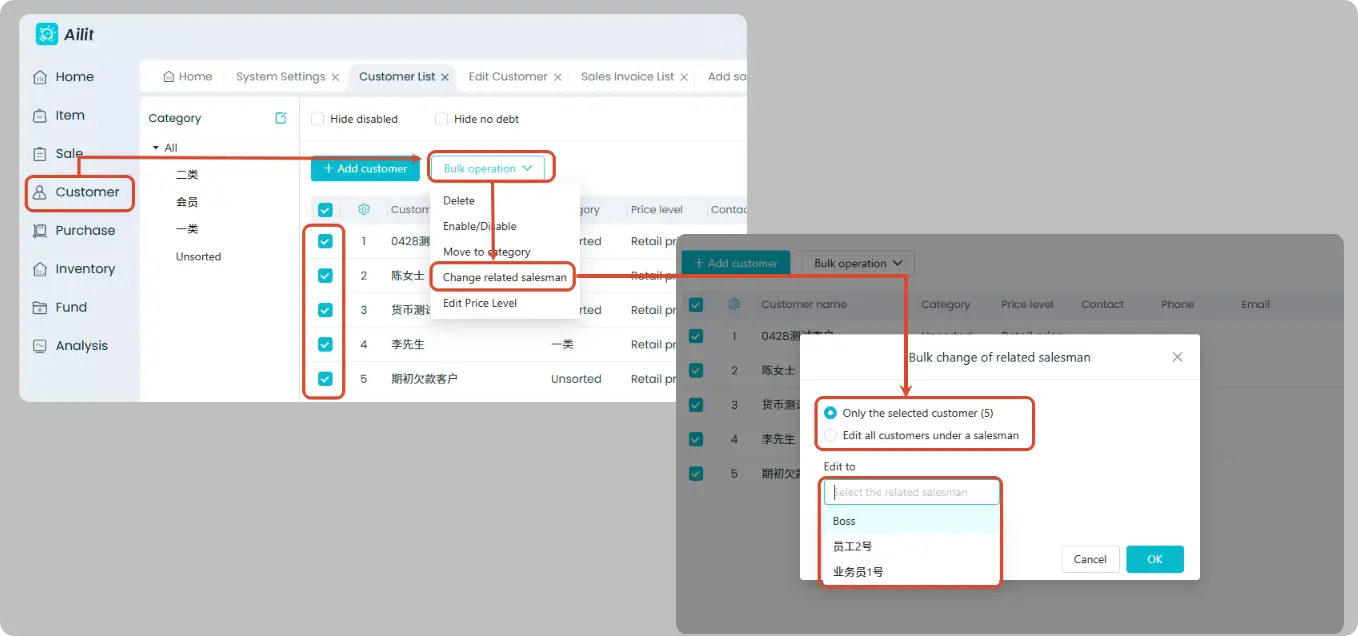
Business Scenario: When a large number of customers need to be associated, use batch operations to reduce workload.
Path: [Customers] → Tick target customers → [Bulk Operations] → [Change related salesman] → Select target salesperson → OK
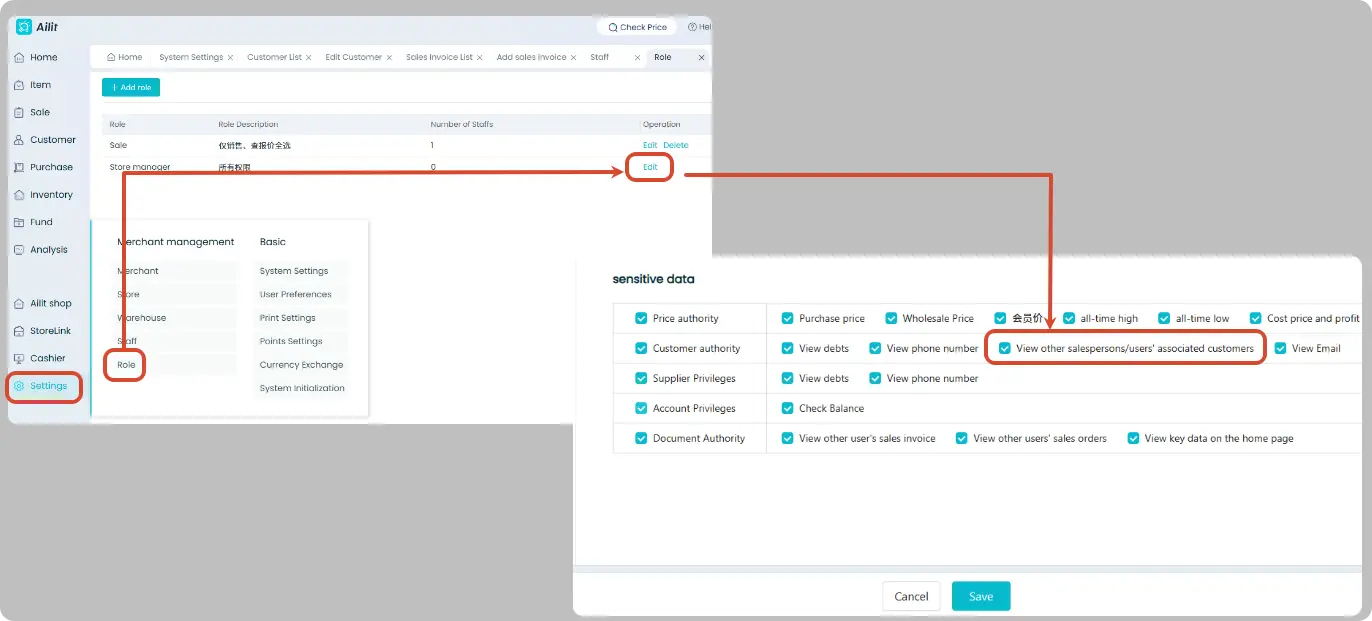
Permission Configuration: Allow Staff to View All Customers
Business Scenario: This permission can be enabled for roles that need overall management of customer data, such as finance staff, sales managers and operation supervisors. It is recommended not to enable this permission for ordinary sales staff, who should only view customers associated with themselves.
The administrator has all permissions by default and no separate configuration is required.
Operation Path: [Settings] → [Role ] → Locate the corresponding role → Click [Edit] → Check "View other salespersons/users' associated customers" → Save