How to enable dual identity for customers/supplier
Última modificação 2026-07-09
How to enable dual identity for customers/supplier
Enable the setting
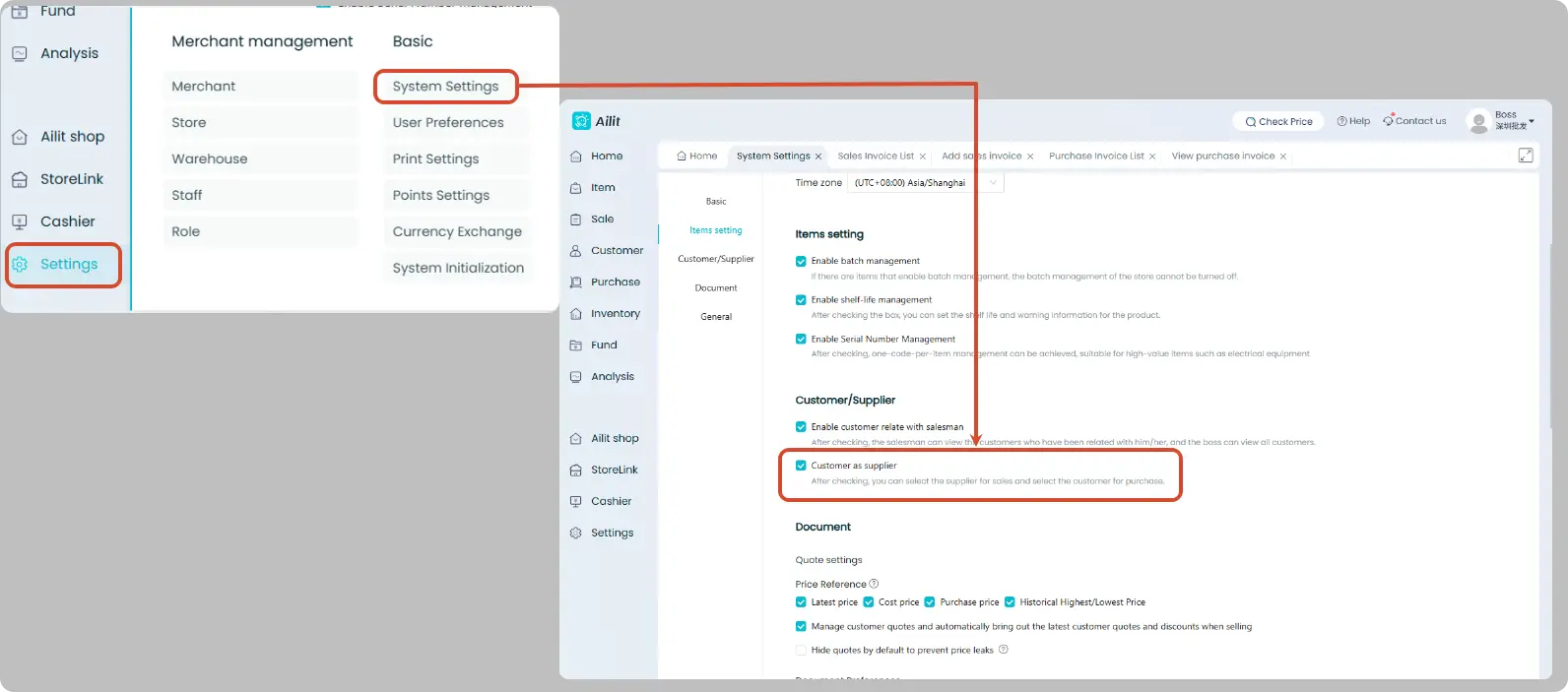
Operation Steps: Click [Settings] - [System Settings], then check [Customer as supplier].
Select suppliers or customers when creating sales invoice or purchase invoice
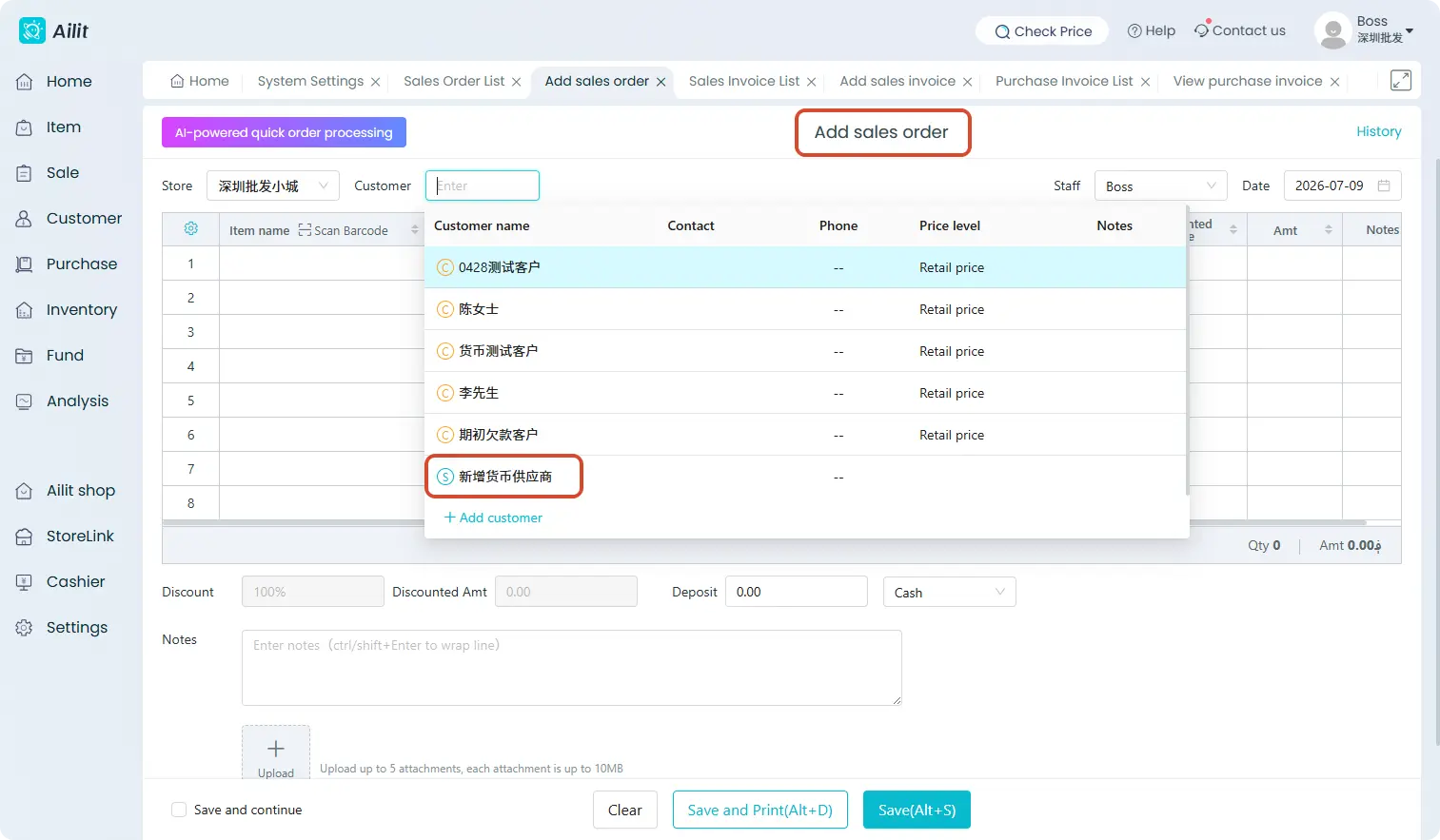
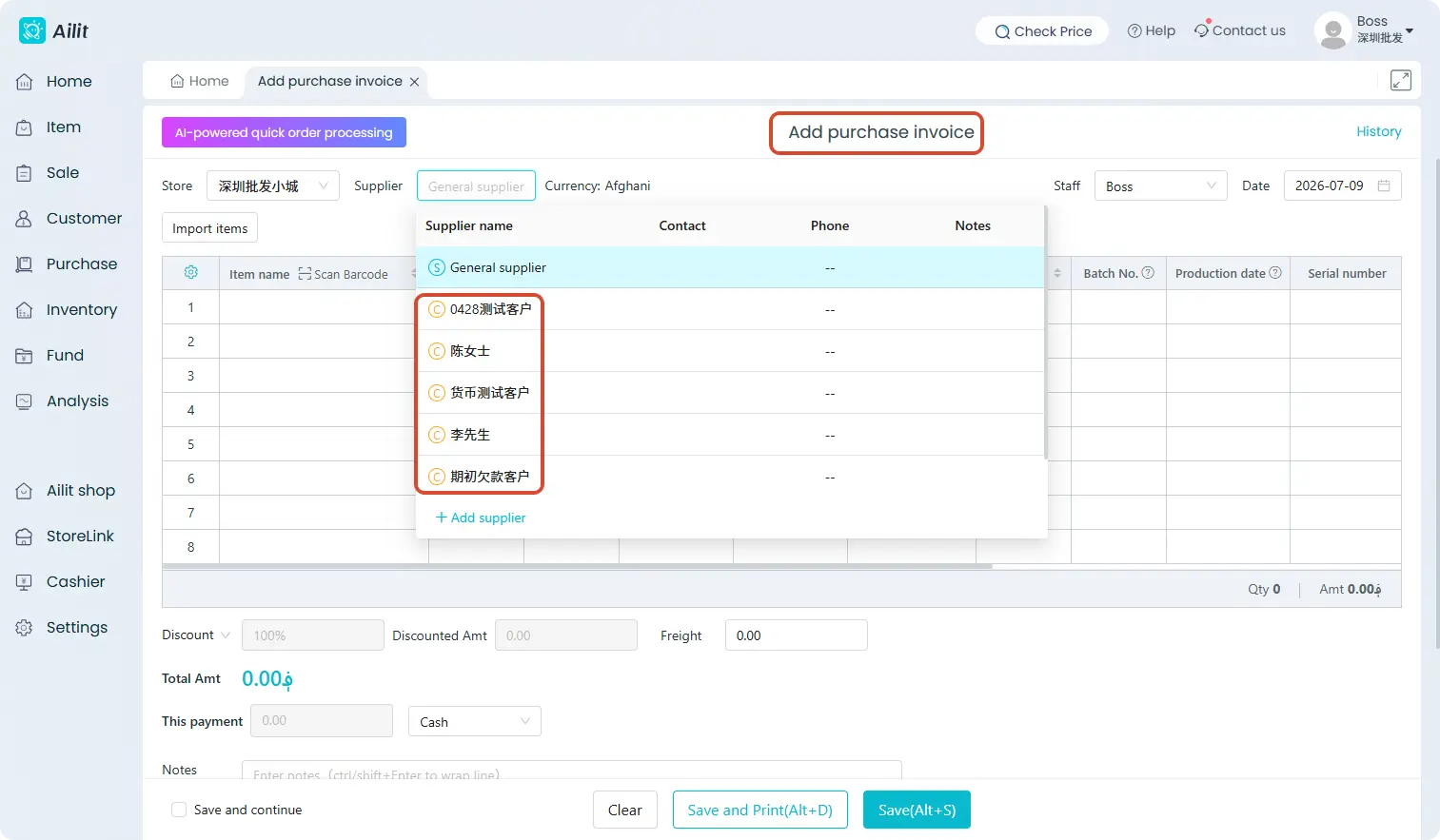
When selecting a party in a sales order or purchase order, a prefix mark "C" or "S" will appear before the customer or supplier name, representing customer and supplier identities respectively.