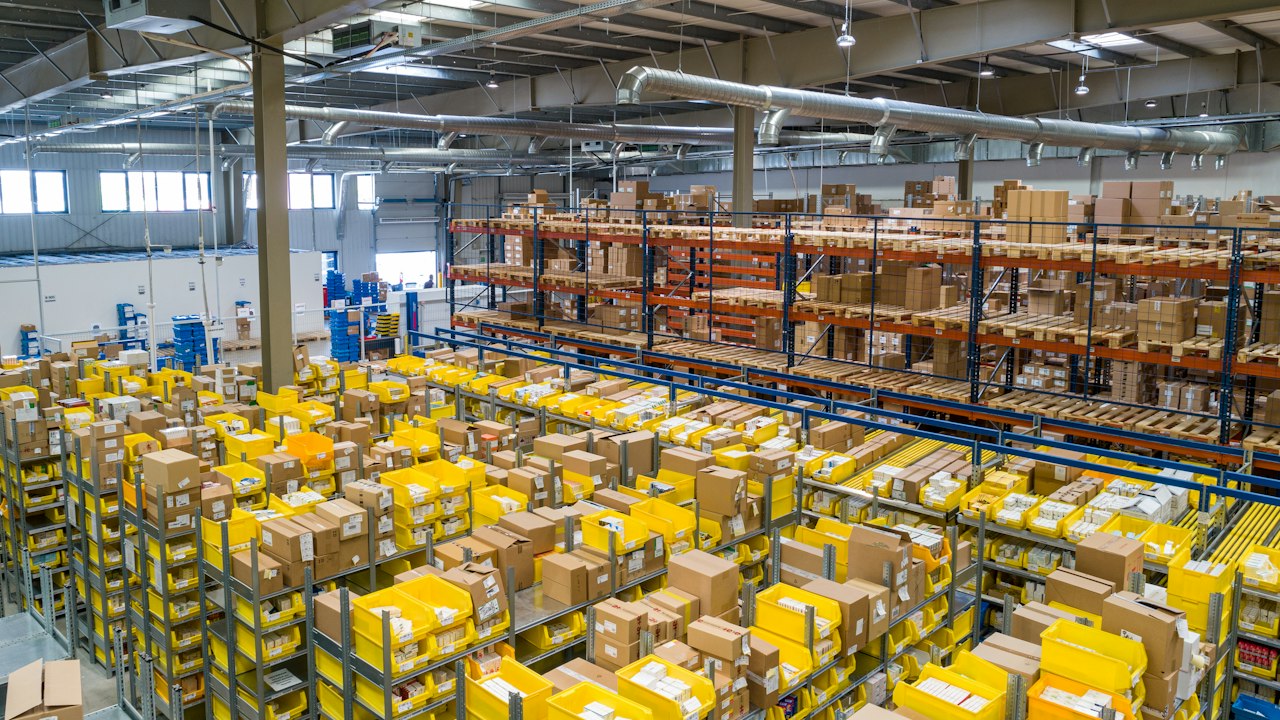
A wholesale owner operating out of Dubai Dragon Mart spent a Monday morning staring at two spreadsheets. One tracked forty cartons shipped from Guangzhou the week before — bill of lading, container number, estimated arrival, all filled in. The other was the shop floor stock, with several fast movers flagged out. Each sheet balanced on its own. Together they did not. Those forty cartons were neither at sea nor on the shelf; the spreadsheet had no row for them. Anyone doing cross-border wholesale inventory management has met this "third inventory" gap.
Excel Holds Until the Goods Are Still at Sea
For the first two years, one sheet is enough. Purchasing, receiving, selling — three columns running left to right, subtract at month end, that is the stock. The Dubai Dragon Mart owner runs daily goods, selling to walk-in customers and supplying smaller shops nearby. One person keeps the books, and the spreadsheet is the tool that fits.
The shift comes in year three. Staff grows from three to eleven. One warehouse becomes three: a receiving yard near the port, a city location restocking the shop, and a separate space for wholesale picking. The owner starts to notice the spreadsheet cannot keep up. Nobody knows which file is current. The yard supervisor adds a line reading "20 cartons received." The shop floor is still quoting yesterday's numbers to customers. The same SKU shows three different counts across three locations, and reconciliation runs past eleven at night.
The problem is not carelessness. It is that a spreadsheet has no idea of handoff. A unit moves from purchase order to receivable, from ocean to port, from warehouse to shelf, and each step depends on one person telling another, one sheet copying another. Every handoff loses a piece.
Without Inventory States, Migration Just Moves the Chaos
Before switching software, the owner ran a physical count and the result was a shock. The books showed 1,200 units available. The floor had 860. The gap of 340 broke down as 200 still at sea, 100 arrived but not yet cleared through customs, and 40 of genuine variance.
The count clarified one thing. The first step of migration is to split "inventory" into several states. In-transit, at-port, in-warehouse, on-shelf, reserved. Each state answers a different question. In-transit stock cannot be sold, but it sets the replenishment rhythm two weeks out. On-shelf stock can be sold, but it needs a reorder-point alarm.
The owner began a new base table, with each SKU's stock broken out by state. That table is what the future system will read, and it is where migration actually starts.
How Do You Run Inventory When Wholesale and Retail Share the Floor?
The answer is multiple views on the same stock, so wholesale and retail each see the dimension they care about. A merchant running both channels faces a harder problem than a pure wholesaler or a pure retailer. Wholesale thinks in cartons, containers, and lead times; the customer wants price and credit terms. Retail thinks in units, shelf space, and turnover; the shopper wants the item now. The same SKU can look comfortably stocked to the wholesale side while the retail shelf sits empty and customers complain.
According to Ailit's own user data, wholesale-retail hybrid merchants make up 61 percent of its user base, the largest single operating model. What these merchants need most is one system where wholesale and retail look at the same stock but each see the slice that matters to them.
Ailit is an AI-powered intelligent inventory software for SMEs built by Kingdee, a Hong Kong main board-listed, world-leading SaaS company. In this kind of setup, it splits one stock into role-based views. The wholesale side sees carton-available quantity, in-transit quantity, and customer-reserved quantity. The shop floor sees shelf-available quantity and low-stock alerts. Both sides deduct from the same stock, and neither side gets spooked by the other's numbers.
A tool alone does not fix everything. If the wholesale and retail goods are genuinely two separate pools, forcing them into one stock creates new problems. If the owner has not decided which items can be shared and which must be isolated, even a good system will amplify the confusion.
Three Non-Negotiables for Overseas Store Inventory Software
In-transit stock that flows between states, a multilingual interface for a mixed team, and multi-currency settlement, if these three are missing, the rest of the feature list does not matter. When evaluating overseas store inventory software, these are the requirements that separate workable systems from the rest.
The owner started with three.
First, can the system treat in-transit inventory as a formal state rather than a note in a comments field? The moment a purchase order is confirmed, an in-transit quantity should appear. After the container clears customs, that quantity should automatically roll into in-warehouse. If that flow still needs someone editing a sheet by hand, it is no different from a spreadsheet.
Second, can staff in different languages work from the same data? The Dubai Dragon Mart warehouse has Arabic-speaking local staff, a boss and supervisors who work in Chinese, and relatives who drop in to help occasionally. Purchase orders arrive in Chinese, but receiving needs to make sense to the Arabic-speaking team, and printed documents should ideally be bilingual. Ailit supports English, Simplified Chinese, Traditional Chinese, Spanish, Portuguese, Arabic, Thai, and more languages, which covers this requirement.
Third, how does the system handle multiple currencies and exchange rates? Purchasing from suppliers is in renminbi, selling in the local market is in dirhams, and some customers still want to pay in US dollars. If the system records only one currency, the owner calculates the rate difference by hand every day, and month-end is another muddle. Ailit supports settlement in 154 currencies with 170+ exchange rate settings, which is a hard requirement for cross-border merchants.
In the end the owner asked one question: am I buying a prettier spreadsheet, or a system where eleven people can read the same books?
A practical next step is to pick one fast-moving SKU, write down its in-transit, in-warehouse, and on-shelf numbers separately, and check them against the spreadsheet once more. The rows that match will migrate cleanly. The rows that do not are the rules the owner still needs to decide.
Frequently Asked Questions
How do I record in-transit goods in an inventory system?
Treat in-transit stock as its own inventory state from the moment a purchase order is confirmed; waiting until arrival is already too late. The system should add an in-transit count automatically, then roll it into in-warehouse once the container clears customs. If that transition still needs a person editing a field by hand, the system is just a spreadsheet with a login.
Can a POS inventory system manage stock together with the back office?
Yes, but the answer depends on what "together" means. If it means every shop sale reduces stock by one, most POS systems already do that. If it means wholesale orders, retail sales, and warehouse transfers all deduct from the same stock record, that requires a unified POS inventory system, two independent systems wired together will not deliver it.
How does a multilingual team share one inventory dataset?
The system needs a multilingual interface and the ability to print bilingual documents. The owner reads Chinese, local staff read Arabic or English, and everyone is working on the same data. Ailit inventory supports multiple languages, so purchase orders, receiving slips, and sales orders display in each user's language.
How long does an Excel migration actually take?
For a typical small merchant, a full switch takes about a month. Sorting the base table runs one to two weeks, importing into the system takes one to three days, and running both systems in parallel for two weeks catches the mismatches. The slow part is the sorting, the owner has to decide how many inventory states exist, which fields are mandatory, and which history is worth carrying across.