

Serial Number Management User Guide
Serial number (SN code) is the unique identifier of each product, acting like an exclusive ID card. It supports full-process traceability. It applies to industries requiring one-item-one-code management, such as 3C digital products, medical devices, auto parts and jewelry.
Enable Serial Number Functionality
Path: 【Settings】 → 【System Settings】 → Check Enable Serial Number Management
Newly registered users in the digital appliance industry have this function enabled by default.
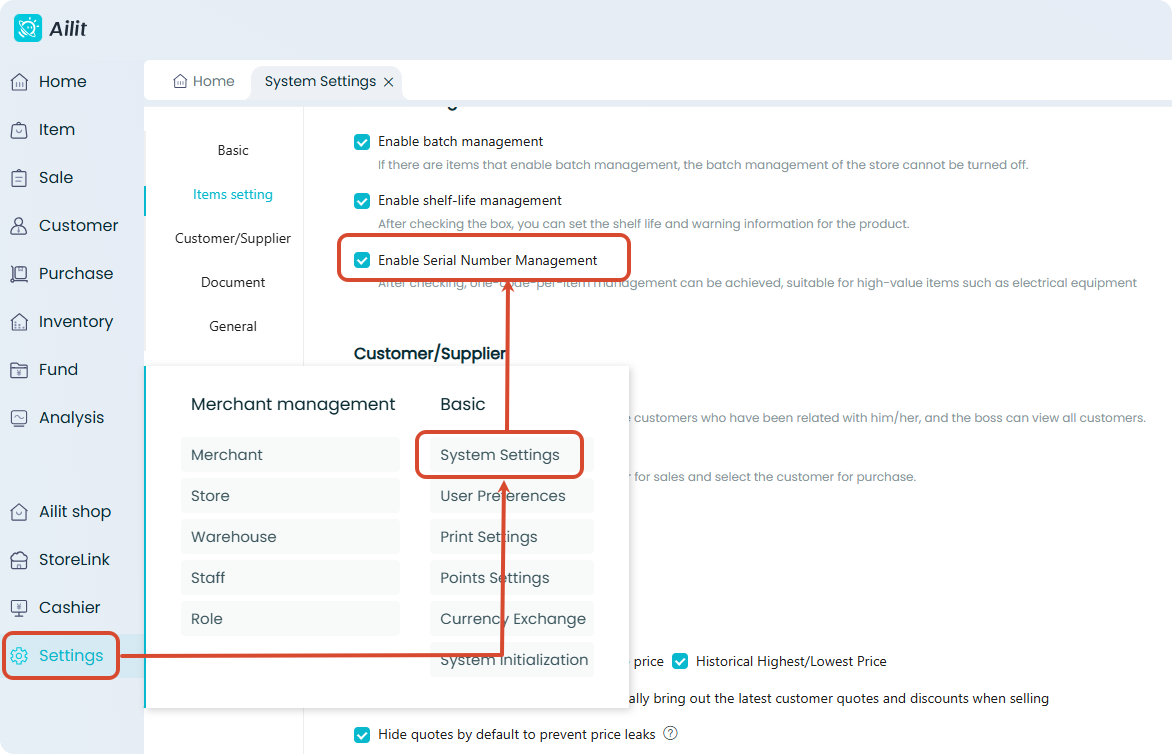
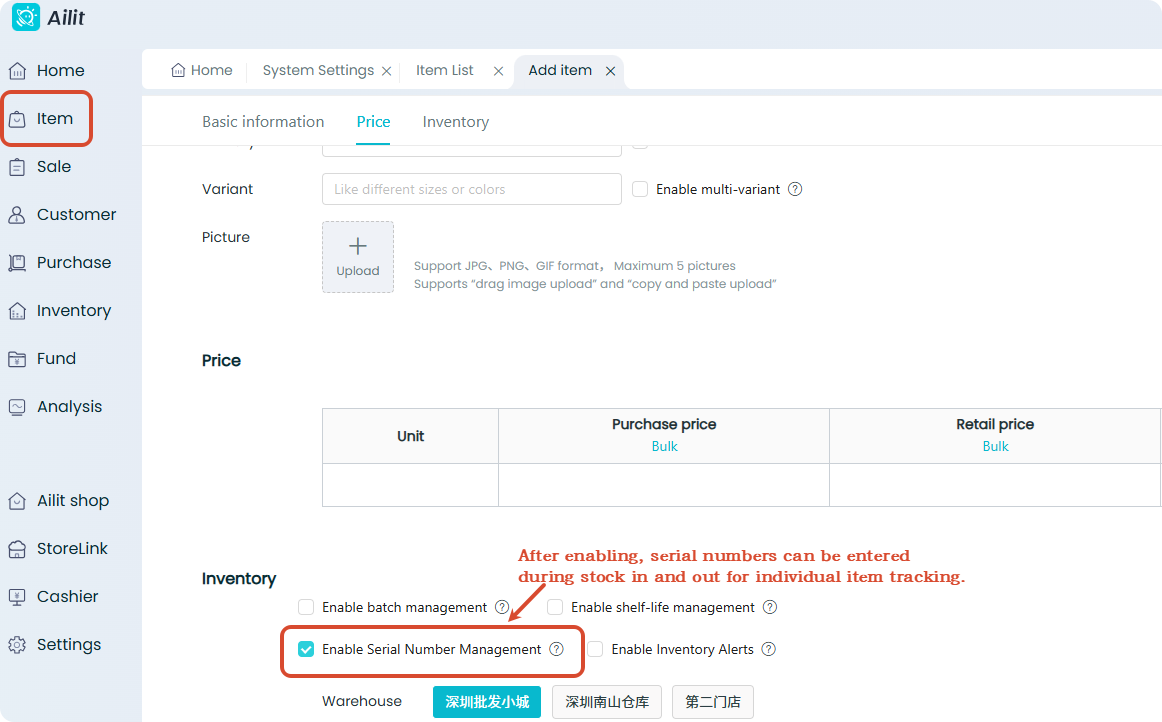
Enable serial number for products
Path: 【Item】 → 【Item】 → 【Add or edit Item】 → Check Enable Serial Number Management
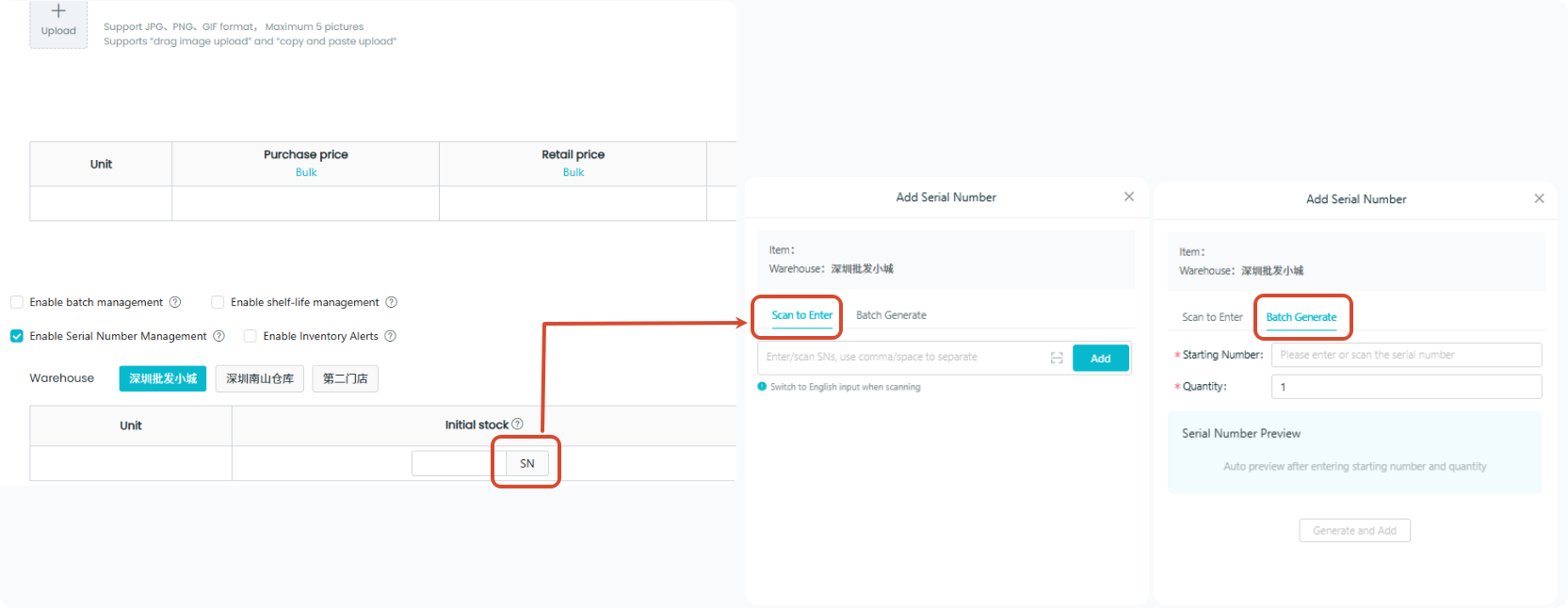
Fill in serial numbers of initial inventory
If the product has initial inventory, serial numbers can be entered. Three input methods are supported:
| Method | Description |
|---|---|
| Scan to Input | Scan continuously with a barcode scanner, batch entry via carton code is supported. |
| Manual Entry | Supports separation by Chinese and English commas and spaces |
| Batch Generation | Meet the needs of quick entry and custom numbering |
The quantity of entered serial numbers will automatically populate the product quantity.
Serial Number Operations in Business Processes
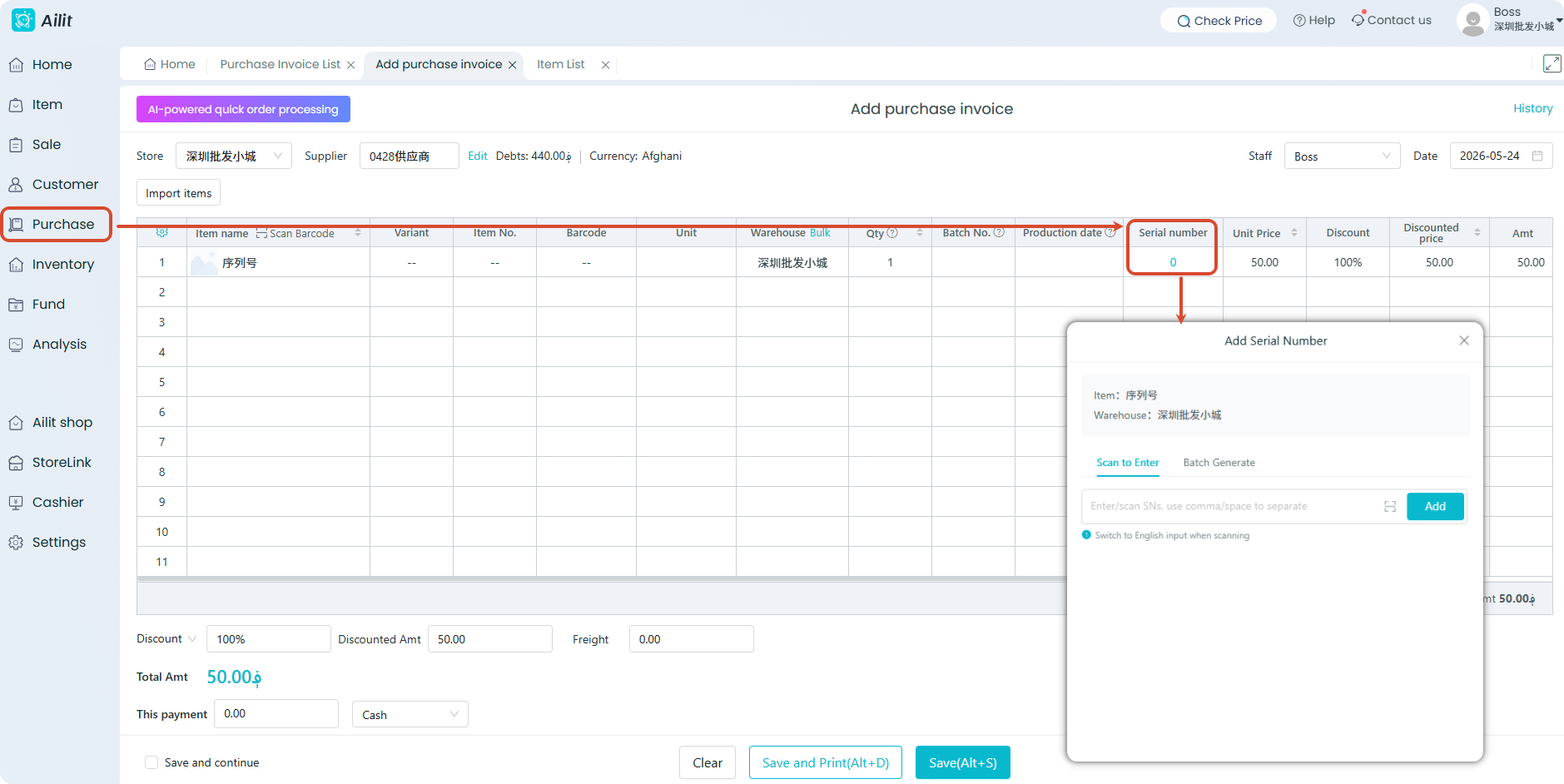
Purchase (Optional)
You may choose to enter serial numbers during purchase. Scanning, manual entry and batch generation are available.
Sales (Required)
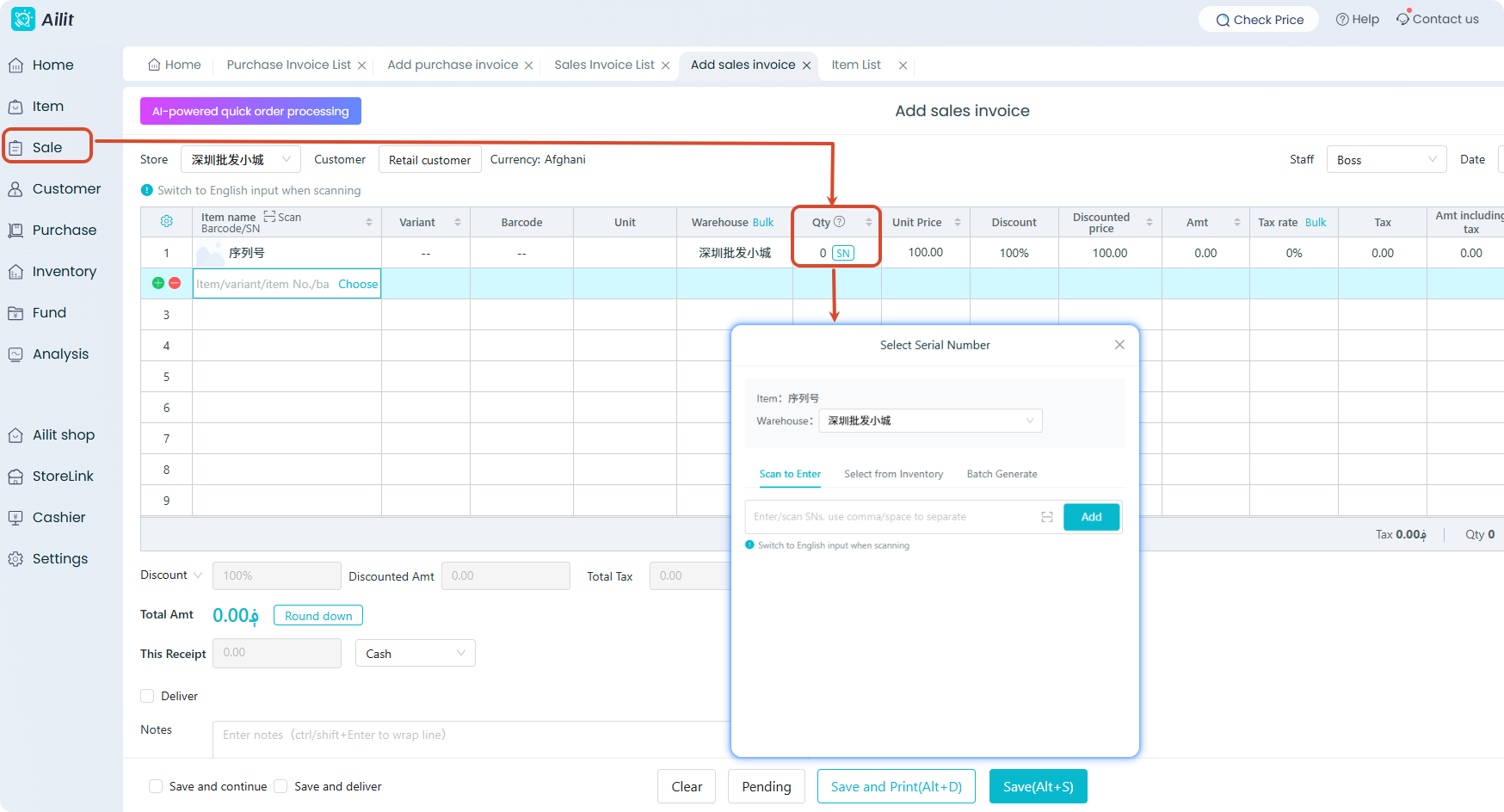
Serial numbers must be selected during sales outbound to ensure after-sales traceability. Supported methods:
- Scan code or manual entry
- In-stock Selection
- Batch Generation
Stocktaking (Optional)
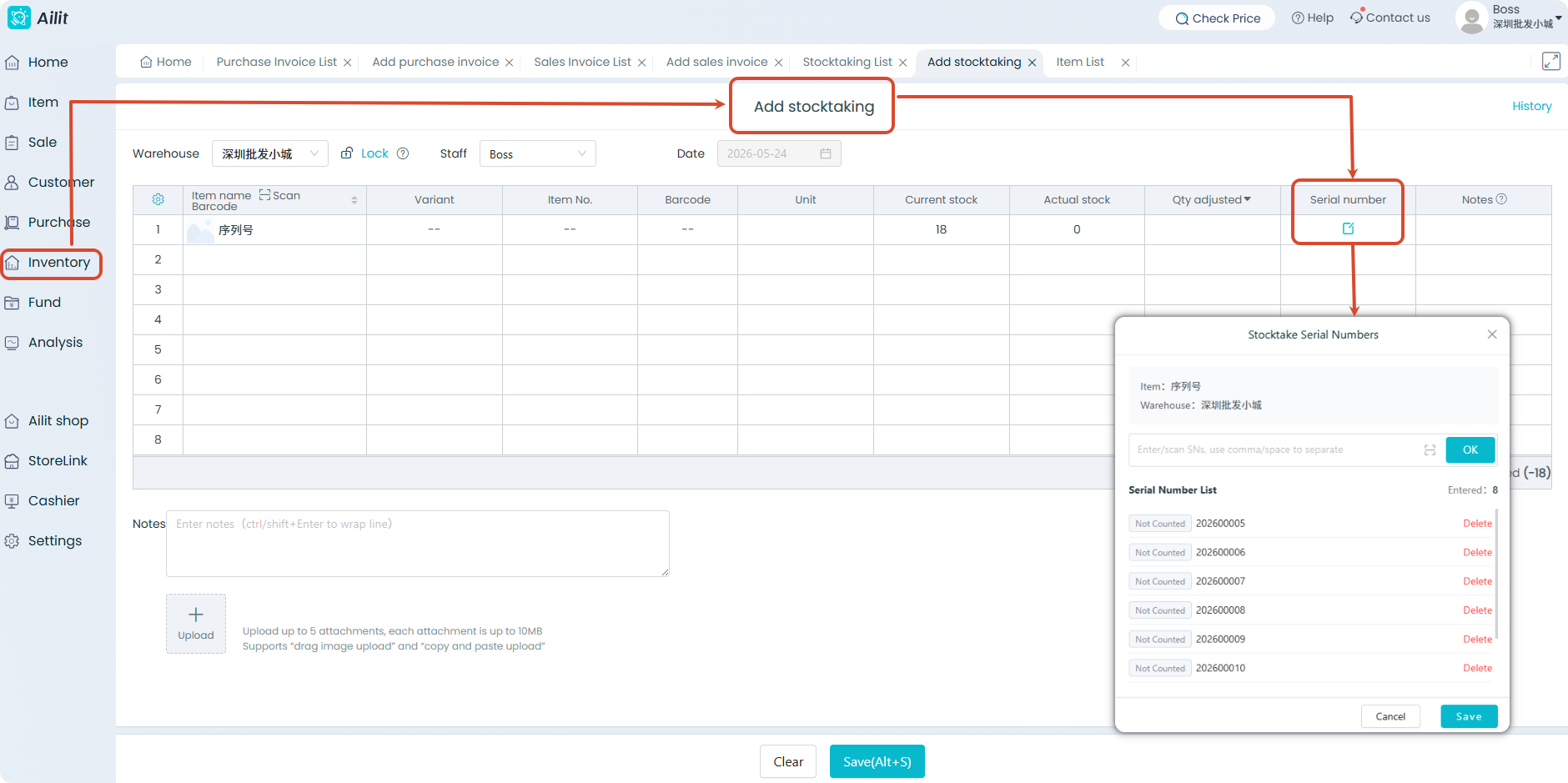
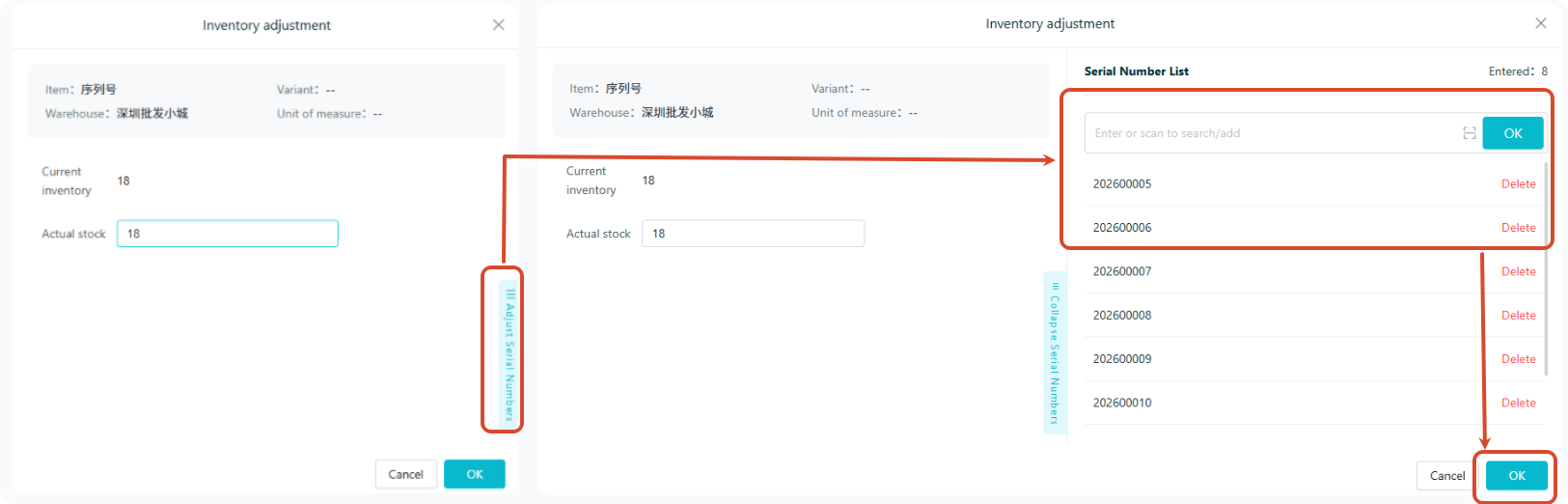
Serial numbers can be entered during inventory checking via scanning or manual input. Click Delete to remove entered serial numbers.
Allocation (Optional)
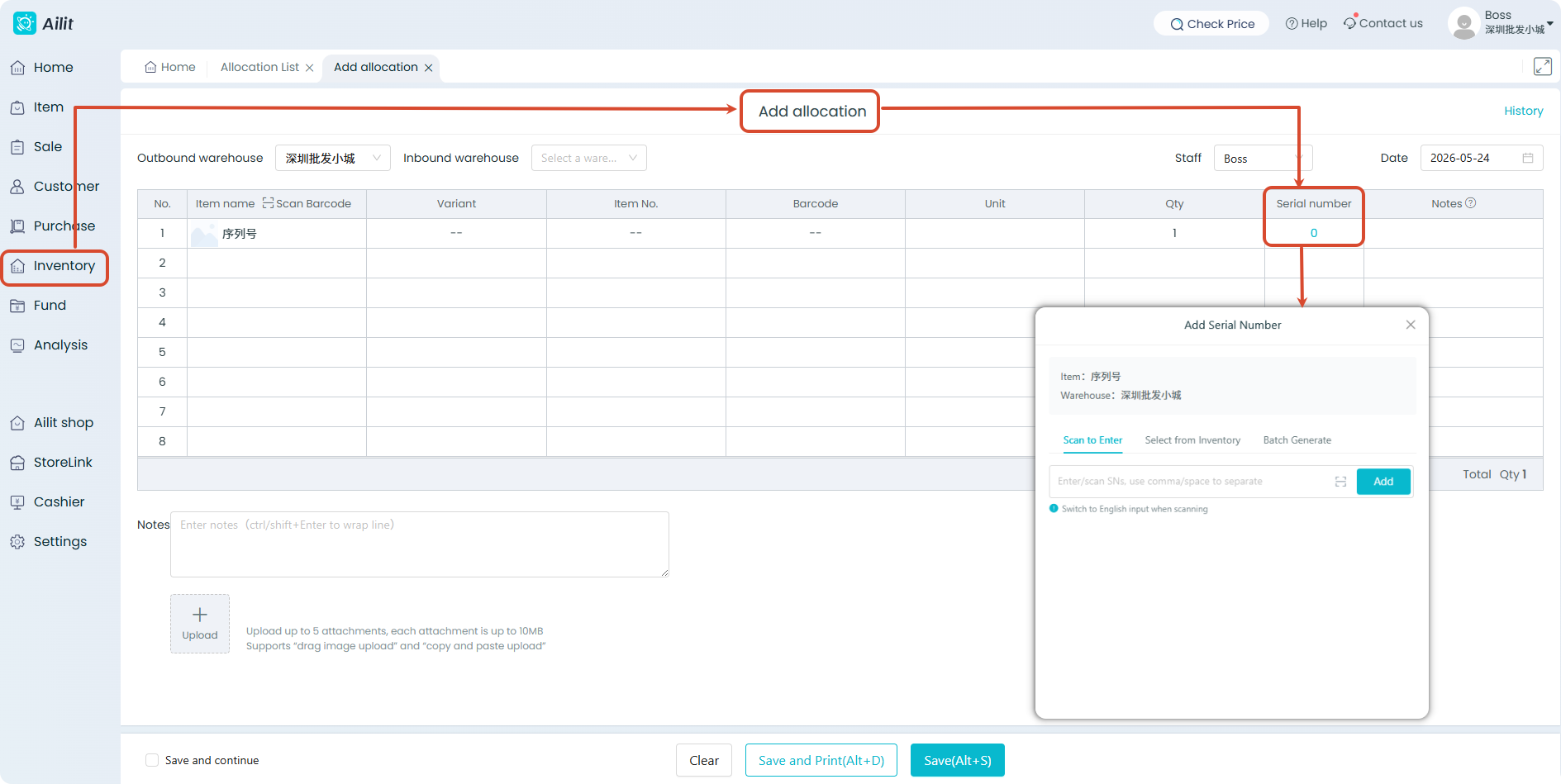
Serial numbers can be entered during stock transfer in and out for goods verification.
Serial Number Query
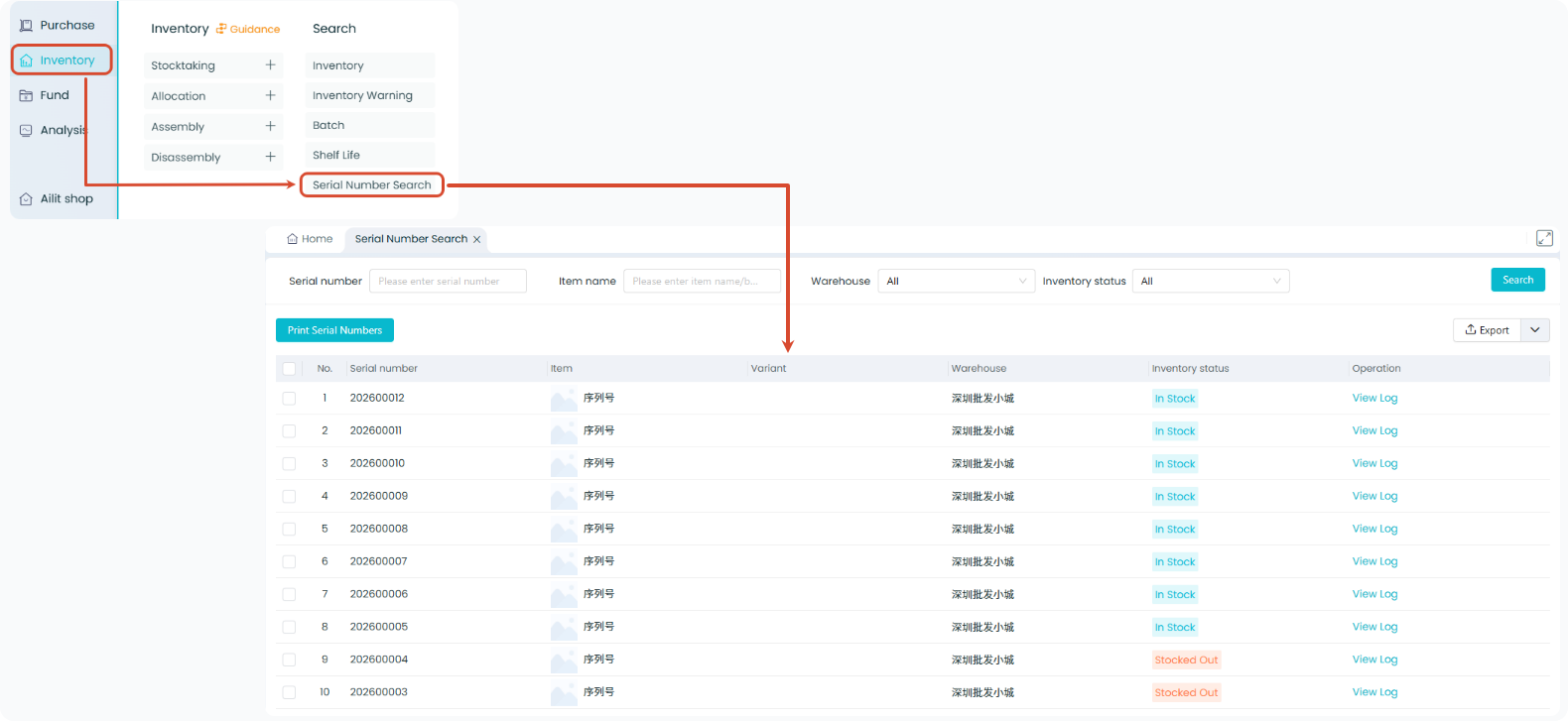
Path: 【Inventory】→【Serial Number Search】
| Function | Description |
|---|---|
| Query | Filter by product, serial number, status and other criteria |
| View Records | View complete circulation records of each serial number |
| Print Serial Number | Print serial numbers as labels |
| Export | Support report export |
Other Functions
Adjust In-stock Serial Numbers
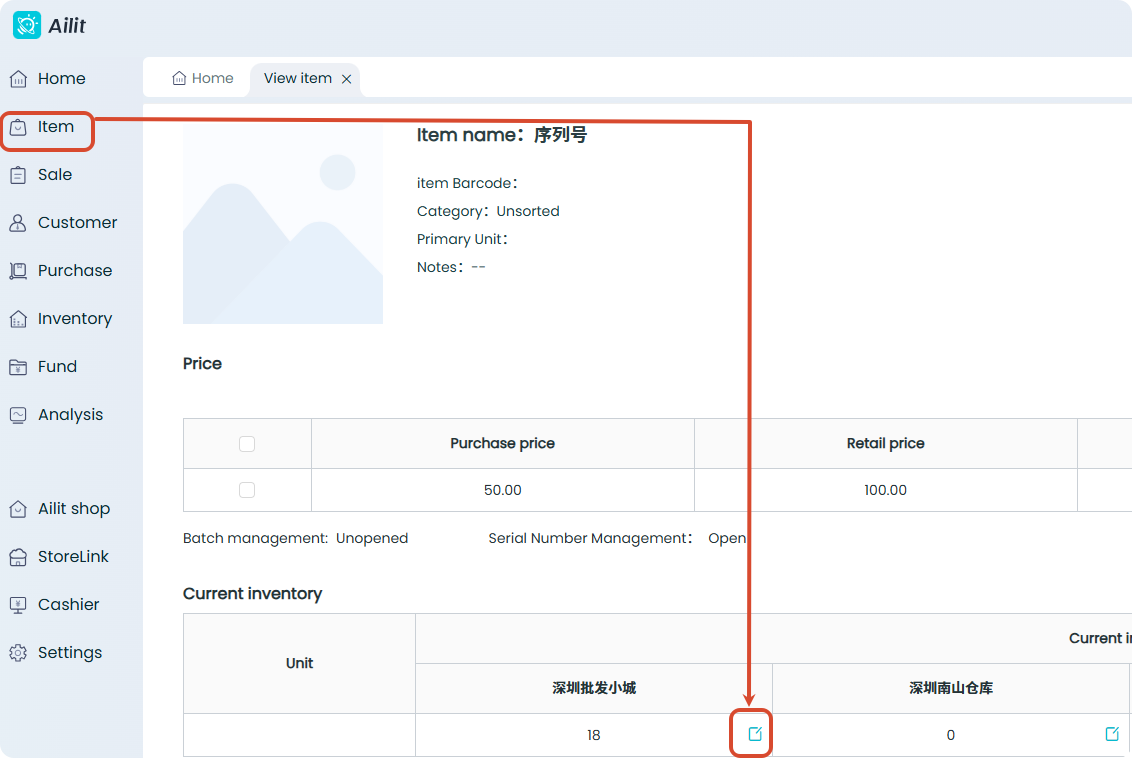
Path: 【Item】→ Locate target product → Click 【Detail】→ Edit Inventory → Adjust Serial Numbers → OK
Print Serial Numbers on Documents
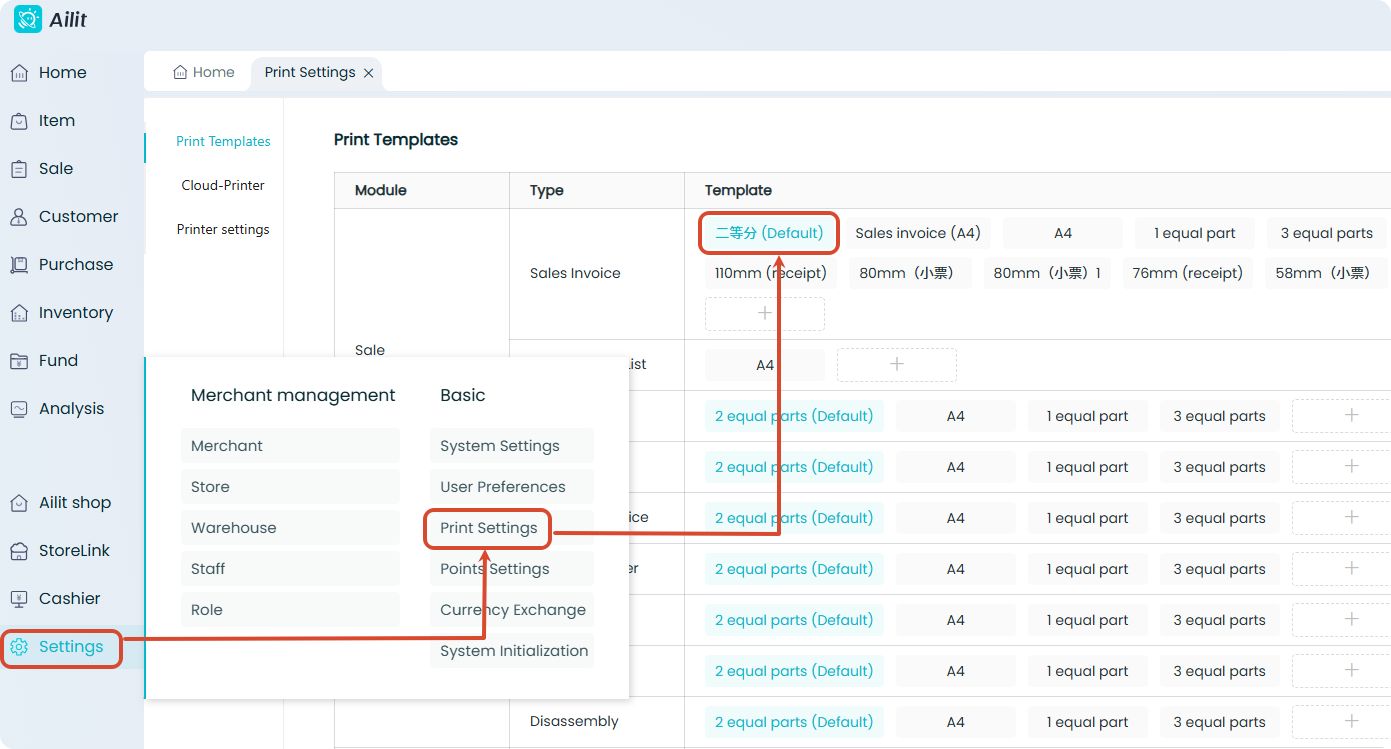
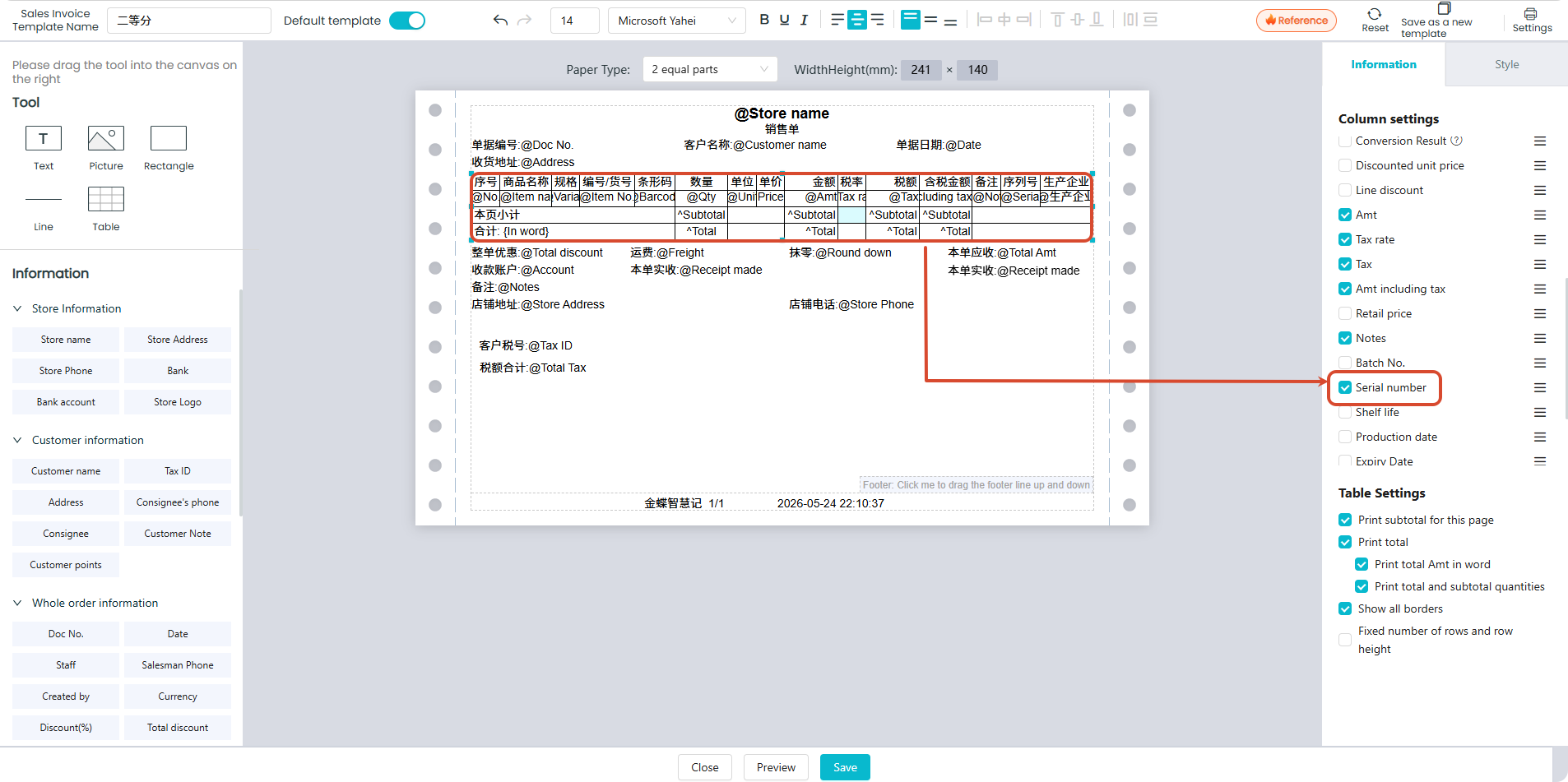
Serial numbers can be printed on documents such as sales invoice and purchase invoice. Customize and add serial number fields in Print Template Settings.
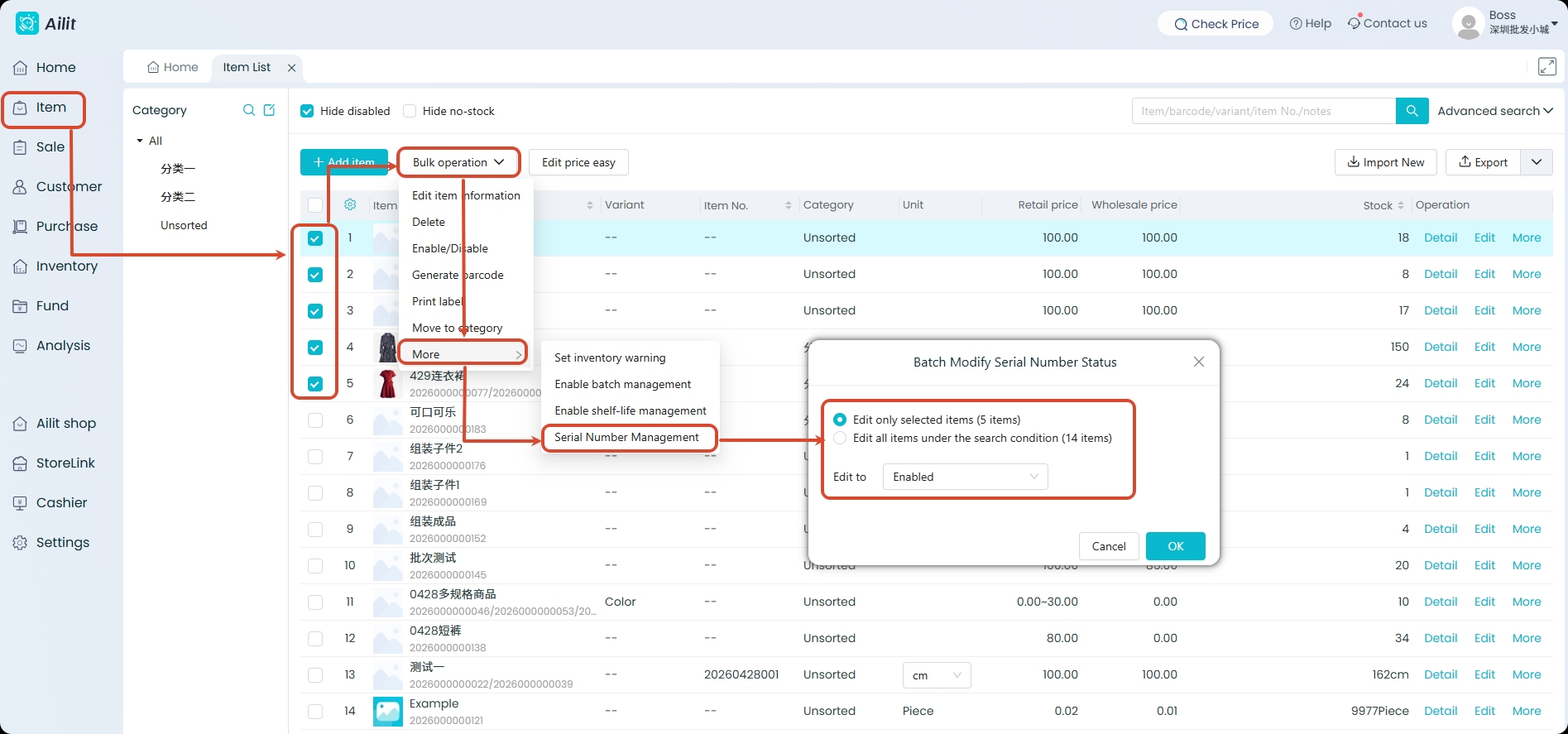
Batch enable/disable serial numbers
The product list supports batch selection of products to enable or disable serial number management in bulk.
Restriction Description
| Item | Description |
|---|---|
| Supported Documents | Sales invoice, Sales Return invoice, Purchase invoice, Purchase Return invoice, Inventory Count invoice, Transfer invoice |
| Unsupported Documents | Sales order Purchase order, Quotation, Assembly/Disassembly Order |
| Mutually Exclusive Functions | Serial number management cannot be enabled simultaneously with batch number or shelf life management. |
| Item Type | Bundled products do not support serial number management. |
| Unit Restriction | Sales-related documents can only be created using the base unit of measure. |
| Voiding Sequence | Serial number transaction records must be voided starting from the latest document (e.g., the sales invoice must be voided before the corresponding purchase invoice can be voided). |
| Inventory Requirement | Serial number management cannot be enabled if the current inventory quantity is negative or a decimal value. |
| Barcode Scanner | If the serial number contains letters, switch to the English input method,otherwise, the characters may not display completely. |
Frequently Asked Questions
Is there any requirement for the format of serial numbers?
It supports letters, numbers, and common special characters, with a maximum length of 100 characters. Chinese characters are not supported. The maximum number of entries per operation is 1000.
Can serial numbers be duplicated?
No. Serial numbers are globally unique. Each serial number can only correspond to one SKU and be bound to a single warehouse in the system.
Can the same serial number be checked in and out multiple times?
Yes. The flow of Purchase → Sale → Repurchase is allowed. However, duplicate outbound operations on an already-outbound serial number, or duplicate inbound operations on an already-inbound serial number, are not permitted(e.g., Sale → Sale) .