

How to add a sales invoice
Create and check sales invoice
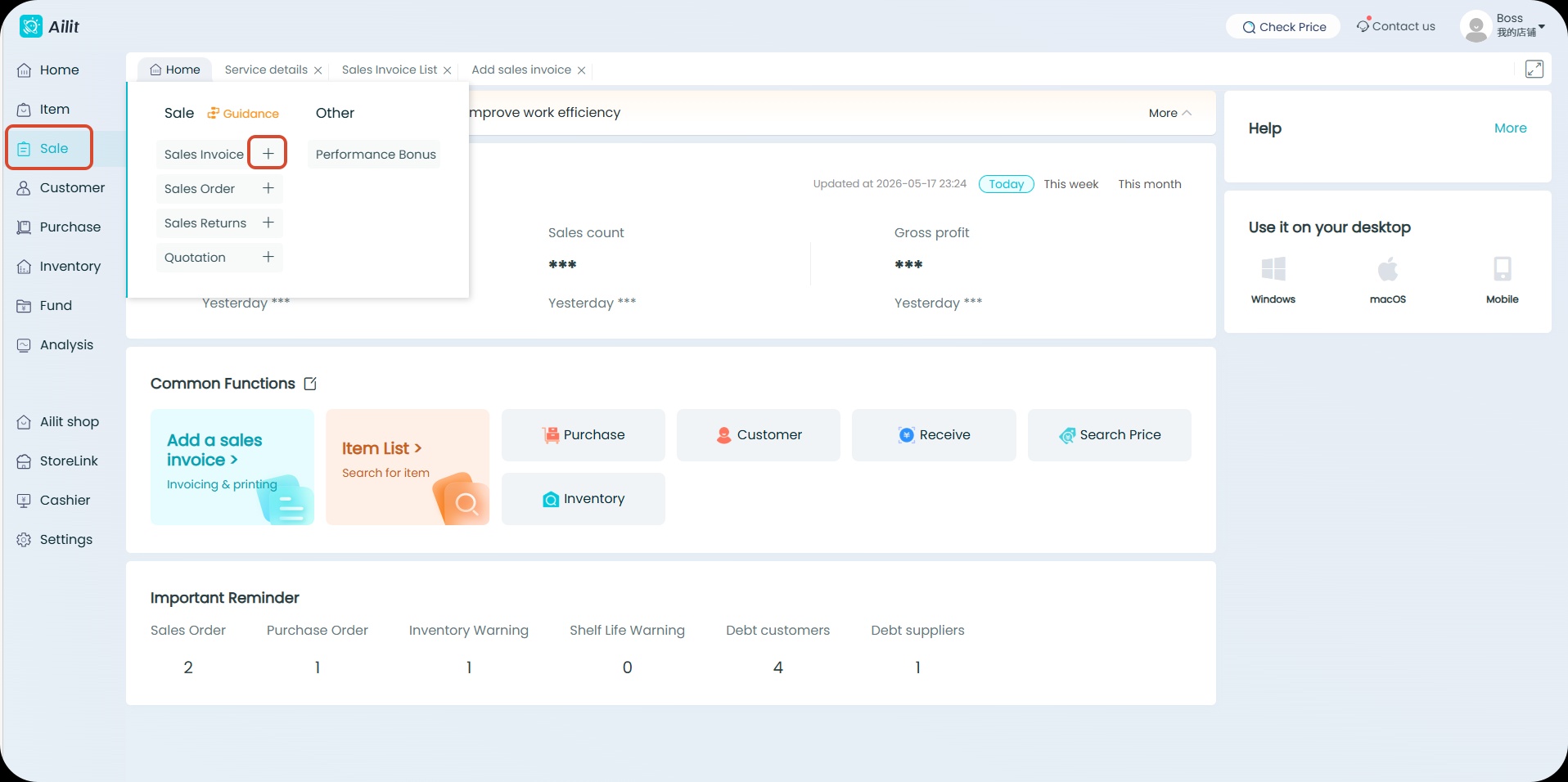
Path to create new sales invoice:【Sales】-【+】
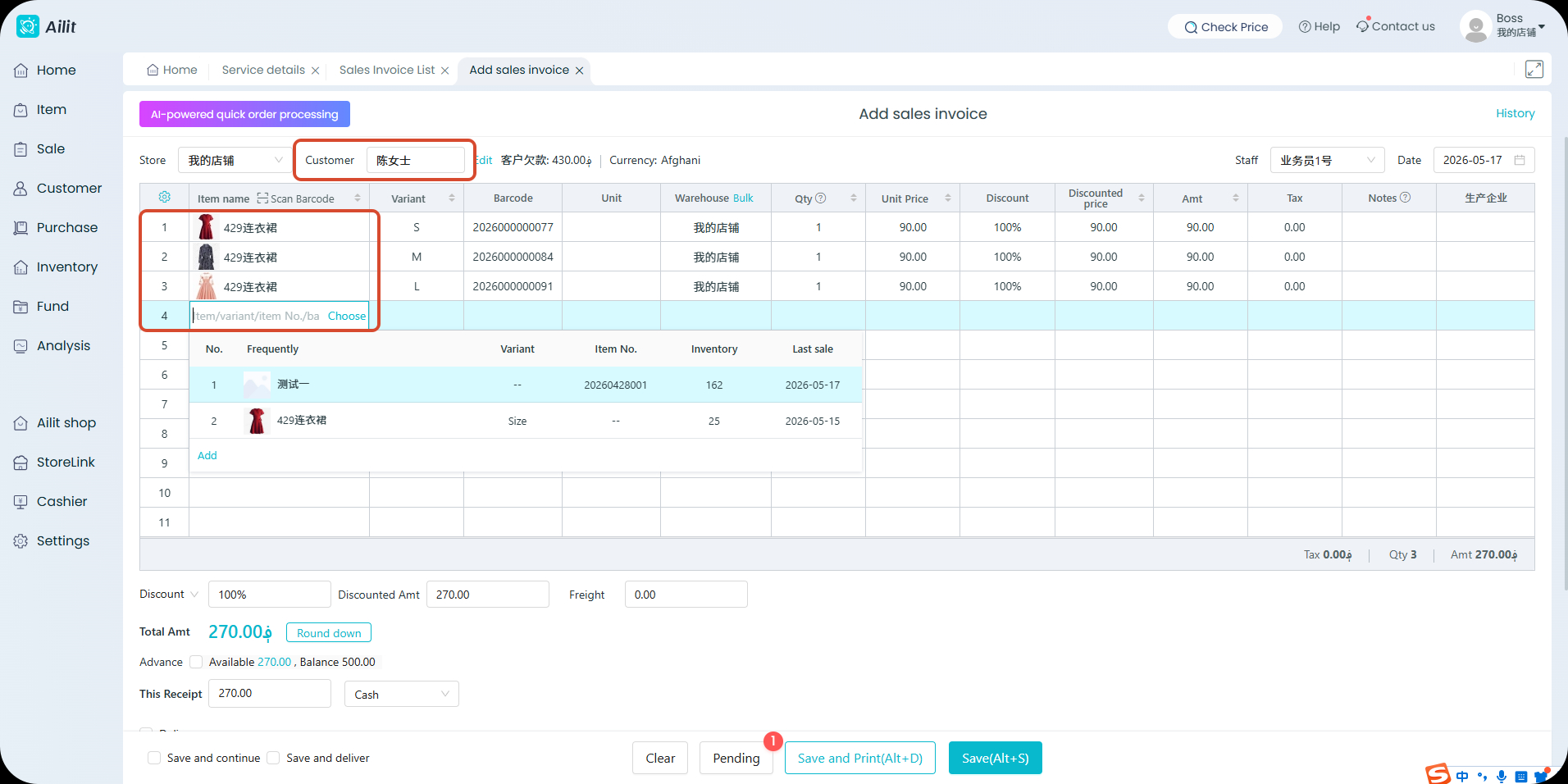
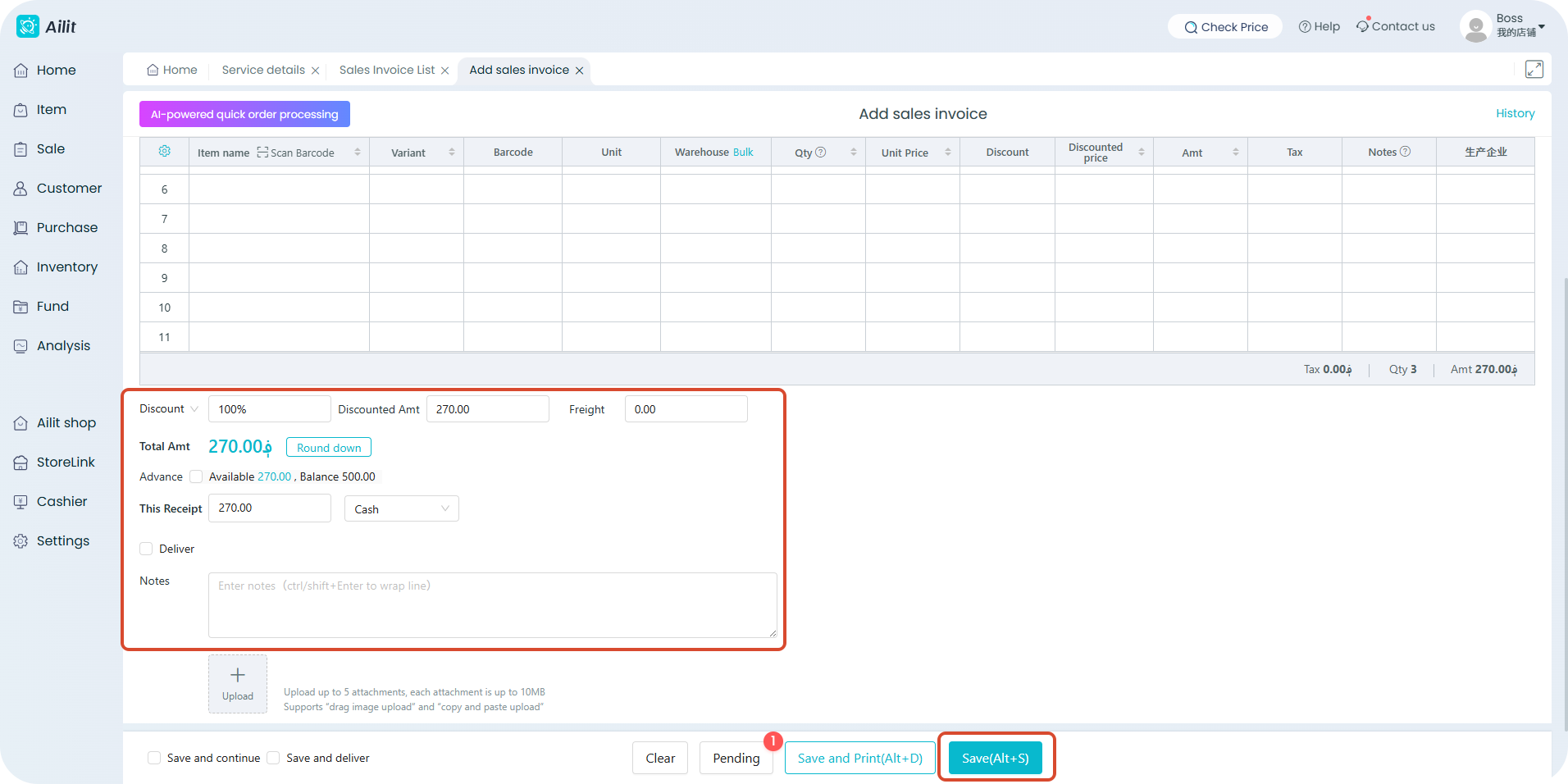
Business Scenario: It serves as proof of goods outbound confirmation. Goods transfer is reflected via sales invoice, which are key indicators and original vouchers for actual goods delivery from warehouse.
Function Description:
1、When creating a new sales invoice, you must fill in the customer name to record outstanding payments owed by the customer. Zero payment is supported.
2、When creating a new sales invoice, two billing modes are supported: sales outbound and sales return. Enter positive numbers for sales outbound to automatically deduct inventory; enter negative numbers for returns to automatically increase inventory.
3、Supports sales discounts, including invoice-wide discounts and exclusive customer discounts, as well as stacked discount rules.
Path to view sales invoice:【Sale】-【Sales Invoice】-【Detail】
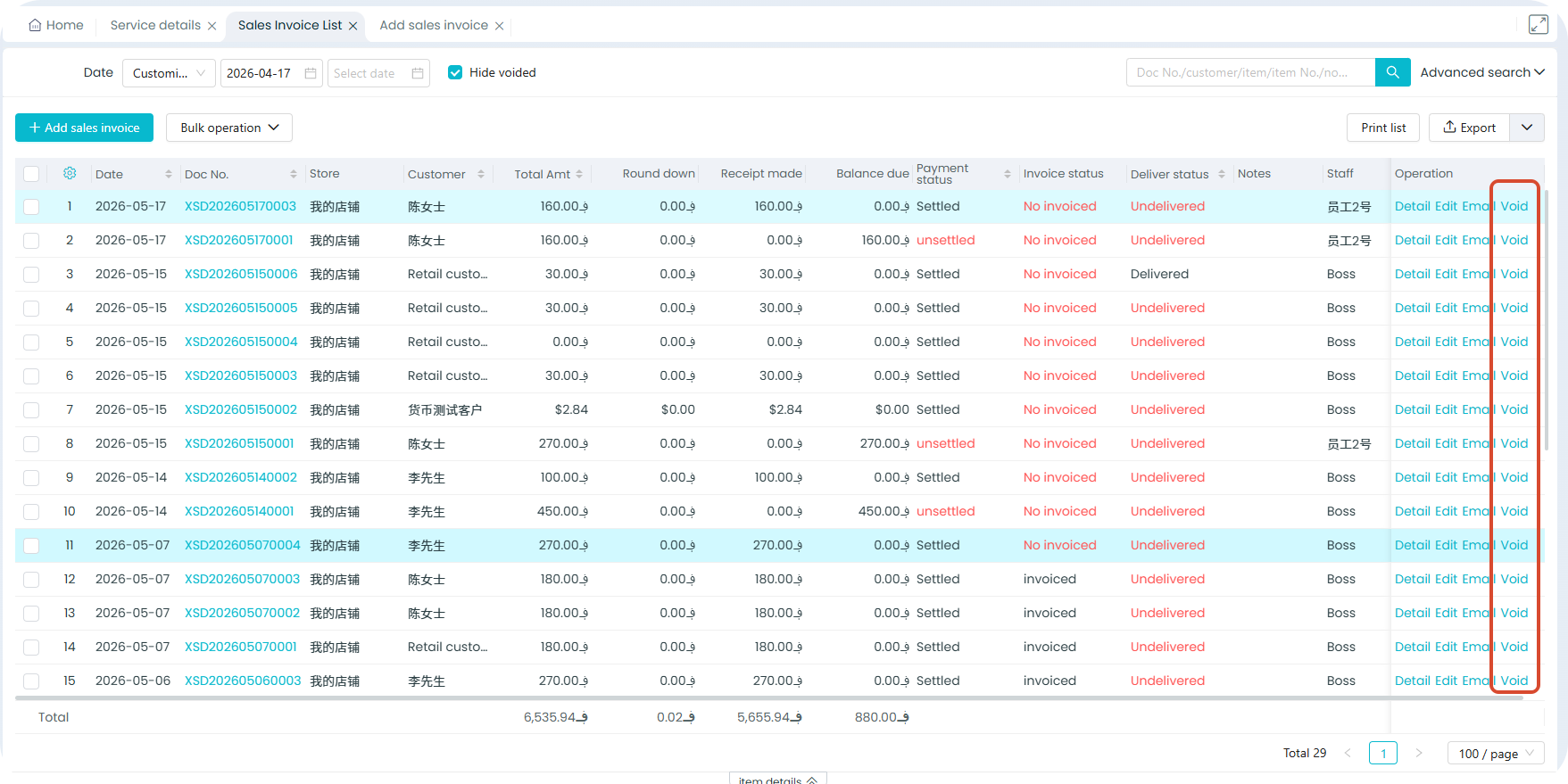
Business Scenario:It meets the boss's need to check issued【sales invoice】and facilitates business processing.