

[Mobile Terminal] How to Configure Serial Numbers
Serial Number (SN code) is the unique identifier for each product, acting like an ID card with one code per item, enabling full-process traceability. It applies to industries requiring one-item-one-code management, such as 3C electronics, medical devices, auto parts, jewelry and accessories.
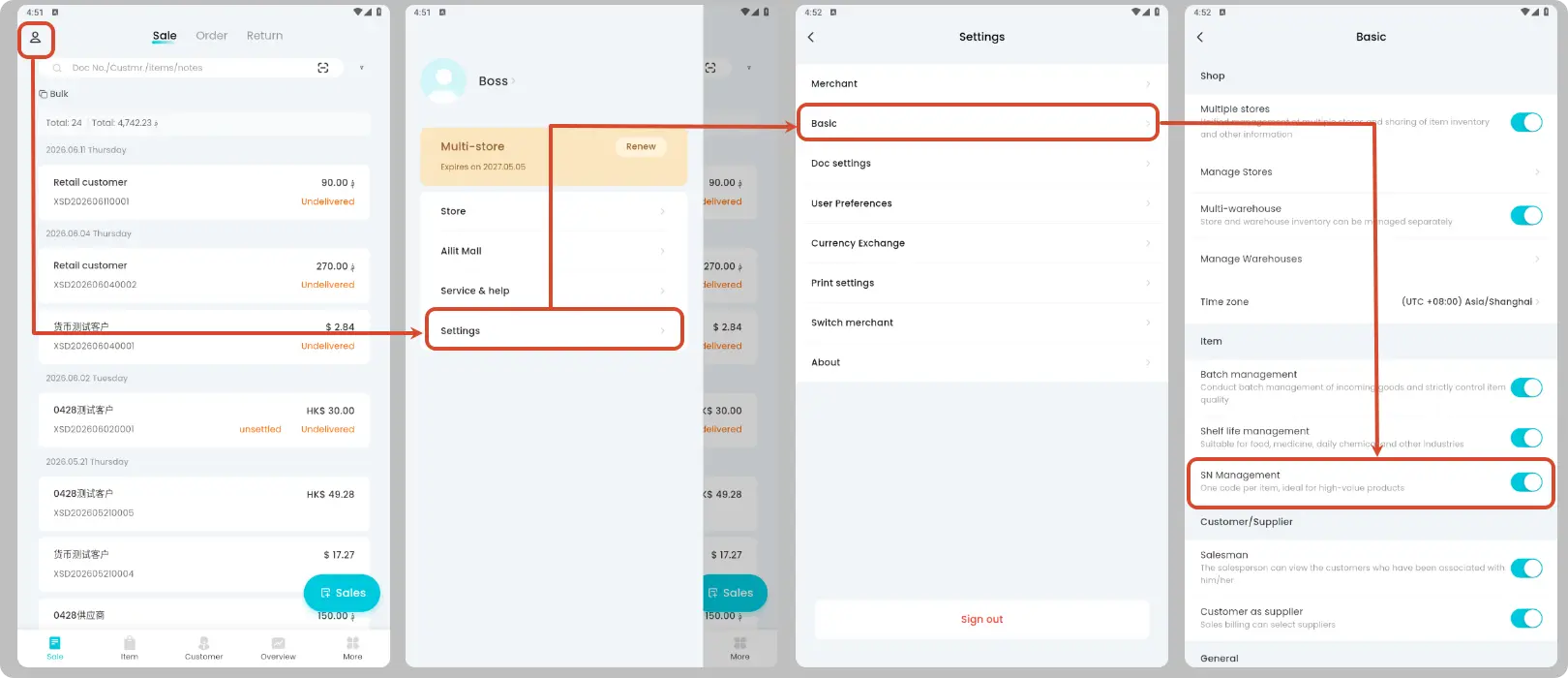
Enable Serial Number feature
Path: Top left [Avatar] → [Settings] → [Basic] → Check the box for "SN Management"
This function is enabled by default for newly registered users in the digital electrical appliance industry.
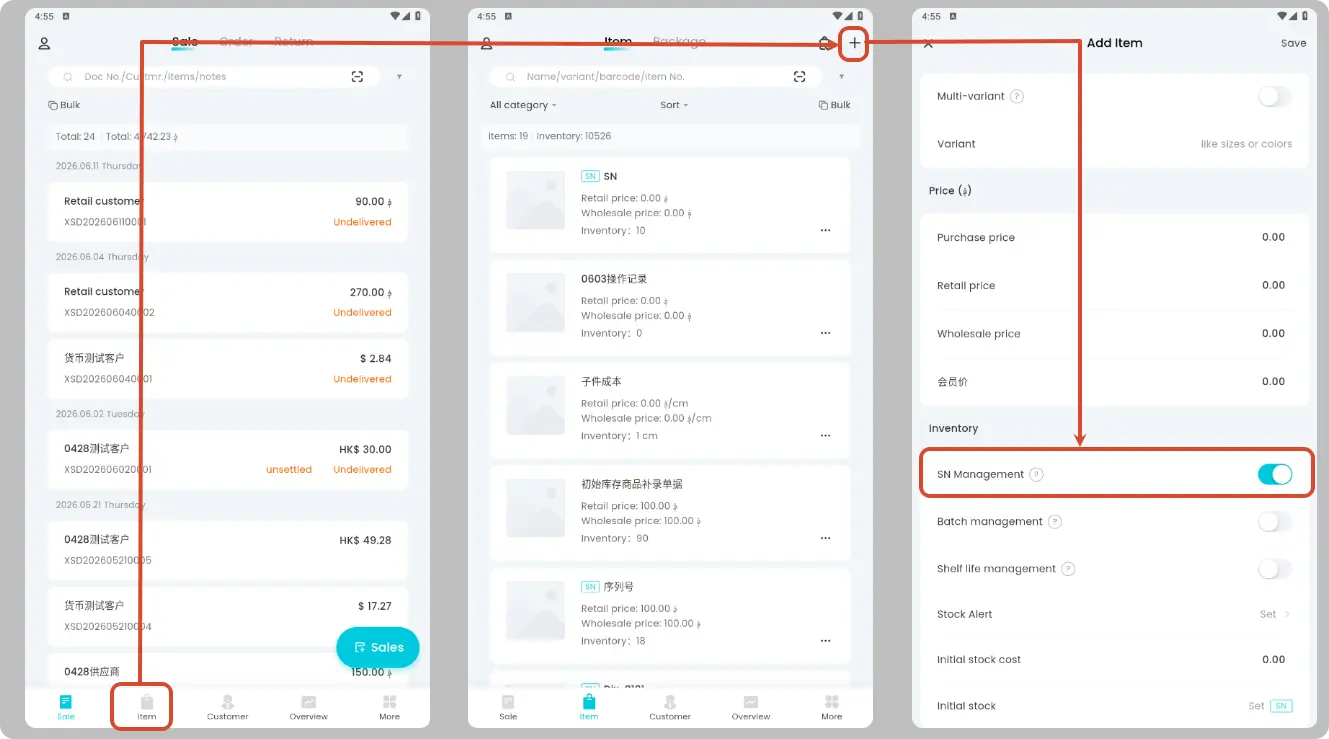
Enable Serial Number for Products
Path: [Item] → Add or Edit Item → Check "SN Management"
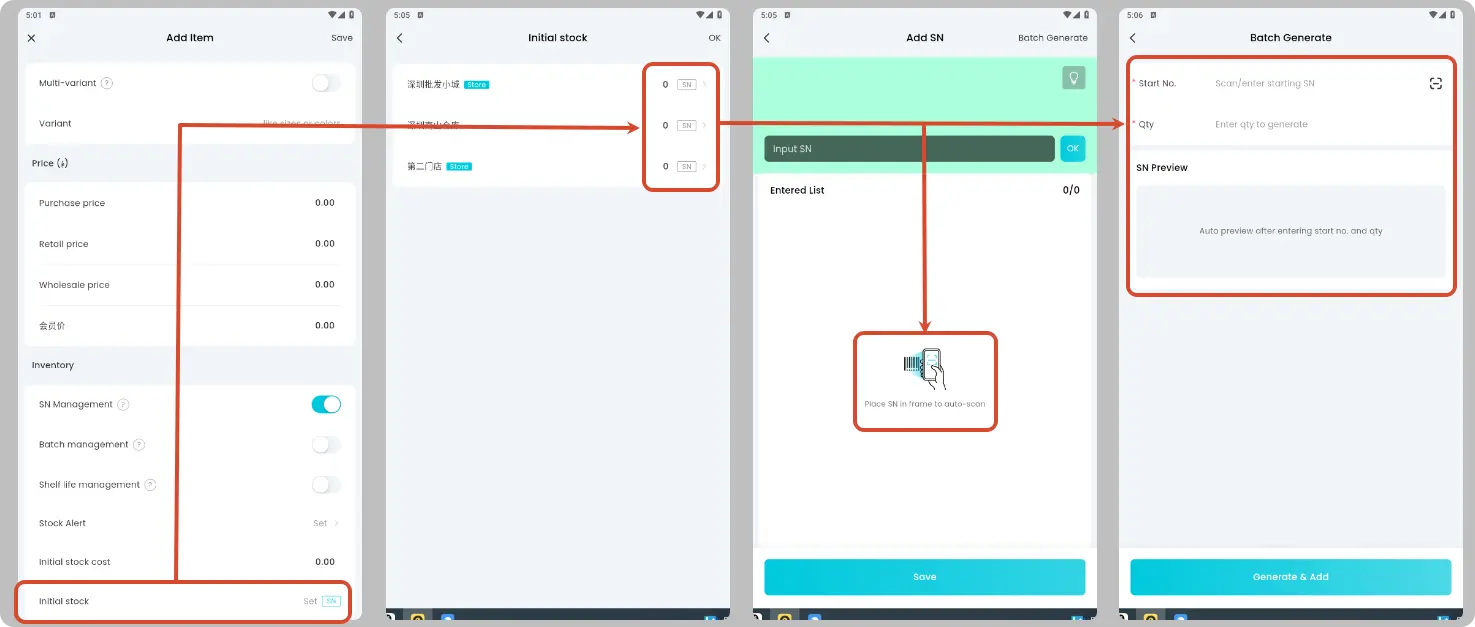
Fill in serial numbers for initial inventory
If the product has initial inventory, serial numbers can be entered. Three input methods are supported:
| Method | Description |
|---|---|
| Scan Code Entry | Place serial numbers in the box for automatic scanning; bulk entry by scanning box codes is supported |
| Manual Entry | Separated by Chinese/English commas or spaces |
| Bulk Generation | Meets demands for quick input or custom numbering |
The quantity of entered serial numbers will automatically populate the product quantity.
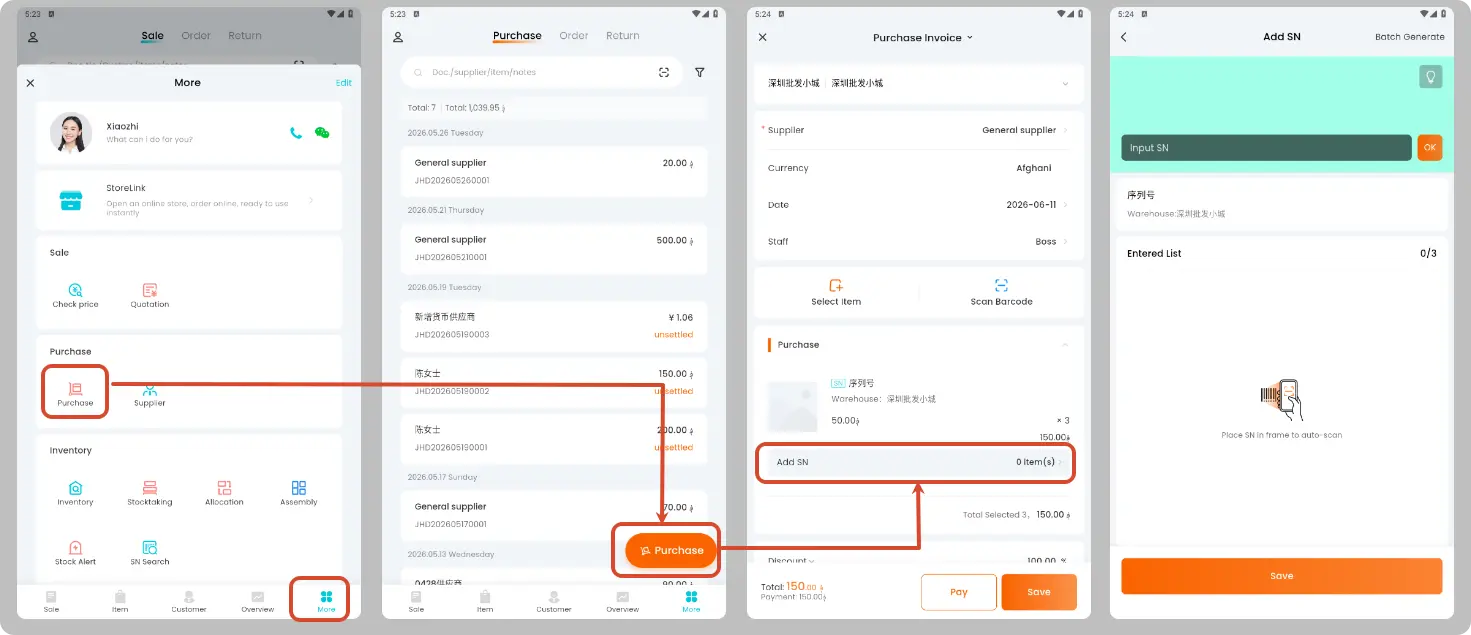
Serial Number Operations in Business Processes
Purchase (Optional)
Serial numbers can be optionally entered during purchasing, with support for scanning, manual entry or bulk generation.
Sales (Required)
Serial numbers must be selected during sales outbound delivery to ensure after-sales traceability. Supported options include:
- Scan Code Entry
- Manual Entry
- Bulk Generation
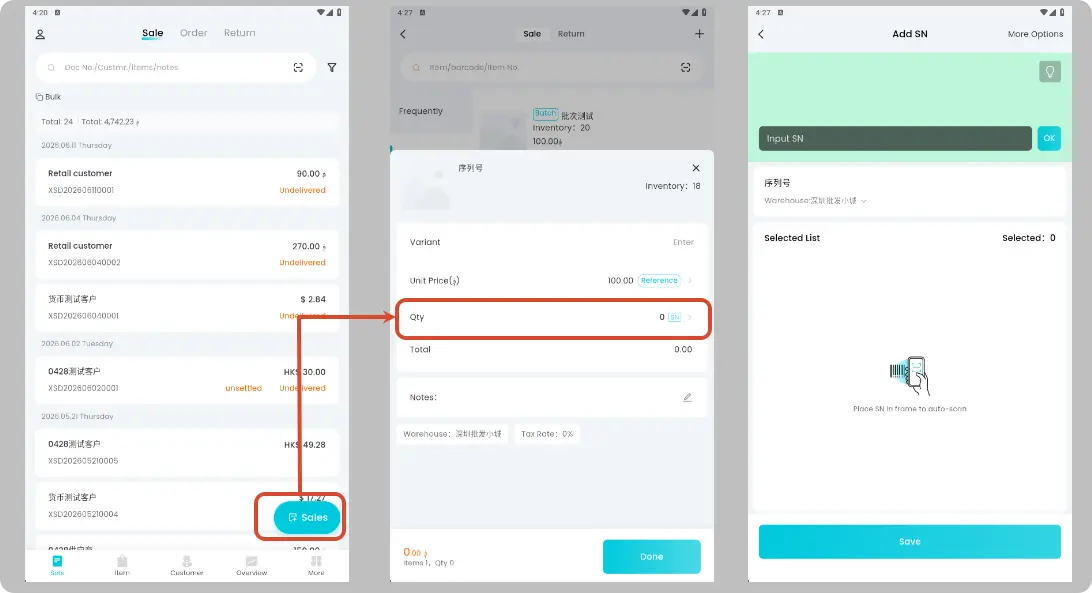
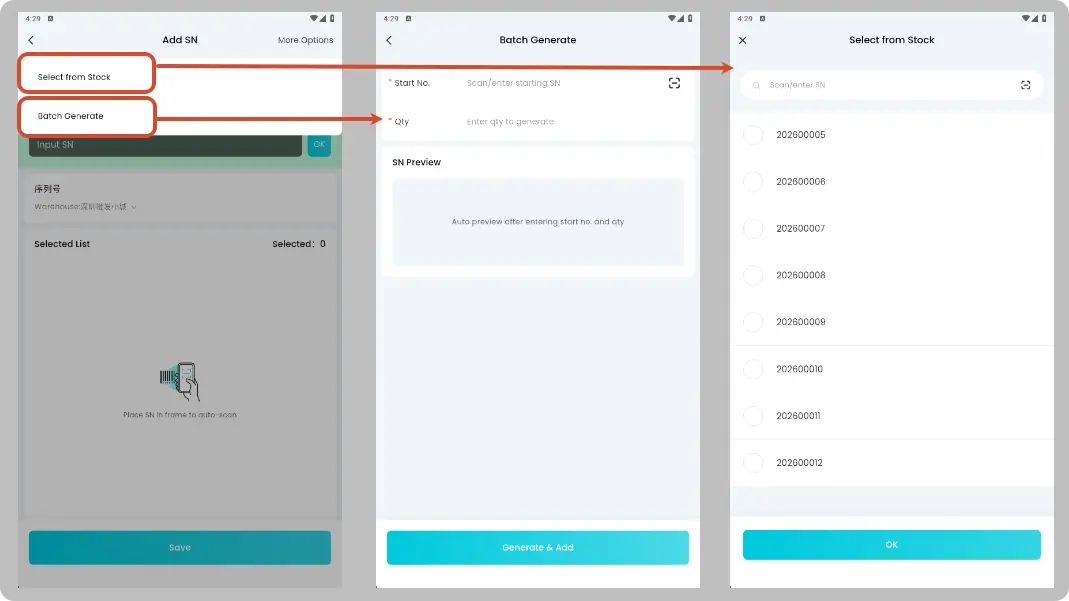
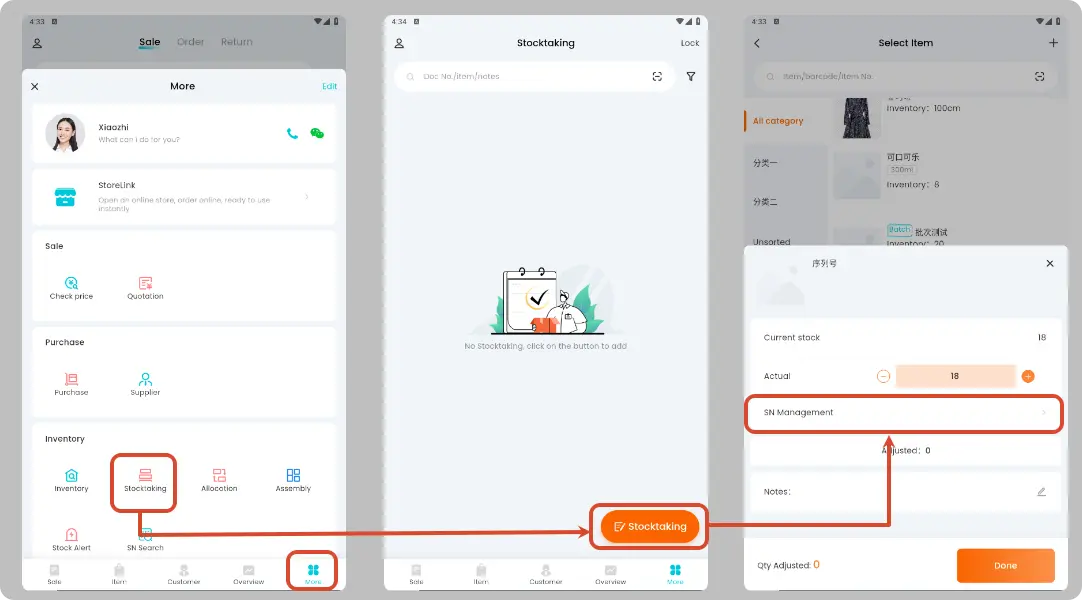
Stocktaking (Optional)
Serial numbers can be entered during Stocktaking via scanning or manual input. Click the delete button to remove entered serial numbers if needed.
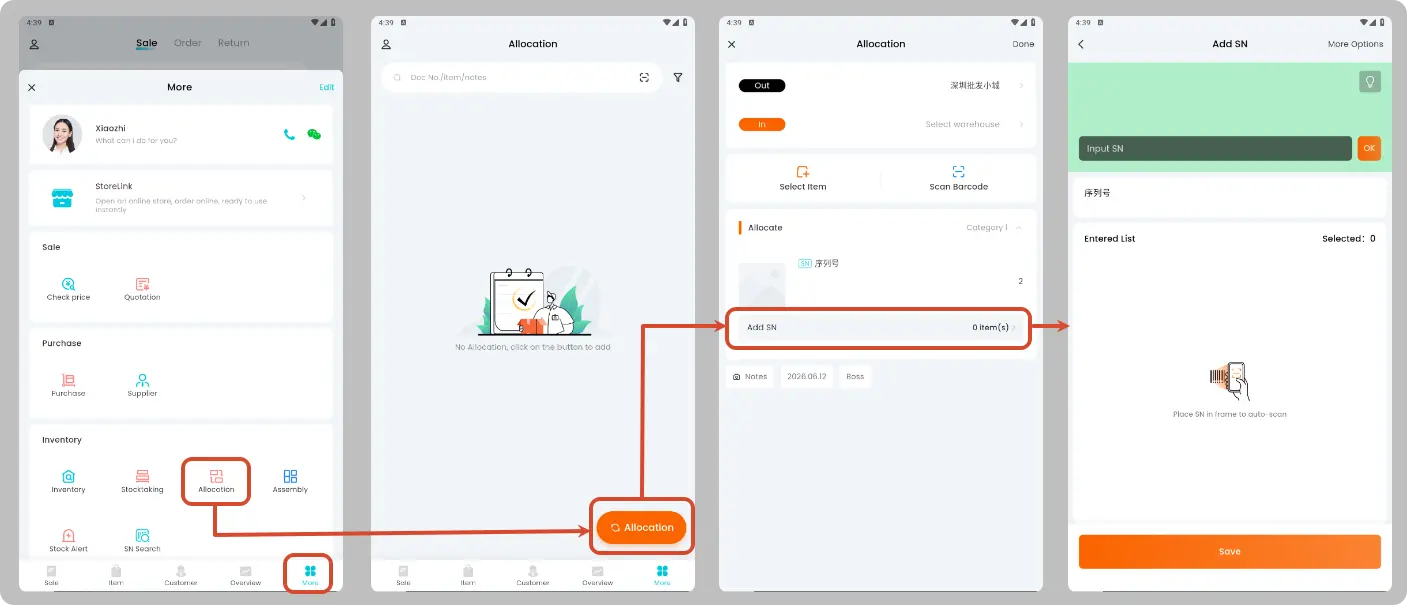
Allocation (Optional)
Serial numbers can be entered during stock transfer in and out for goods verification.
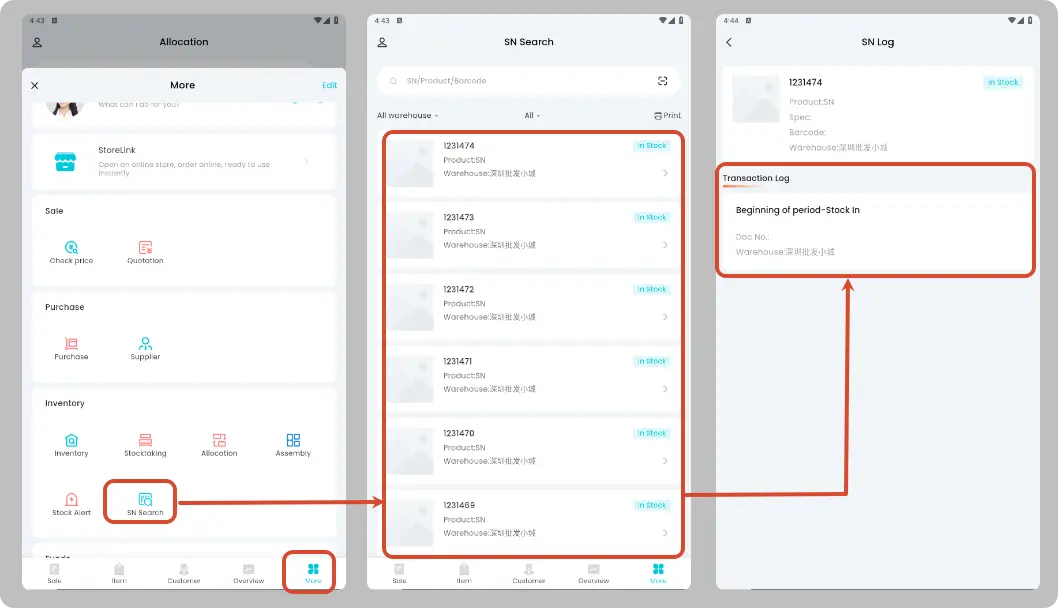
Serial Number Search
| Function | Description |
|---|---|
| Query | Filter by conditions such as product, serial number and status |
| View Transaction Logs | Check the full circulation records of each serial number |
| Print serial numbers into labels |
Other Functions
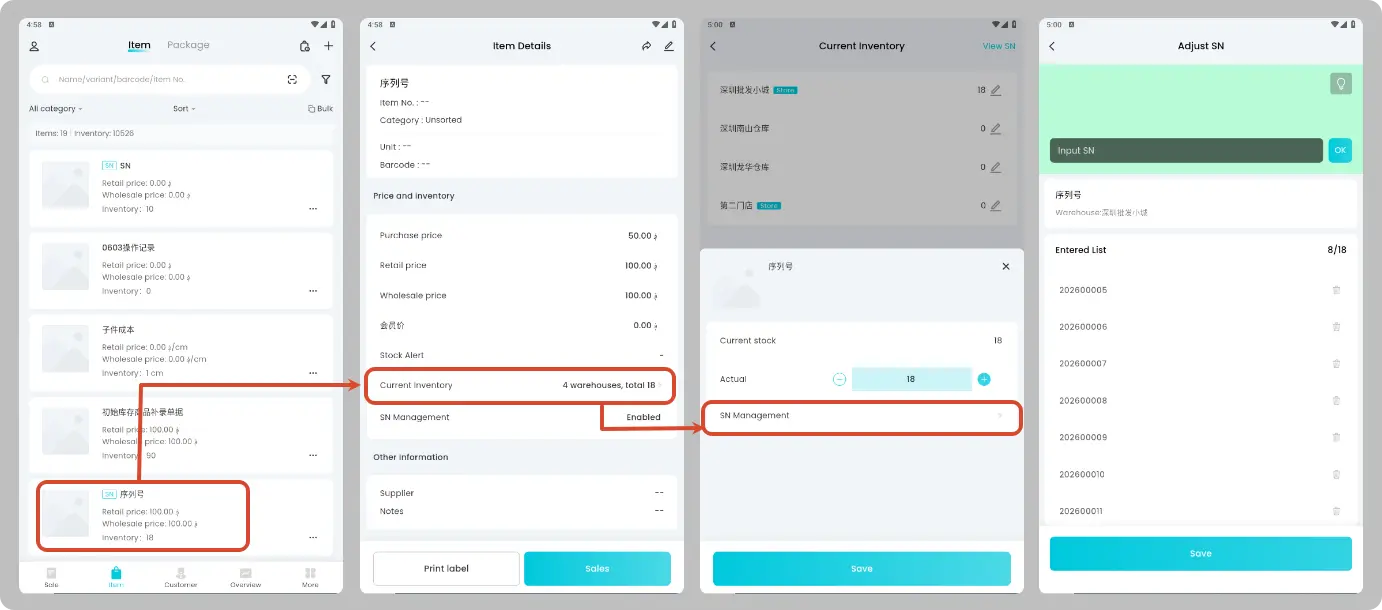
Adjust Serial Numbers in Stock
Path: [Item] → Locate target Item → Current Inventory → SN Management → Save after adjustment
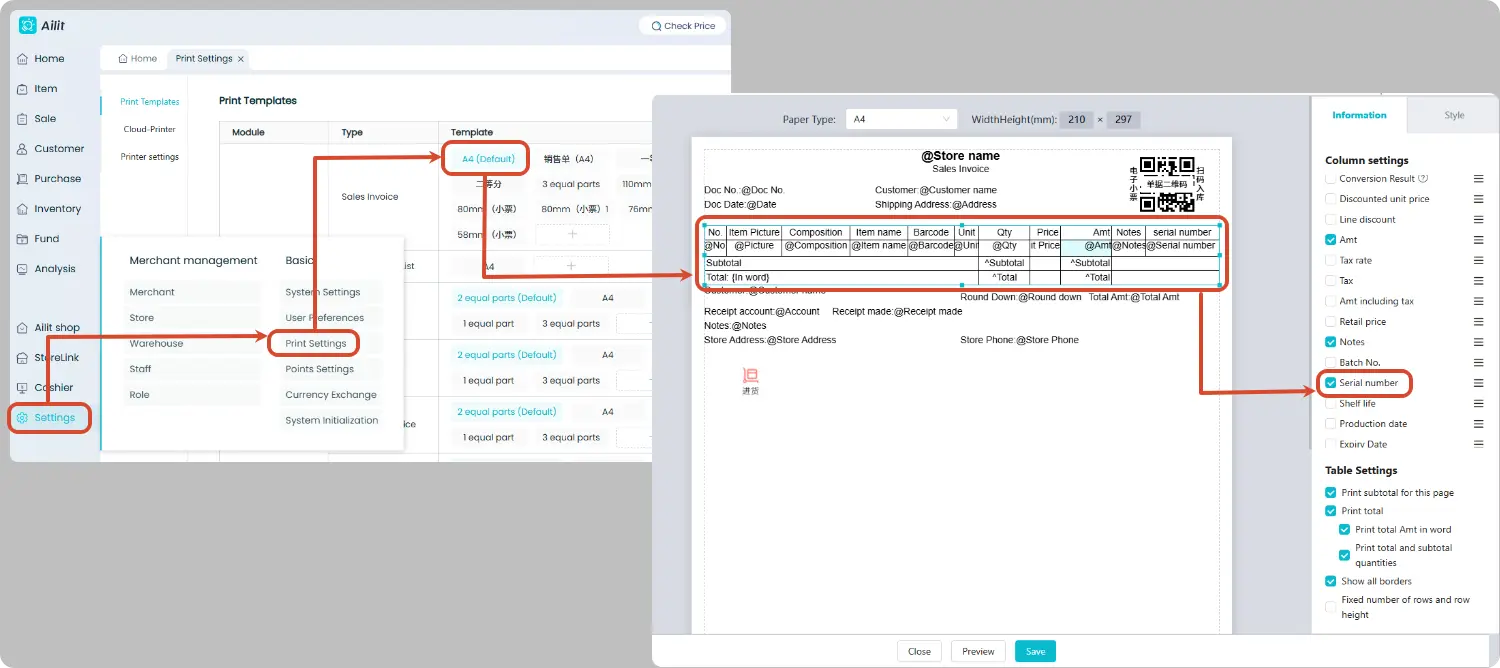
Print Serial Numbers on Documents
Documents such as sales invoice and purchase invoice support printing serial numbers. Please switch to the PC terminal, and add the serial number field customly when editing print templates via [Settings] → [Print Settings].
Restriction Instructions
| Item | Description |
|---|---|
| Supported Documents | Sales Invoice, Sales Return Invoice, Purchase Invoice, Purchase Return Invoice, Stocktaking Invoice, Allocation Invoice |
| Unsupported Documents | Sales Order, Purchase Order, Quotation, Assembly & Disassembly Invoice |
| Mutually Exclusive Functions | Serial number cannot be enabled simultaneously with batch number and shelf life functions. |
| Item Type | Serial number function unavailable for combo packages |
| Unit Restriction | Only the smallest unit can be selected for issuing sales documents |
| Voiding Sequence | Serial number transaction records must be voided starting from the latest record (e.g., void the sales invoice before voiding the purchase invoice) |
| Inventory Requirement | Serial number activation is prohibited when current inventory quantity is negative or a decimal value |
FAQ
Are there any requirements for serial number format?
Letters, numbers and common special characters are supported. The maximum length is 100 characters, and Chinese characters are not allowed. The maximum entry quantity per operation is 1000.
Can serial numbers be duplicated?
No. Serial numbers are globally unique. One serial number can only correspond to one SKU and be bound to a single warehouse within the entire system.
Can a serial number be moved in and out of stock multiple times?
Yes. The flow of purchase → sales → repurchase is permitted. However, repeated outbound for already dispatched serial numbers or repeated inbound for already received serial numbers (e.g., sales followed by another sales) is not allowed.