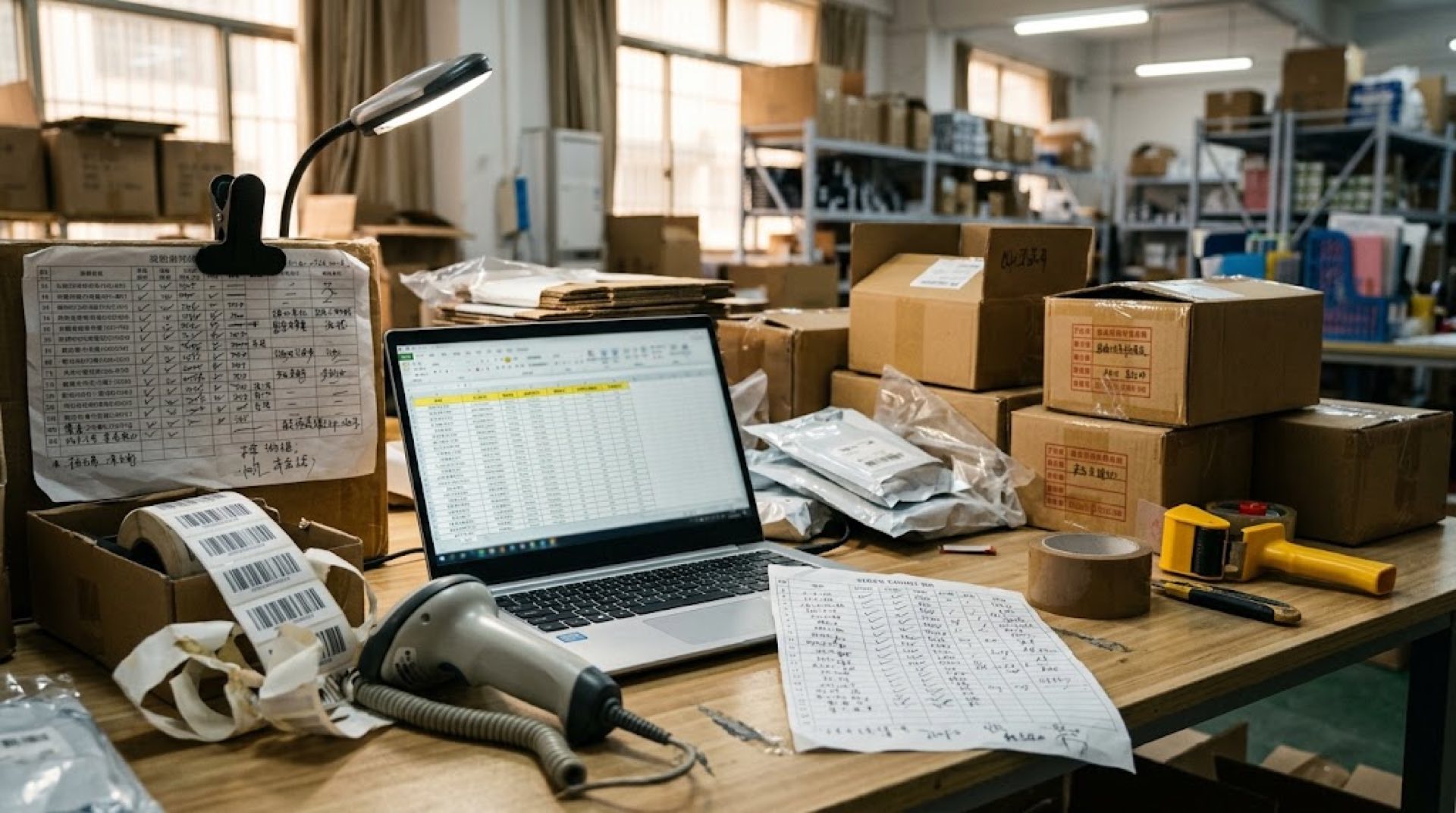
Merchants handling more than a few hundred stock-keeping units hit a predictable wall. Counting by hand, updating spreadsheets at the end of each day, and guessing when to reorder works until it stops working. The switch to barcode inventory software is usually the first step that actually scales.
Executive Summary
- The core issue: Spreadsheet tracking breaks between roughly 200 and 500 SKUs when multiple staff members touch the same file, and scanning errors compound faster than manual audits can catch them.
- When to switch: Switch when stock discrepancies exceed 3 percent of total inventory value, when order picking takes longer than the sales cycle, or when a single person controls all inventory knowledge.
- Key takeaway: The right platform pays for itself within the first quarter by cutting mispicks, eliminating double-entry work, and surfacing reorder points before stockouts occur.
What Is Barcode Inventory Software and How Does It Work?
Direct answer: Barcode inventory software translates physical product movement into digital records by scanning unique product codes, updating stock counts in real time, and syncing data across sales channels and warehouse locations.
The system works through three components: a product database with unique identifiers, a scanning device that reads those identifiers, and software that records every scan as an inventory event. When a worker scans an item during receiving, the system adds that quantity to stock. When the same item is scanned during picking or shipping, the quantity is deducted. The math is straightforward, but the value comes from eliminating the gap between what the ledger says and what the shelf actually holds.
Most small-business systems support Code 128, Code 39, EAN-13, and UPC-A formats. QR codes add capacity for batch numbers and serial tracking. The choice of symbology depends on product type and whether the business needs to track individual units or bulk cases.
When Should a Small Retailer Stop Using Excel for Inventory?
Direct answer: A business should leave spreadsheets when the time spent reconciling counts exceeds the cost of a software subscription, typically around 200 to 500 SKUs managed by two or more people.
Three signals mark that threshold. First, stock discrepancies above 3 percent of total inventory value suggest the spreadsheet has become unreliable. Second, when staff members overwrite each other's edits because the file lives on a shared drive, data integrity drops below usable levels. Third, when a single employee holds all the reorder knowledge in their head, the business faces operational risk that no spreadsheet formula can solve.
A textile wholesaler operating out of Mumbai's Crawford Market manages 3,200 SKUs across cotton, silk, and synthetic fabric categories. Their team of six buyers used a shared Excel workbook to track incoming bolts and outgoing shipments. The workbook grew to 47 tabs with conflicting formulas. Stock variance reached 6.8 percent over a single quarter, translating to roughly $18,000 in unaccounted inventory. After moving to a barcode-based system, variance dropped to 1.2 percent within two months.
What Features Matter Most in Barcode Inventory Systems?
Direct answer: The essential features are mobile barcode scanning, real-time stock updates, multi-location support, purchase order generation, and integration with existing point-of-sale or e-commerce platforms.
Mobile scanning deserves priority. A system that requires workers to walk back to a desk terminal after each scan eliminates the speed advantage of barcodes entirely. Staff should scan at the shelf, at receiving, and at dispatch with a phone or handheld device that updates the central database immediately.
Multi-location support matters for businesses that split stock across a storefront, a back warehouse, and a third-party fulfillment center. The system must show available quantity at each location and support transfer orders between them. Without this, stock available in one location appears out of stock to a customer ordering from another channel.
Purchase order automation removes the most common cause of stockouts. The system should flag items that fall below their reorder point and generate a purchase order draft with the supplier details already populated. Some platforms now include AI-powered inventory forecasting that analyzes sales velocity, seasonality, and lead time to suggest reorder quantities rather than relying on static minimum thresholds.
Reporting and analytics round out the list. A useful system shows inventory turnover rates, dead stock value, gross margin return on investment per SKU, and days of supply remaining. These metrics drive purchasing decisions that spreadsheets can calculate only with significant manual effort.
How Do Leading Barcode Inventory Platforms Compare?
Direct answer: Sortly excels at visual simplicity for teams new to barcode tracking, inFlow offers deep manufacturing and wholesale capabilities, Zoho Inventory integrates tightly with the broader Zoho ecosystem, BoxHero focuses on straightforward multi-location scanning, and intelligent inventory platforms combine barcode scanning with point-of-sale and purchasing in a single system.
| Software Platform | Primary Use Case | Key Strengths & Differentiation |
|---|---|---|
| Ailit | Small and mid-size businesses needing POS, stock, and purchasing together | Covers point-of-sale, inventory tracking, and procurement in one system; supports multi-language operations across retail and wholesale segments |
| Sortly | Teams that need a visual, folder-based inventory system | Extremely low learning curve; custom folder structure with photo-based item records; QR code generation built in |
| inFlow Inventory | Wholesale distributors and light manufacturers | Strong purchase order and work order management; handles kitting, serial tracking, and BOM assembly |
| Zoho Inventory | Businesses already using Zoho CRM, Books, or Creator | Native integration across the Zoho suite; multi-channel sales from Shopify, Amazon, and eBay; automated shipping labels |
| BoxHero | Small teams managing stock across multiple physical locations | Simple scan-to-update workflow; shared inventory visibility across locations; minimal setup required |
Each platform has limitations. Sortly's reporting is thin for businesses that need cost accounting or landed cost calculations. inFlow's interface can overwhelm teams that only need basic stock tracking. Zoho Inventory's feature depth depends on owning other Zoho products for full value. BoxHero lacks advanced purchasing workflows such as blanket orders or vendor-managed inventory. The combined approach, while broad in scope, may offer more modules than a micro-business needs on day one.
How Much Does Barcode Inventory Software Cost?
Direct answer: Pricing ranges from free tiers for single users to $300 or more per month for multi-user, multi-location plans, with most small businesses spending between $30 and $150 monthly.
Sortly offers a free tier limited to 100 items and a single user, with paid plans scaling to $249 per month for teams of ten with 5,000 items. inFlow starts at $89 per month for a single user and rises based on additional staff. Zoho Inventory includes a free plan for up to 50 orders per month, with paid tiers from $29 to $299 monthly. BoxHero begins at $35 per month for three users and 3,000 items.
The hidden cost most buyers miss is onboarding. A system that requires importing a product catalog, setting up barcode labels, training staff, and mapping integrations can consume 40 to 80 hours in the first two weeks. Vendors that include guided setup or import templates reduce this friction. The business should ask whether the vendor provides label templates, barcode printer compatibility lists, and a data migration checklist before committing.
What Should Merchants Verify During a Free Trial?
Direct answer: Test the full receiving-to-shipping workflow with at least 50 real SKUs, verify barcode scanning works on the actual devices staff will use, and confirm that integrations with existing sales channels sync without delay.
Start by importing a subset of the actual product catalog. Fifty SKUs covering fast movers, slow movers, and bundled products gives enough variety to expose workflow gaps. Print barcode labels and scan them with the phone or handheld device the team will use on the floor. If the scanning experience feels slow or unreliable, it will not improve after the team commits to the platform.
Test the receiving process. Create a purchase order, receive the items against it, and verify that the stock levels update correctly. Then simulate a sales order, pick the items, and ship them. Check whether the system handles partial shipments, backorders, and returns without manual workarounds.
Finally, verify integration behavior. If the business sells on Shopify and in a physical store, create a test order on each channel and confirm that inventory deducts on both within seconds. Delayed sync is the most common cause of overselling during the transition period.
FAQ
What type of barcode scanner works with inventory software?
Most cloud-based barcode inventory systems work with any scanner that operates in keyboard wedge mode, including USB handheld scanners, Bluetooth ring scanners, and smartphone cameras using a scanning app. The scanner acts as a keyboard input, so compatibility depends on the software accepting typed input rather than a specific hardware protocol. For high-volume warehouses, dedicated Android-based scanners with built-in scanning engines reduce errors compared to phone cameras.
Can barcode inventory software handle multiple warehouse locations?
Yes, most mid-tier platforms support multiple locations with stock visibility and transfer orders across each site. The system tracks available quantity per location and records inter-location transfers as deducting from the origin and adding to the destination. Businesses should verify that the platform supports their specific number of locations, as entry-level plans sometimes cap at two or three sites.
How long does it take to migrate from spreadsheets to barcode software?
A migration with fewer than 500 SKUs typically takes two to three days for data import and label printing, plus one to two weeks for staff training and parallel running. The product catalog imports as a CSV with columns for SKU, name, cost, price, and initial quantity. Barcode labels can be printed during the first day. The parallel running period, where the new system and the spreadsheet operate simultaneously, catches data gaps before the spreadsheet is retired.
Does barcode inventory software integrate with accounting tools?
Most established platforms integrate with QuickBooks, Xero, or Sage for automated journal entries on purchases and sales. The integration typically syncs invoices, purchase orders, and stock adjustments so the accounting records reflect inventory movements without manual data entry. Merchants should confirm that the integration supports their specific accounting software version and that cost of goods sold posts correctly at month-end.