Quickly upload product images
最新修改於 2026-07-31
Quickly Upload Product Images
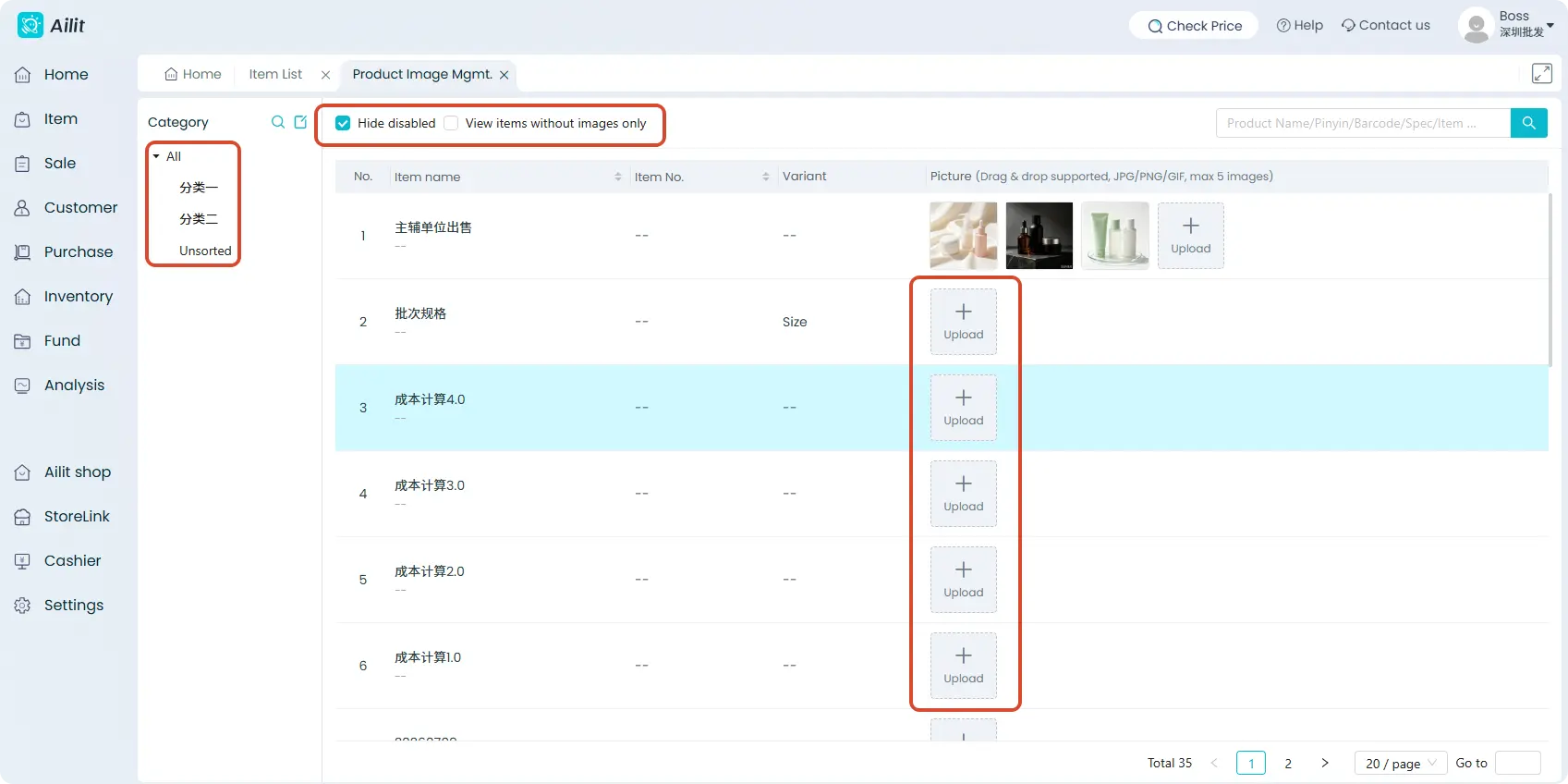
When you need to quickly add images to multiple products, you can use the batch upload feature without having to edit each product individually.
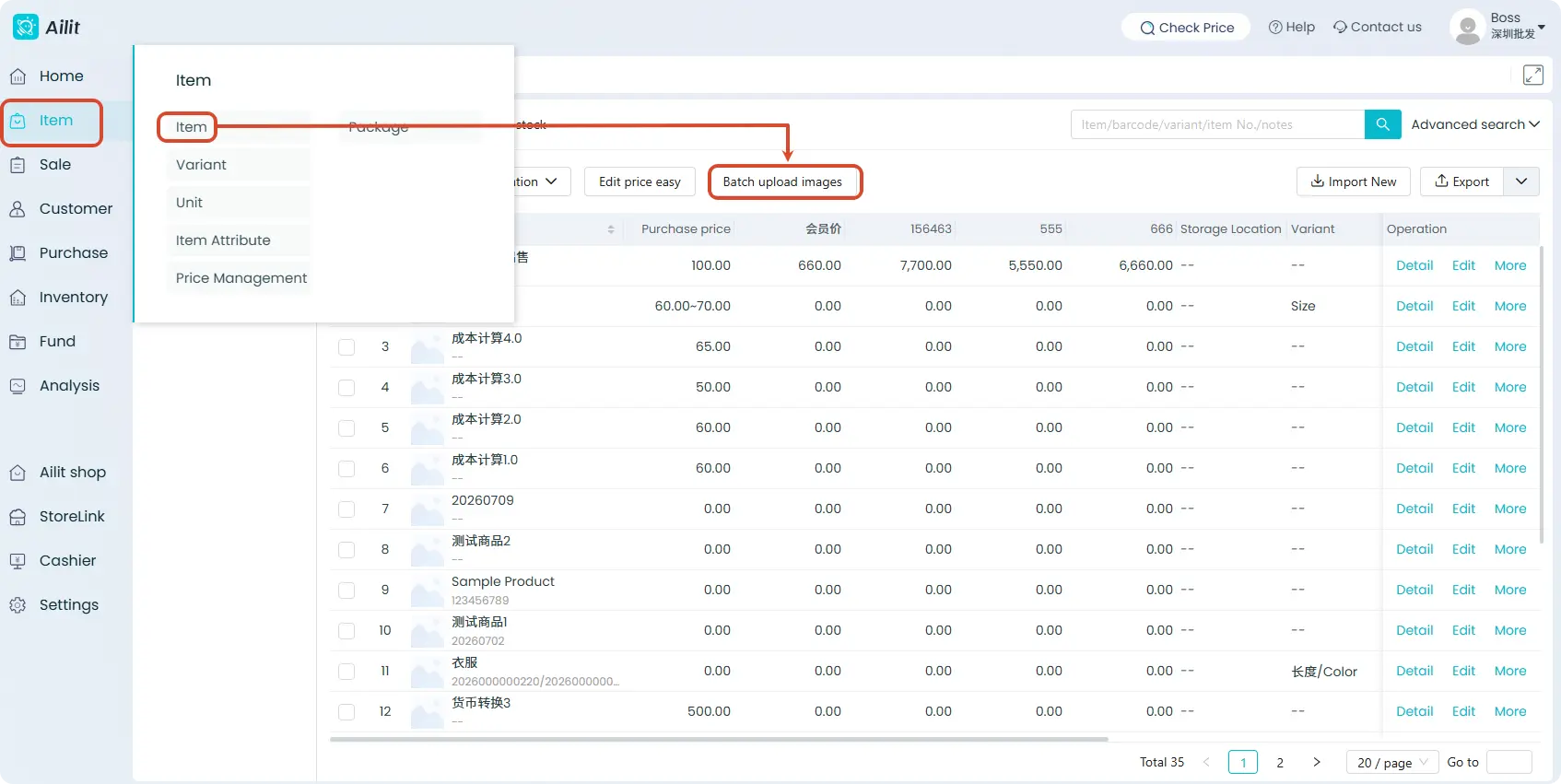
Operation Path: [Item] → [Item] → [Batch upload images]
Click “Upload Images,” select your image files (batch selection is supported, up to 5 images), or simply drag and drop the images directly into the corresponding product rows.