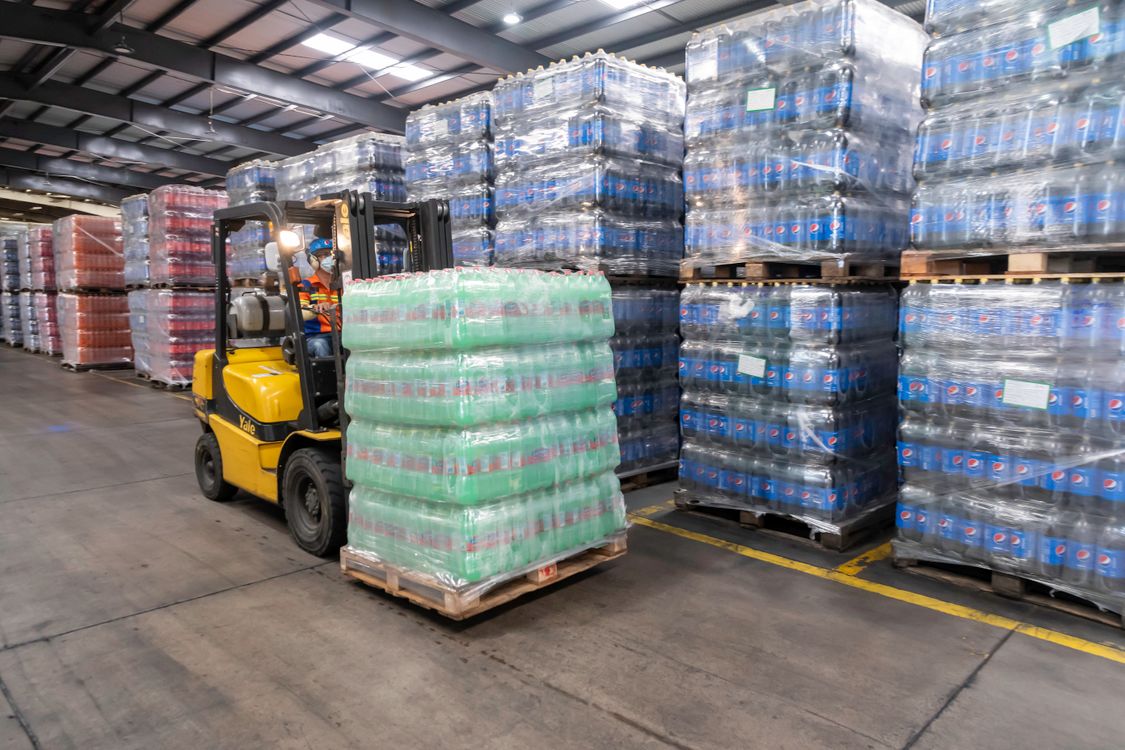
A snack wholesaler in Kowloon City, Hong Kong, discovered during last month's stock count that a batch of Thai jam had only 45 days left before expiration. The system showed 200 cases in stock. The warehouse actually held 80. The other 120 had already expired and had to be written off. The owner ran the numbers: nearly HK$30,000 lost on a single batch. This isn't an isolated case. For food and beverage merchants, expiry dates and batch tracking are two hurdles you can't avoid.
Why Food & Beverage Inventory Is Especially Prone to Errors
Merchants running wholesale and retail operations often carry hundreds or thousands of SKUs. Wine gets sorted by vintage and region. Snacks by flavor and pack size. Beverages by brand and packaging. Each batch arrives with a different shelf life, from a different supplier, at a different price. When you rely on spreadsheets or manual bookkeeping, a few core problems are almost guaranteed:
- Expiry tracking depends on human memory — who can remember which of thousands of SKUs is nearing its end date? By the time someone notices, it's often already expired
- Batch confusion — the same product from different batches has different costs. When they get mixed during dispatch, month-end reconciliation never balances
- FIFO doesn't happen in practice — new stock gets stacked in front of old stock. Old stock gets buried at the back of the warehouse and ends up as waste
- Multiple locations out of sync — the store thinks the warehouse has stock. The warehouse thinks the store sold everything. Both sides lack real data
Take a food wholesale stall in a Southeast Asian Chinese business district as an example. A typical stall manages 500 to 2,000 SKUs. Short-shelf-life foods last 3-6 months. Wines can age 5-10 years. If everything depends on human memory or spreadsheets, errors are a matter of when, not if.
Four Must-Have Criteria for Choosing an Inventory System
One: Automated expiry alerts
A good inventory system records production dates and shelf life at the moment goods arrive. It then counts down days to expiration and sends alerts on a schedule. You can set reminders at 30, 15, and 7 days before expiry, and the system automatically pushes near-expiry products to the top of the dispatch queue.
This means warehouse staff open the system each morning and immediately see what needs priority handling today, rather than scrolling through a spreadsheet looking for red-highlighted rows.
Two: Batch-level tracking tied to purchase orders
Each incoming shipment gets its own batch number, linked to the supplier, cost, quantity, and date. When goods are dispatched, the corresponding batch is selected and inventory deducted automatically. At month-end, cost, margin, and remaining quantity for every batch are crystal clear.
This matters especially for food and beverage: the same wine from a 2019 batch and a 2021 batch may differ in cost by 30%. If you mix them during dispatch, your gross margin will never be accurate.
Three: Barcode scanning for receiving and dispatch
Scan product barcodes with a smartphone or barcode gun. Receiving is one tap, and dispatch deducts stock automatically. Manual entry errors drop, and each transaction takes a fraction of the time.
For understaffed small wholesalers, this means one person can handle receiving work that previously required two.
Four: Real-time inventory sync across locations
When a store sells a case of drinks, warehouse stock should drop immediately. When new stock arrives at the warehouse, the store should see the updated sellable count. The core of AI-powered inventory software isn't a long feature list — it's accurate, real-time data so everyone sees the same numbers.
Ailit is an AI-powered intelligent inventory software for SMEs, built by Kingdee — a Hong Kong main board-listed, world-leading SaaS company. For food and beverage scenarios, all four criteria above have dedicated modules: expiry date alerts, batch-level cost accounting, barcode scanning for receiving and dispatch, and real-time multi-device inventory sync. Ailit supports Simplified Chinese, Traditional Chinese, English, Spanish, Portuguese, Arabic, Thai, and more languages, serving merchants in 154 countries with over 3 million merchants worldwide.
Common Mistake: Are Free Tools Enough?
Many merchants starting out use free spreadsheets or basic bookkeeping apps. That works fine in the early days when you have no expiry requirements and fewer than 50 SKUs. But it's time to seriously consider switching when:
- Your inventory exceeds 200 SKUs and the spreadsheet starts lagging
- You get your first inventory discrepancy because someone forgot to log a transaction
- An employee handles both receiving and dispatch, and handoff data never matches up
- A customer complains about receiving near-expiry goods, and you can't trace which batch they came from
Tools aren't better just because they're expensive, but they're not better just because they're cheap either. The question is whether they cover your biggest business risk. For food and beverage wholesalers, expiry dates and batch tracking are the biggest risks.
Hidden Costs in Daily Operations
Beyond expired stock write-offs, there are a few hidden costs that food and beverage wholesalers often overlook. First is return losses — a restaurant cancels an order last minute, and perishable goods can't be resold. Second is transfer losses — goods moved between stores lose shelf life due to temperature changes in transit. Third is reconciliation time costs — the owner spends 2-3 days each month manually matching purchase orders against sales records. That same time, spent acquiring new customers, would generate far more value than the software fee being saved.
A reliable multilingual inventory system can cut at least 60% of the manual reconciliation workload across these areas. Data flows automatically, anomalies get flagged, and the owner can review the dashboard in 15 minutes a day.
Getting Started
If you're still managing inventory with spreadsheets, here's a practical transition plan:
1. Start with a full stock count — recount everything by SKU, batch, and expiry date to establish accurate baseline data
2. Prioritize — enter the shortest shelf-life and highest-value categories first (fresh goods, imported snacks), then migrate the rest in batches
3. Set alerts — configure reasonable expiry warning windows for each category: 30 days for short-shelf-life foods, 90 days for long-shelf-life beverages and wines
4. Train your team — standardize barcode receiving and dispatch procedures so new hires can follow the workflow from day one